This section will provide instructions on how a user can update their own Account Security Question in the User Access Manager application.
Note: A user will only be able to update the Account Security Question for their own account.
-
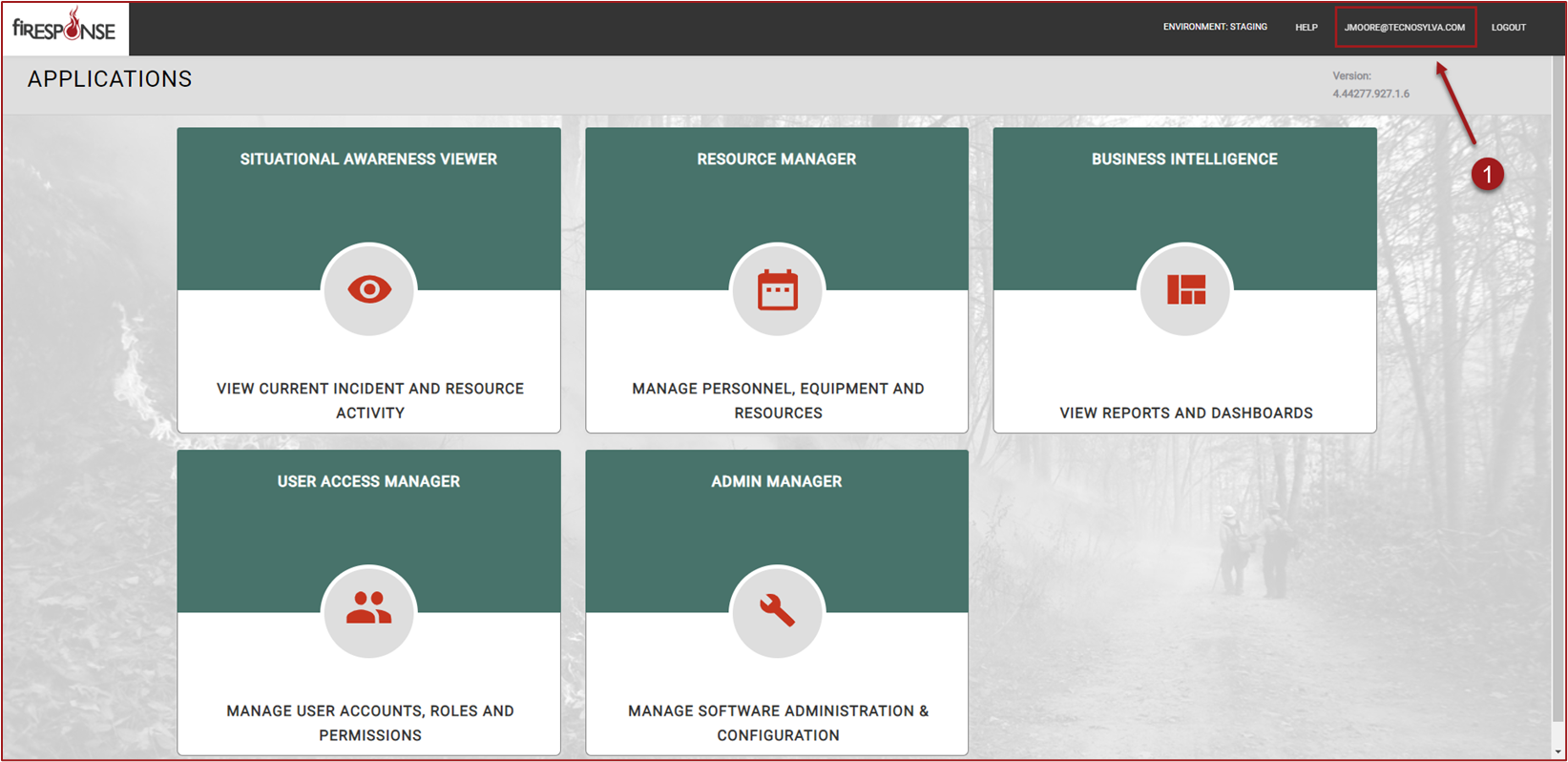
On the Applications page click on the user’s email address located in the application header. This will open the user’s Profile page.
-
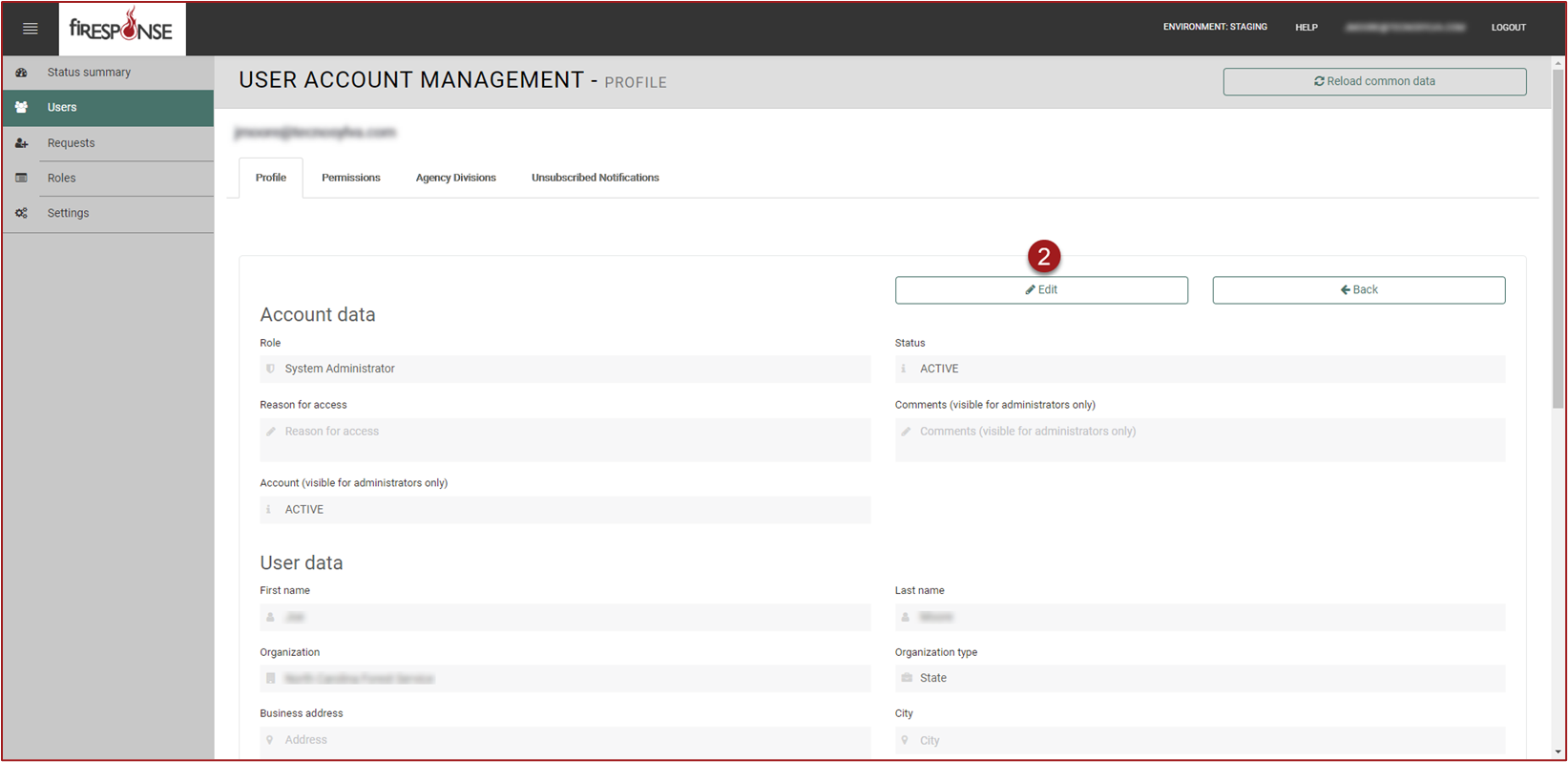
Click Edit.
-
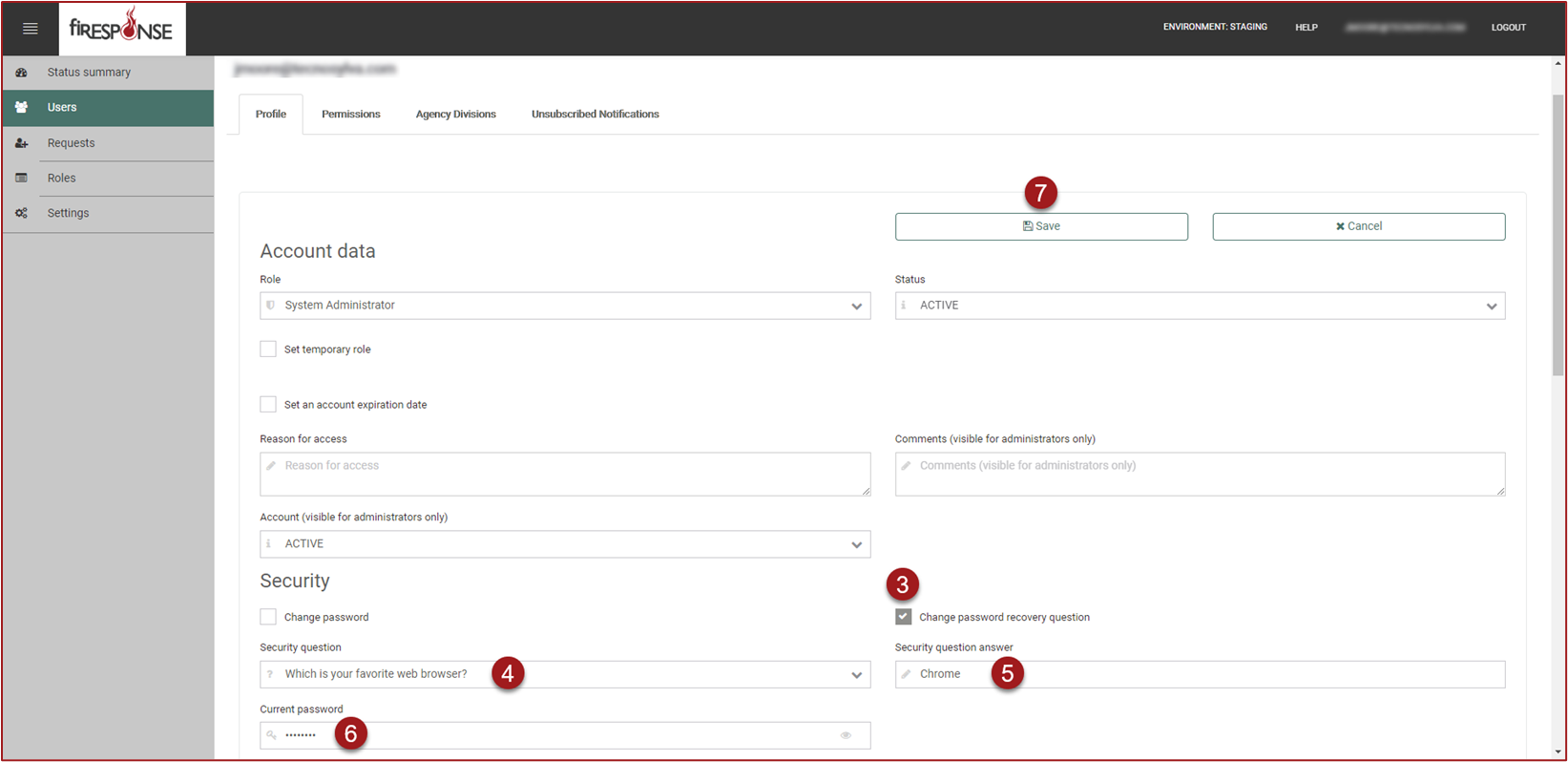
Click in the checkbox to the left of “Change password recovery question”.
-
Use the drop-down list to choose a new Security Question.
-
Enter a Security Question Answer.
-
Enter the Current Password.
-
Click Save.