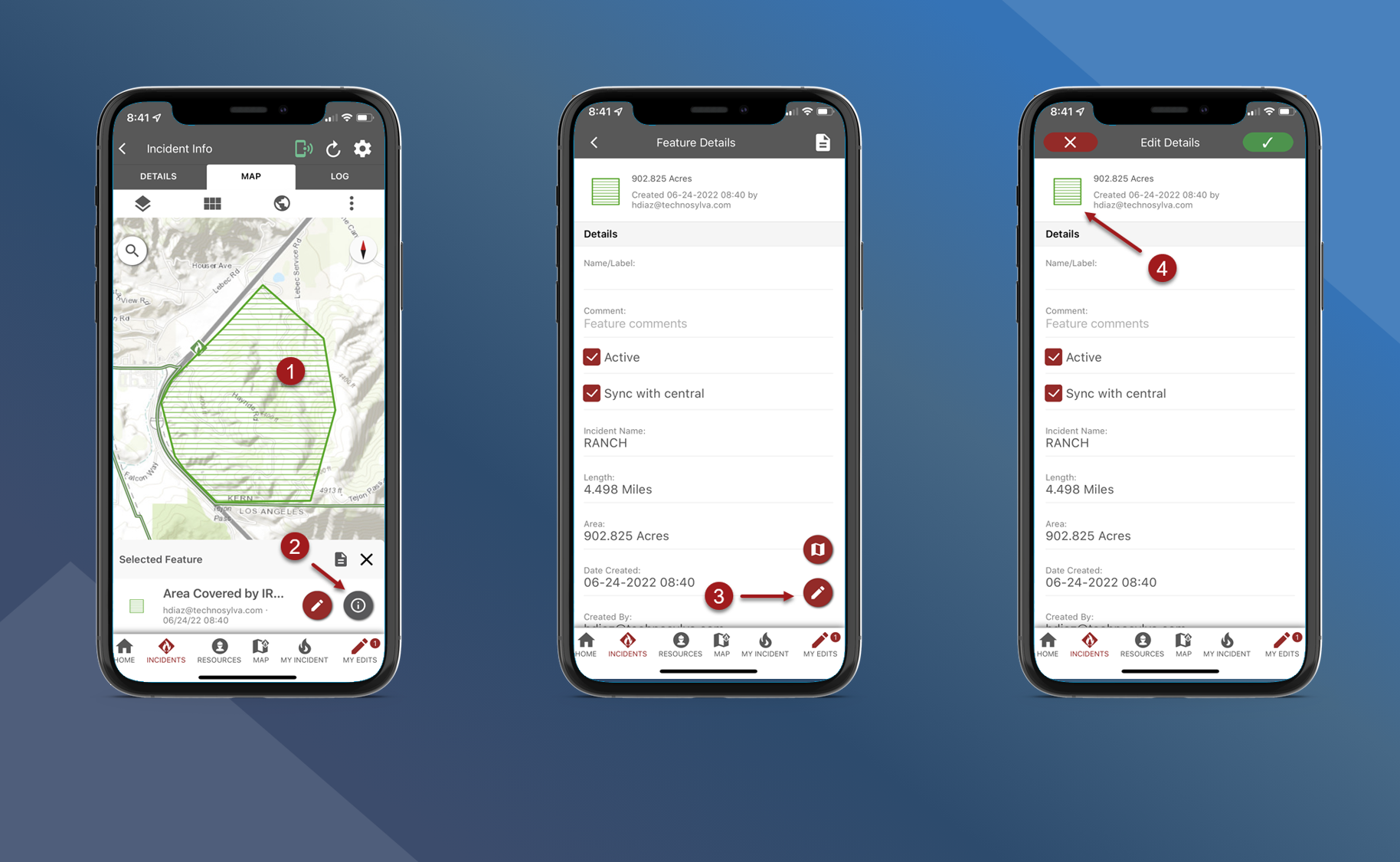
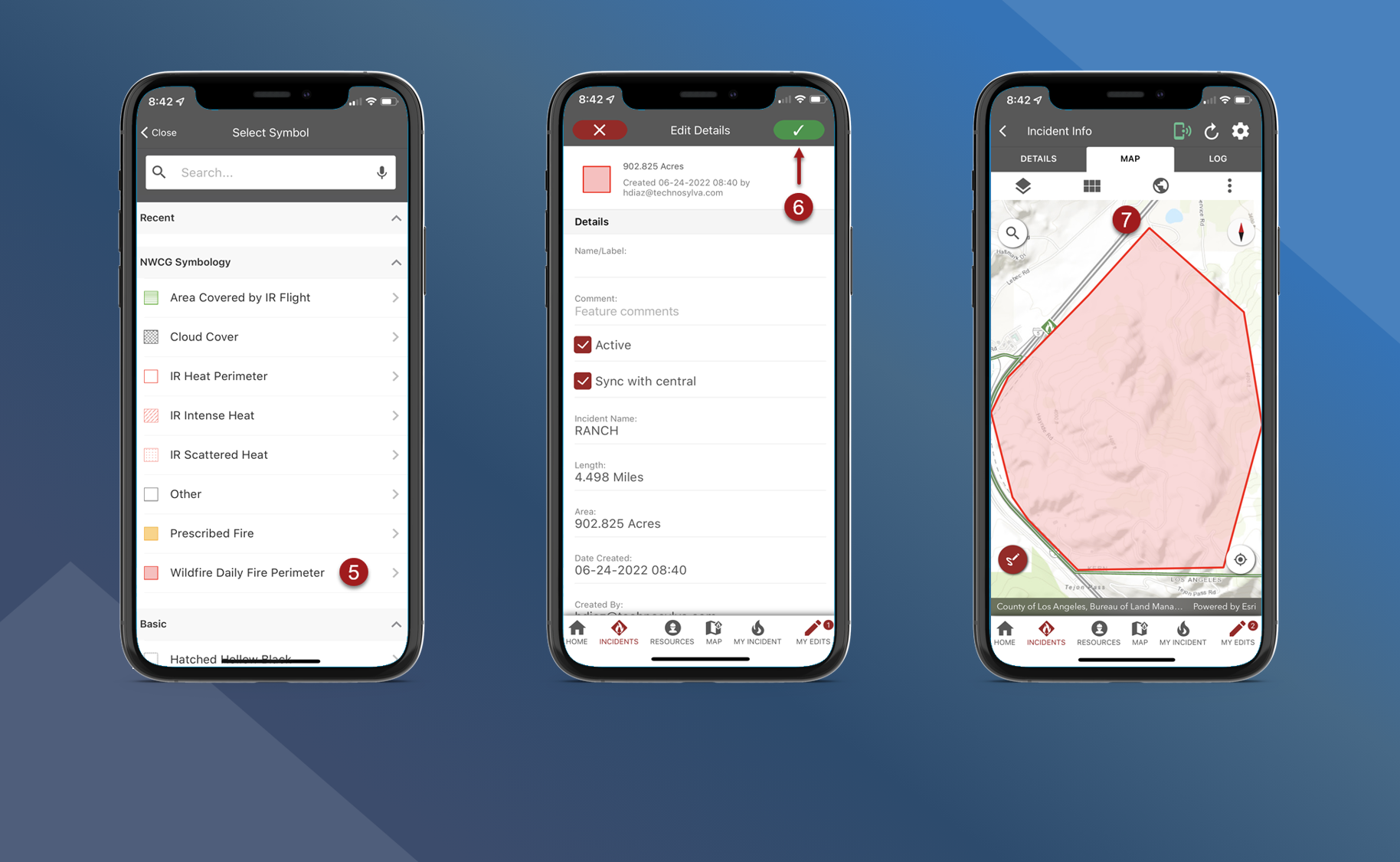
Follow the steps below to change symbology of existing map features:
-
Tap the preferred feature on the map
-
Tap the information button to open the Feature Details screen
-
Tap the pencil button on the Feature Details screen to edit Feature Details.
-
Tap the current symbology icon in the upper left corner of the screen
-
Select the new symbology that you want to use
-
Tap
to save edits
-
Symbology has been changed for this feature