To set a Person or Organization as the Landowner on a Report that Person or Organization must have the Landowner Kind and Landowner Category fields completed.
Follow the directions below to set the Landowner Kind and Landowner Category for a Person or Organization that is already in fiResponse.
-
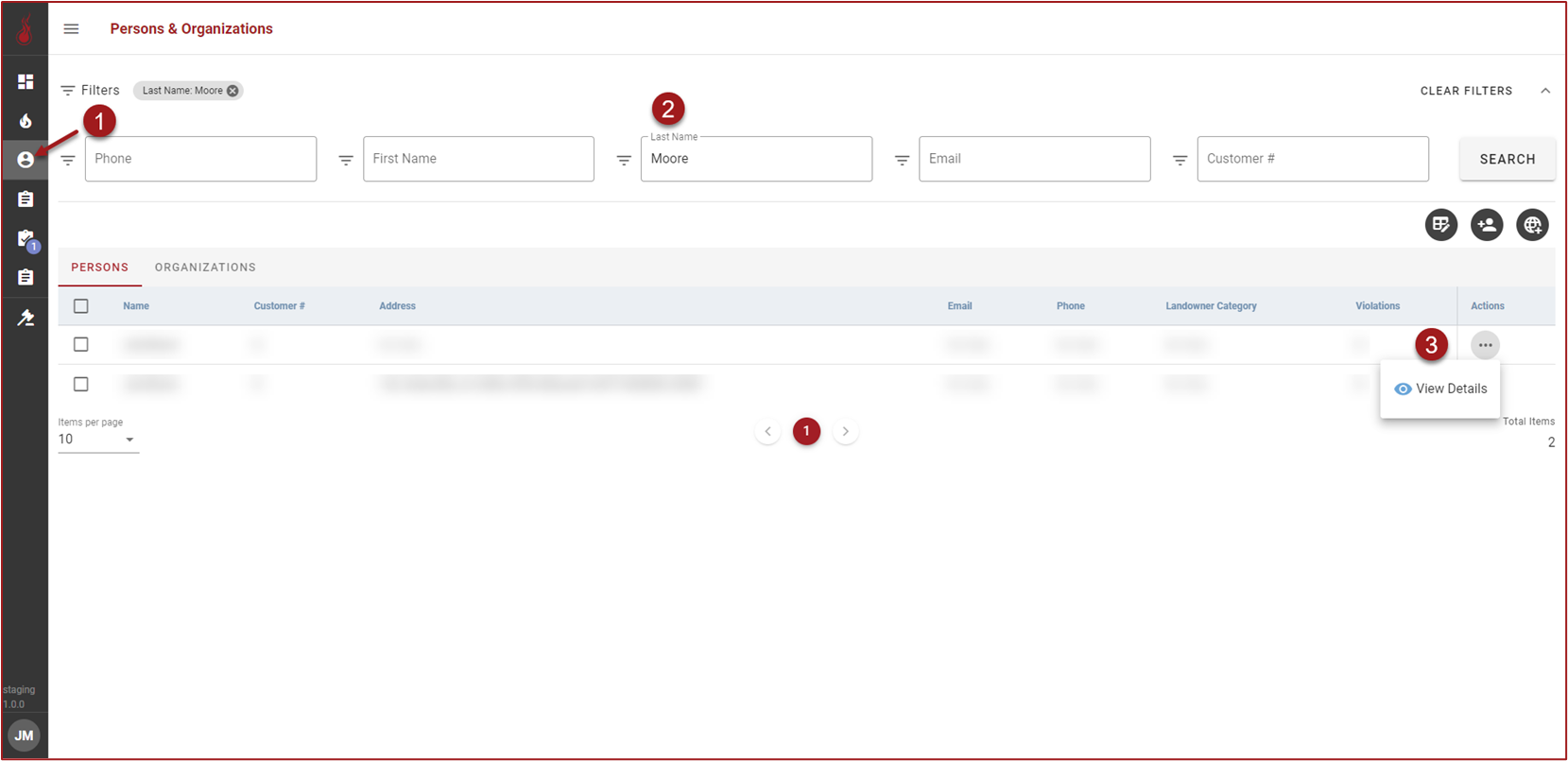
Click :PersonOrg: to open the Persons & Organizations grid.
-
Use the filters to find the Person or Organization.
-
Click :3dots: in the Actions column and then click :ViewDetails:.
-
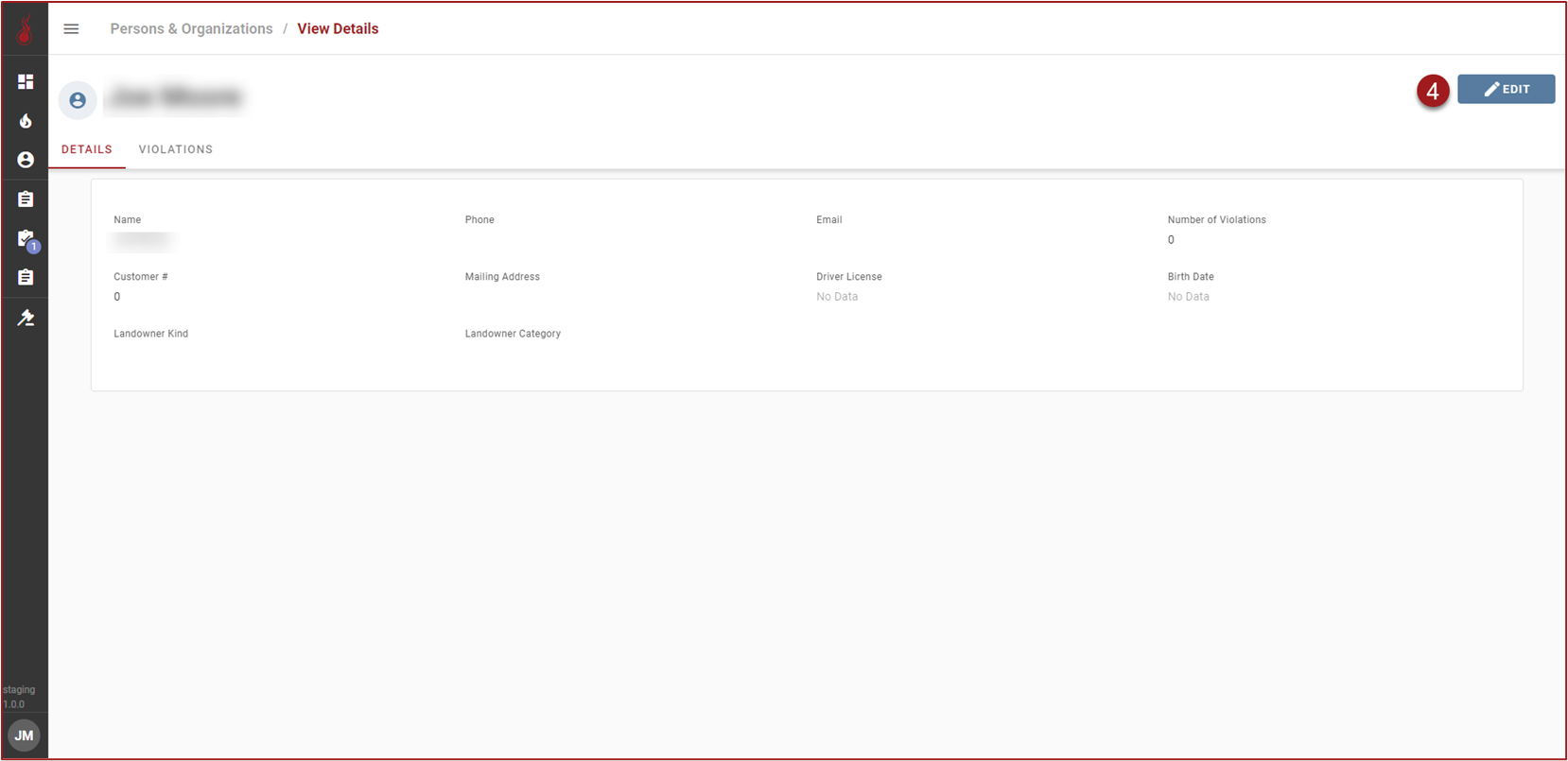
Click :Edit:.
-
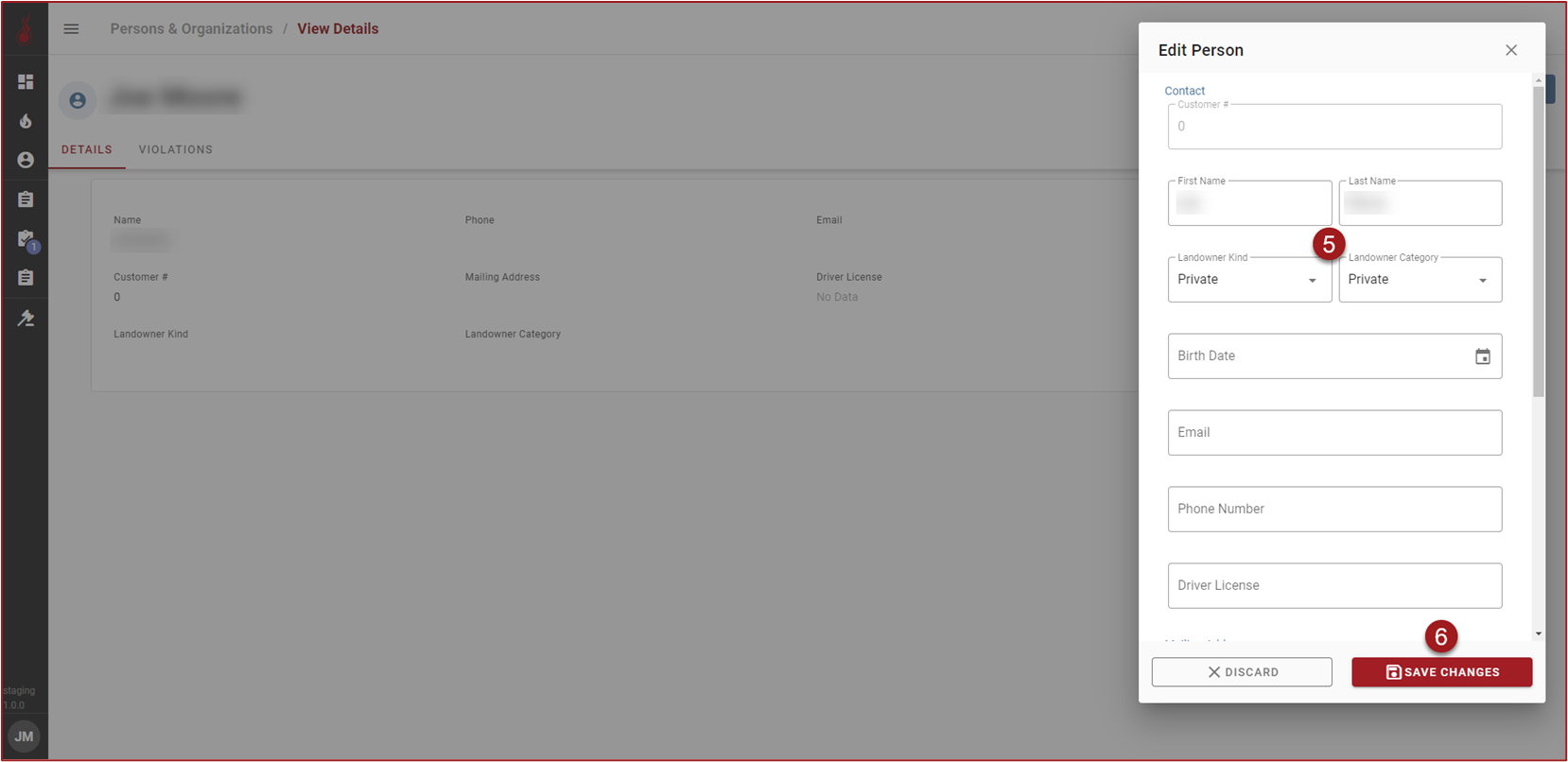
On the Edit form select the Landowner Kind and Landowner Category.
-
Click :SaveChanges:.