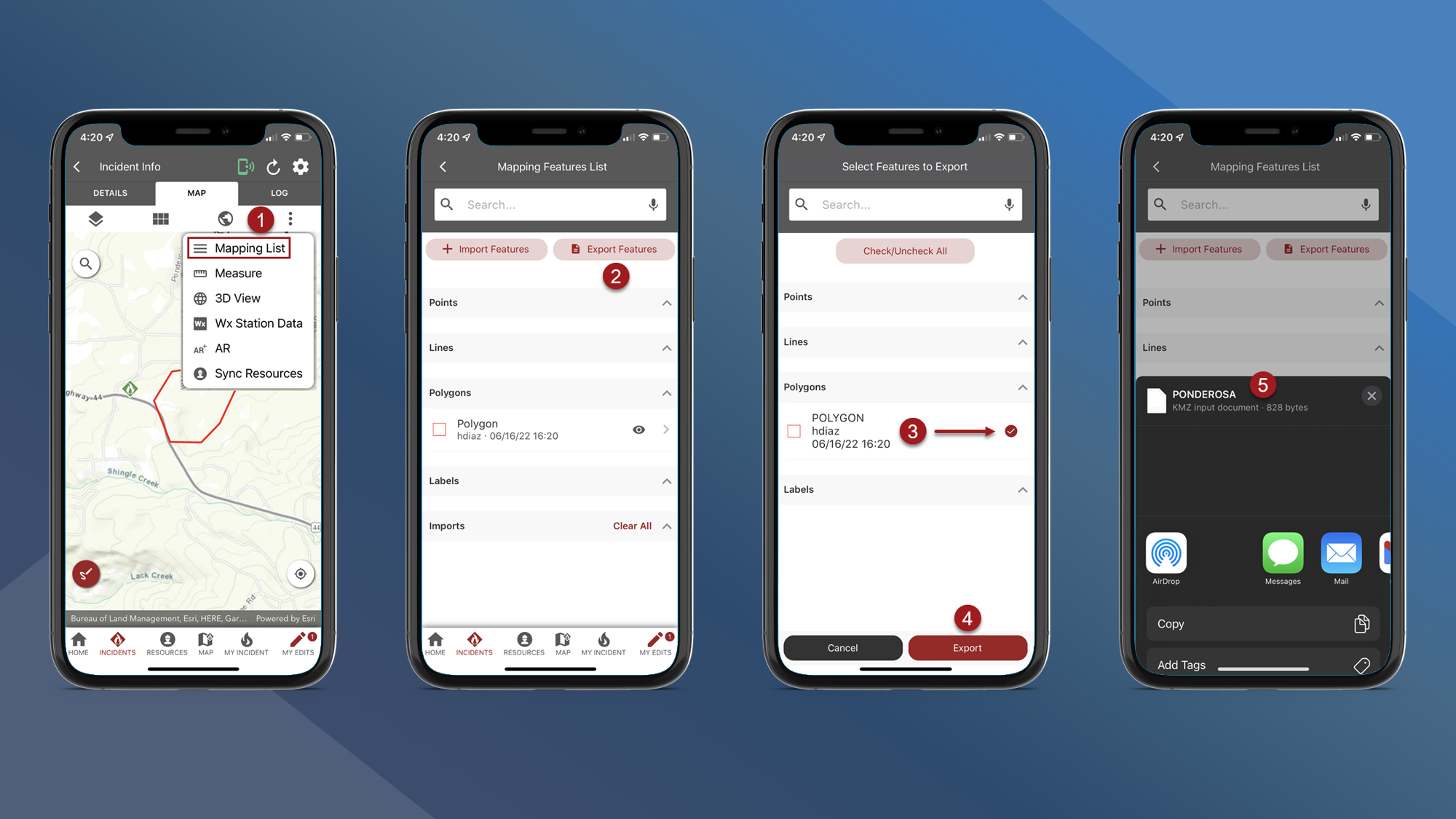
Map Features can be exported from fiResponse Mobile.
To export map features navigate to the Incident Map:
-
On the Incident Map tap vertical 3 dots and then tap Mapping List
-
Tap Export Features
-
Select the files you want to Export
-
Tap Export
-
Use the device’s sharing options to share the features