
About
REMAPP 2 is the resource management application within fiResponse. Use it to manage records for personnel, equipment, aircraft, and crews, and to control how those resources appear across fiResponse applications including Desktop, SAVE, and Mobile.
REMAPP 2 replaces the original REMAPP application. If your organization has not yet migrated to REMAPP 2, see Resource Manager (REMAPP).
Access and Login
To access REMAPP 2, click the Resources option from the Apps page within your agency’s fiResponse portal and enter your username and password. If you do not know your portal URL or your login information, please contact your agency administrator.
Interface Overview
REMAPP 2 opens to the Dashboard with charts displayed. The Left Sidebar contains icons within five collapsible groups.
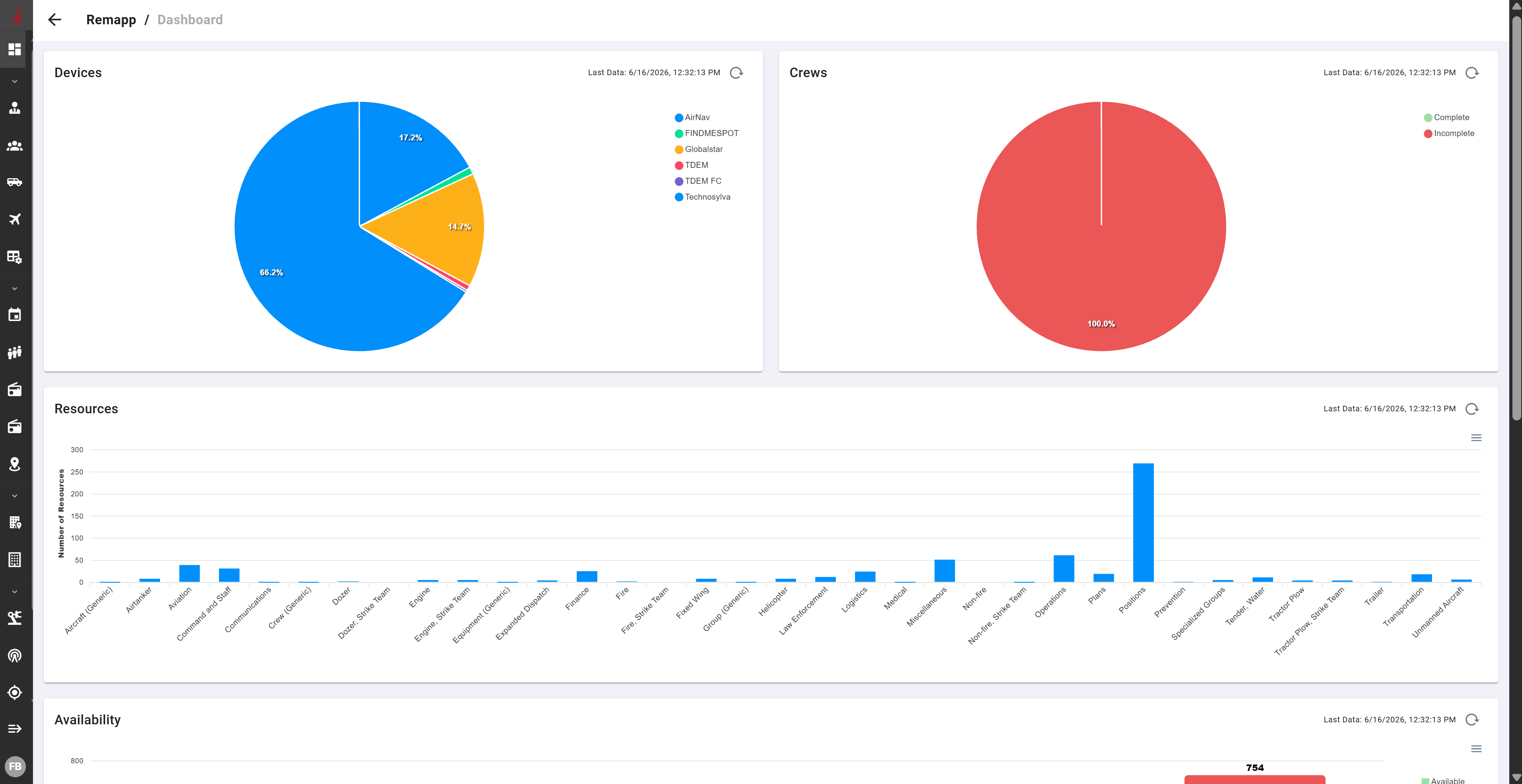
The icons on the Left Sidebar are:
Return to Dashboard
Return to the main Dashboard (landing page).
Collapsible Group 1: Inventory
Collapsible Group 2: Organizations and Operations
Collapsible Group 3: Locations
Collapsible Group 4: Administrative Tools
Collapsible Group 5: Configuration
Expand Panel
Expand/collapse the Left Sidebar.
