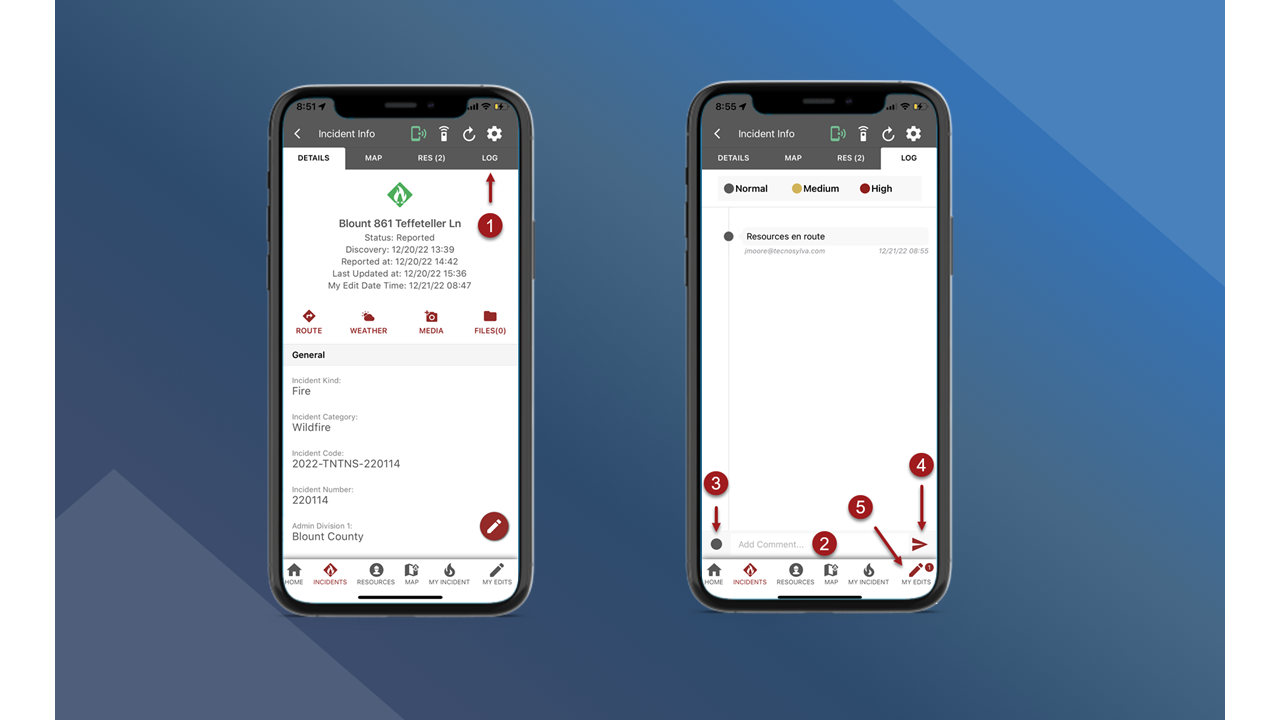
You can add Log Messages to record or communicate information associated with a specific incident. After the Log Messages have been uploaded to the central database through My Edits, the Log Messages will be visible for other users on all platforms.
Note: Users must have the appropriate role and permissions to View or Edit Log Messages.
-
On the Incident Info screen tap the Log tab in the header.
-
Tap in the Add Comment box to expand the keyboard and enter the log message.
-
Choose a message priority if necessary. The priority will be Normal by default.
-
Tap the red arrow button to add the Log Message.
-
Sync edits through My Edits. See My Edits to learn how to sync edits.