Map Features can be imported into fiResponse Mobile.
Caution: You can only import .kml or .kmz files
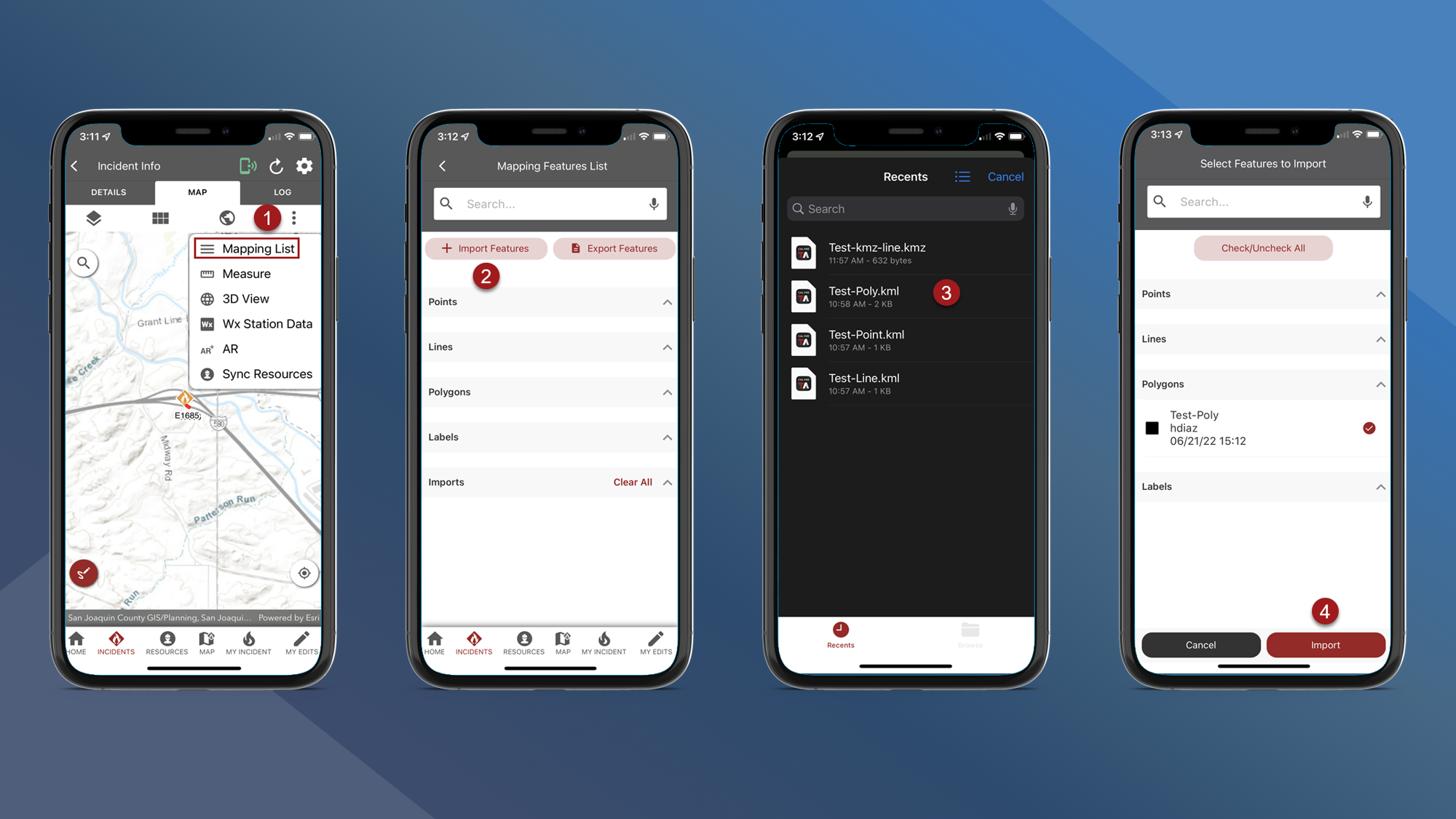
To import map features navigate to the Incident Map:
-
On the Incident Map tap the vertical 3 dots button and then tap Mapping List
-
Tap Import Features
-
Find and select the features you want to import using your device’s file management
-
Tap Import
-
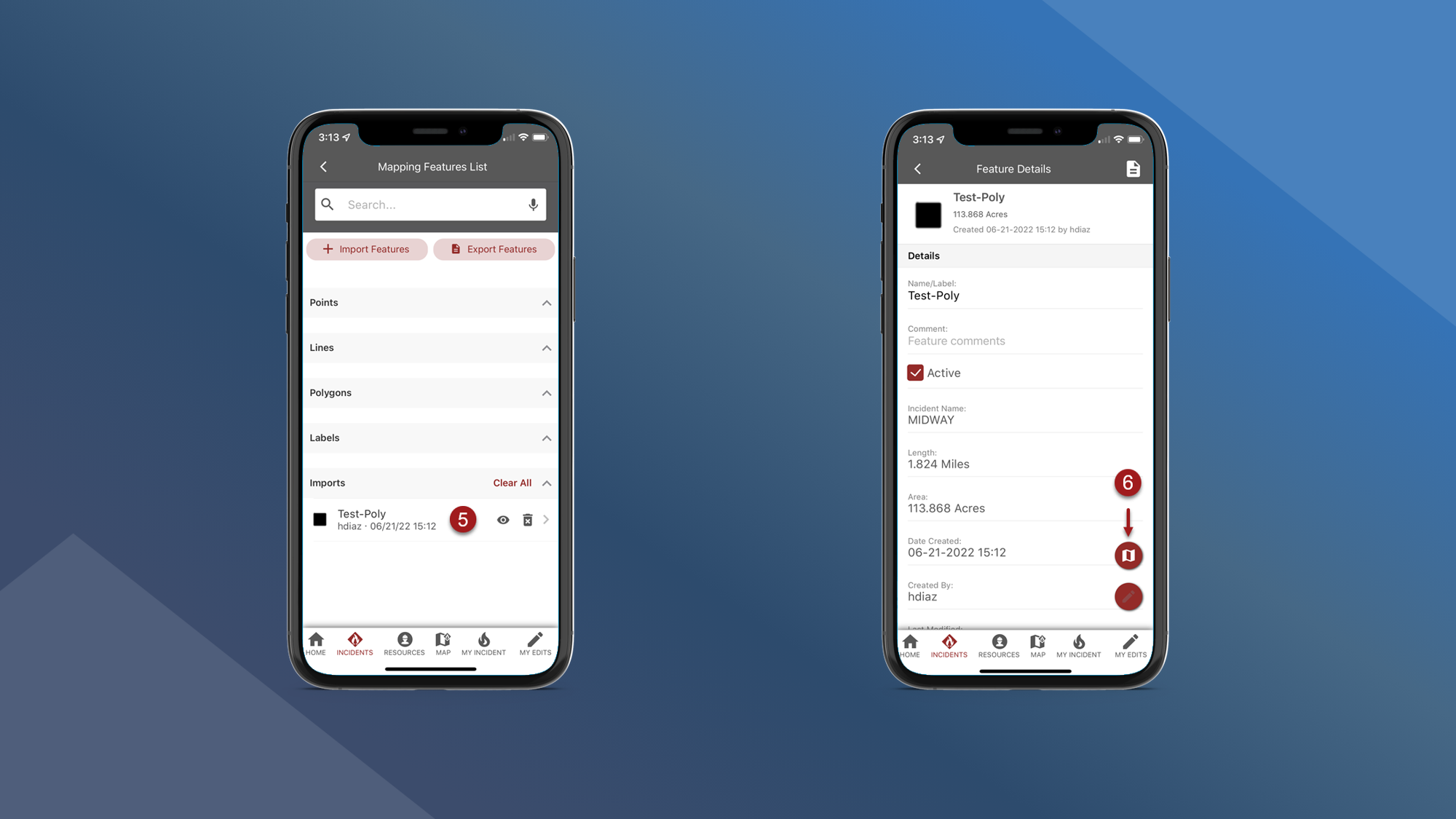
Select a feature
-
Tap the map button to view the feature on the map
Note: Imported Map Features cannot be synced through Main App Sync or My Edits