Review the information below to learn how to export data from REMAPP.
-
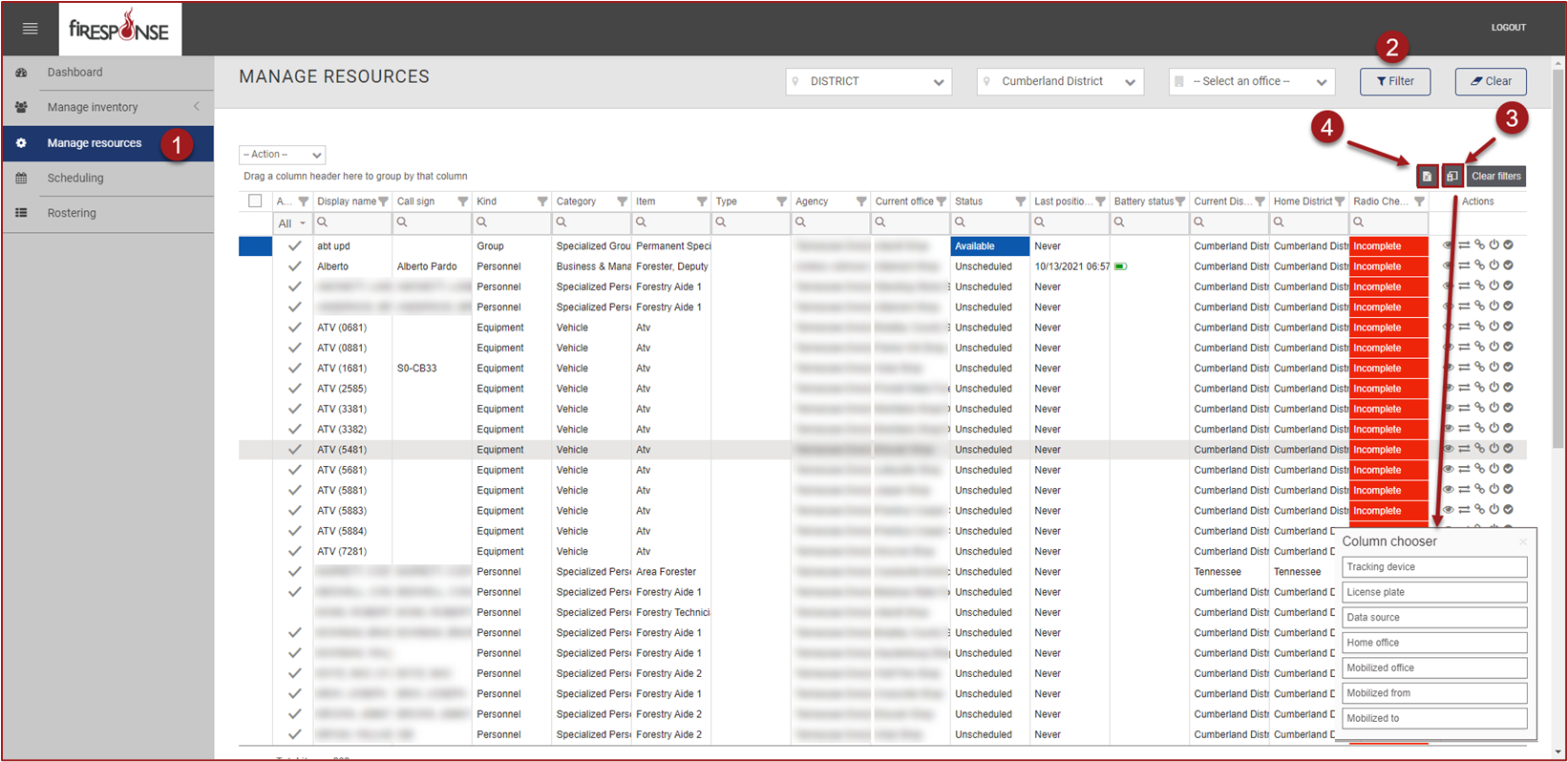
On the left-hand side in the page navigation list, select Manage Inventory or Manage Resources.
-
Use the Master Filters to select the records you want by administrative division.
-
Use the column chooser to choose columns and column level filters to further refine the grids.
-
When you are ready, click Export to File. The data present in the grid will be exported to an Excel file.