Resources can be archived using REMAPP. You may need to archive a piece of equipment that has been sold and is no longer with the agency or an employee (personnel record) that no longer works for the agency. When a resource is archived the resource will not appear in Desktop or SAVE as dispatchable.
The following instructions detail how to archive a resource:
-
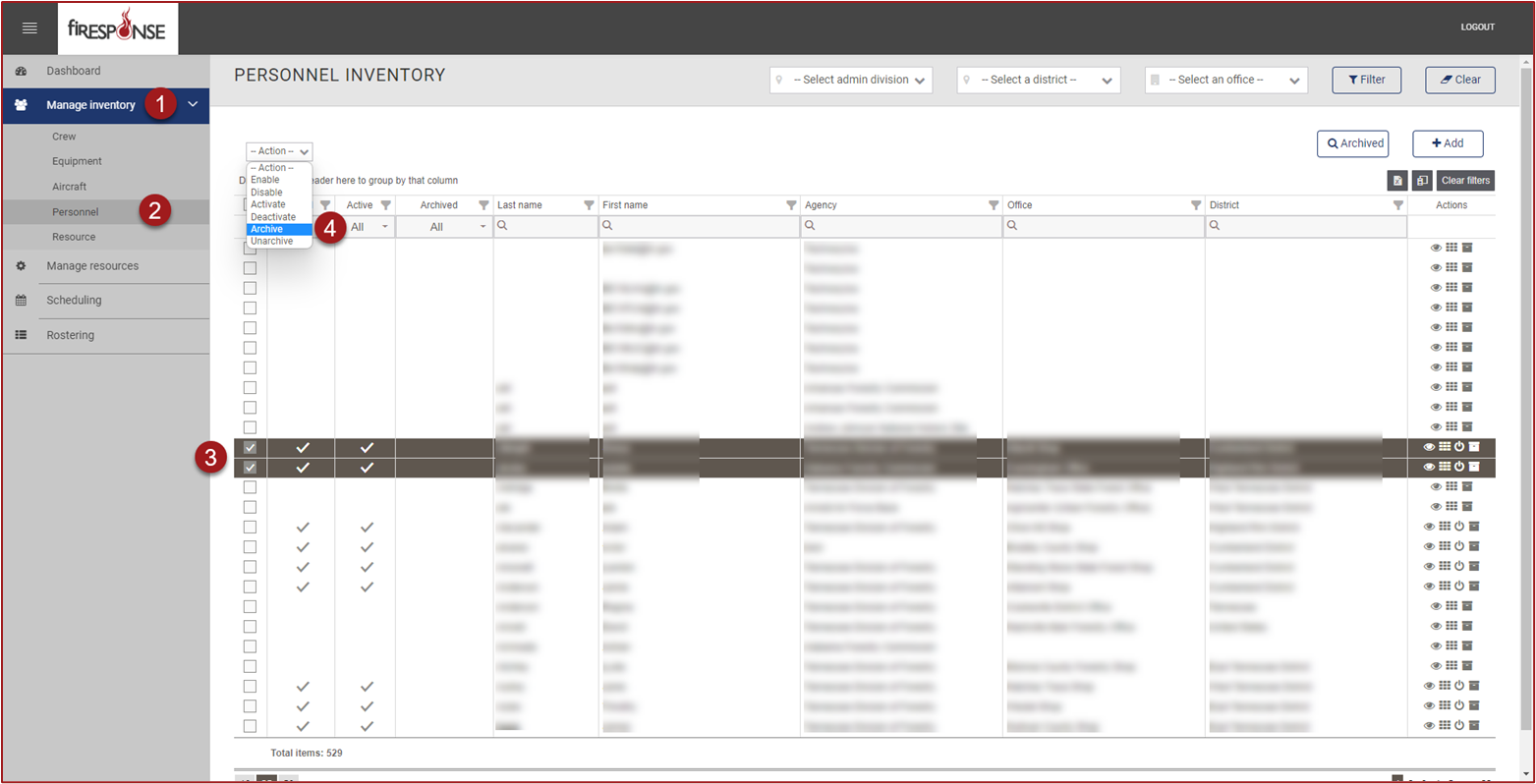
In REMAPP, on the left-hand side in the page navigation list, click Manage Inventory.
-
On the left-hand side in the page navigation list, click [Resource Kind].
-
Use the checkboxes to select the resource(s).
-
Click Actions dropdown in the upper left and select Archive.
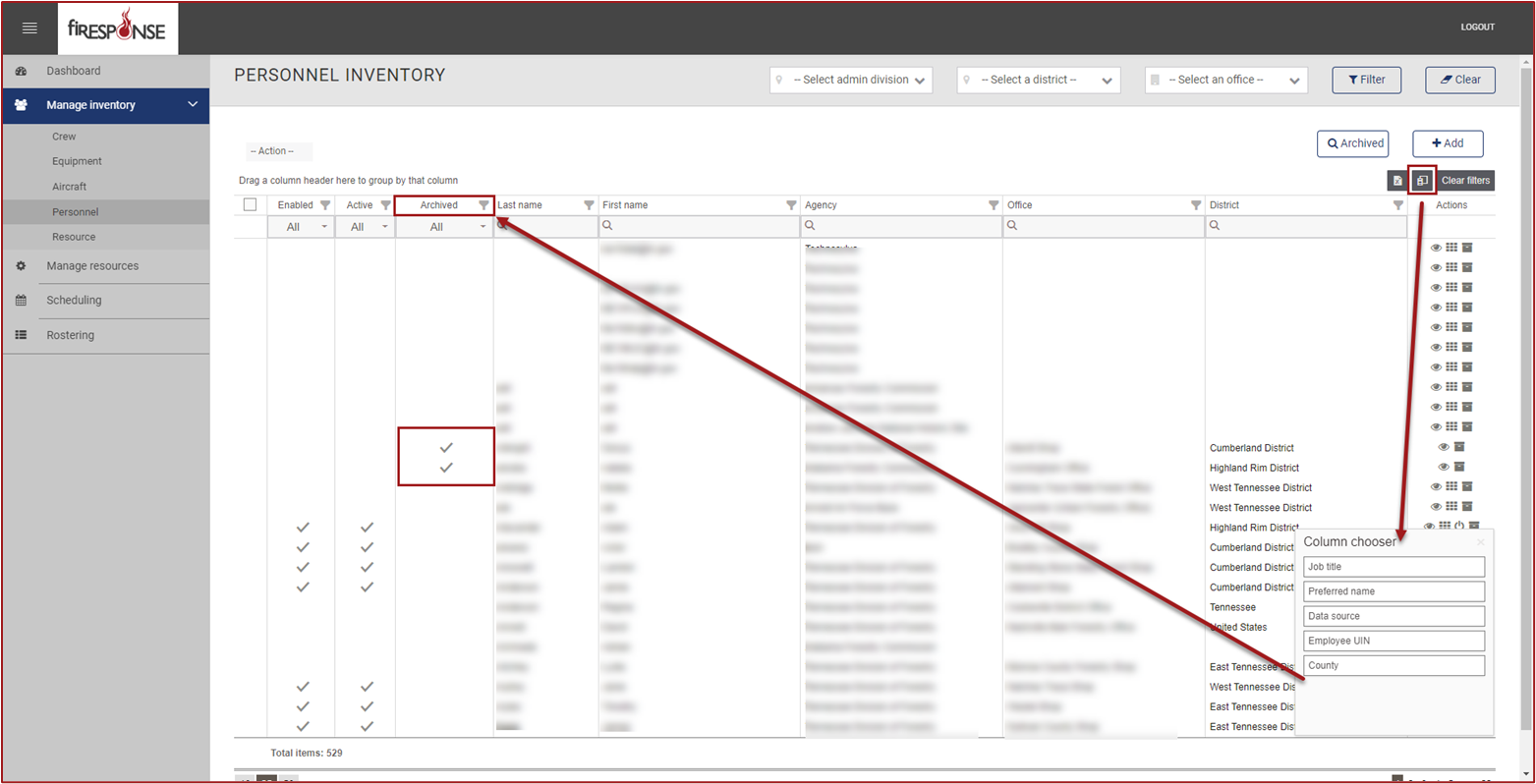
To view which resources have been archived open the Column Chooser and then drag the Archived column and drop it among the other columns in the grid.