
The Top Right Toolbar is a persistent toolbar displayed in the upper right corner of the dashboard across all pages and views.

+ Create
+Create is a global record creation button that allows users to initiate a new record of any type (Plan, Project, Treatment, Work Log, or Invoicing) from anywhere in the application, without needing to navigate to a specific list view first.
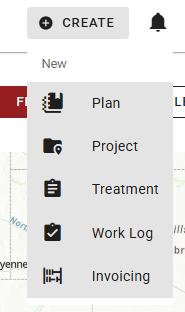
See Left Toolbar for more information on creating a record of each type.
Notifications
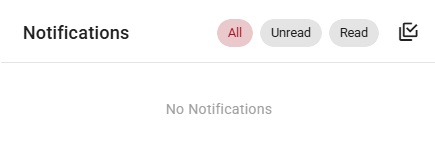
Notifications (bell icon) opens the notification center, which displays a history of system alerts. Use the buttons at the top of the panel to view All, Unread, or Read notifications, or click the checkbox to mark all notifications as read.
User Settings
The User Settings menu can be opened by clicking the initials avatar and gear icon.
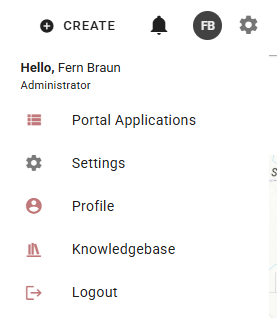
User Settings contains the following options:
-
Portal Applications: Return to the main WFA Portal applications screen.
-
Settings: Opens application settings, where users can configure preferences such as light/dark mode, coordinate system, units, and zoom control visibility on the map.
-
User Profile: Access or edit user-specific information such as contact information or password.
-
Knowledgebase: Links to this documentation.
-
Logout: Logs out of the application.