
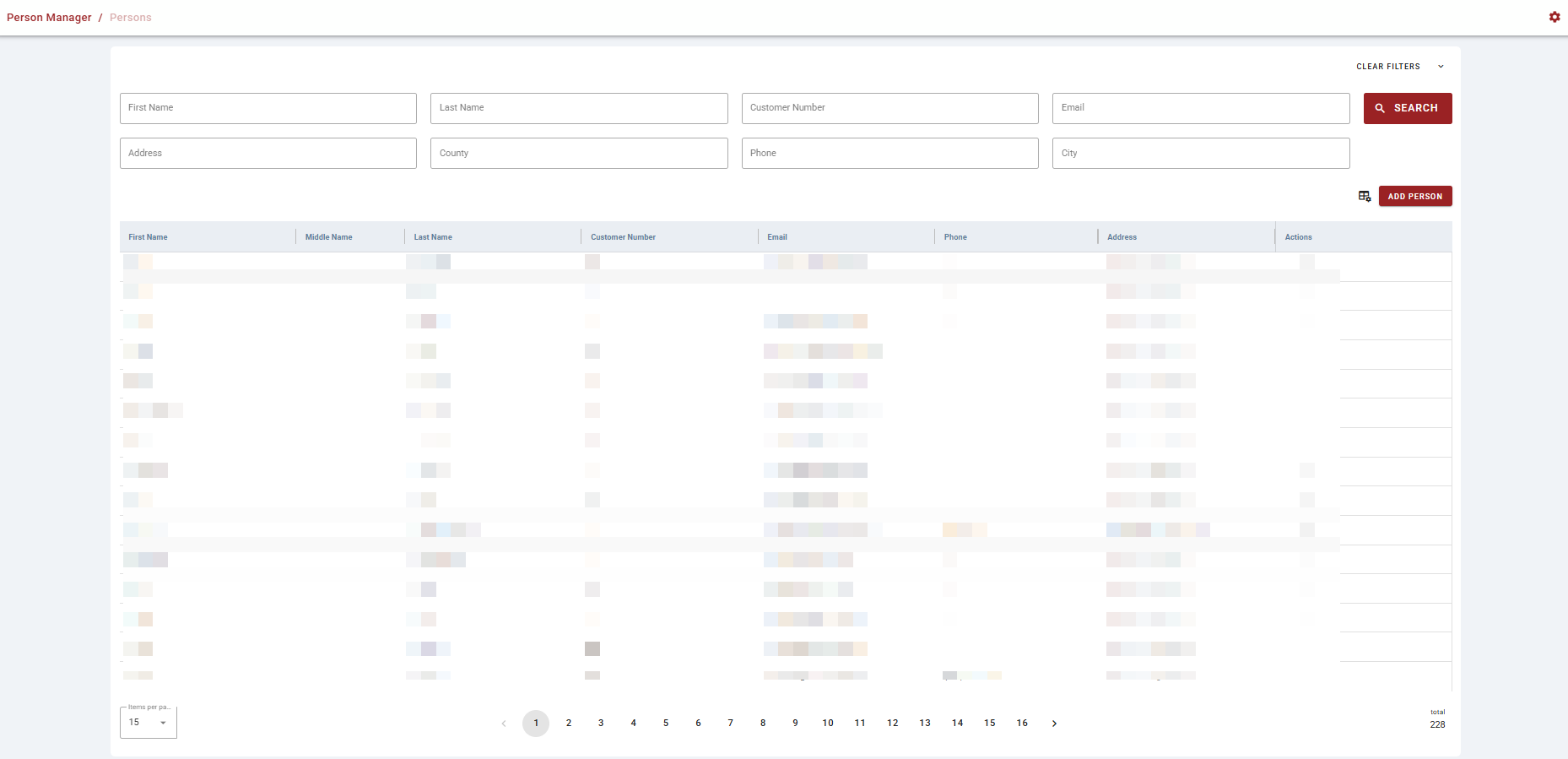
Person Manager is accessible via the Contact tab on the Left Toolbar. It is used to manage the directory of people associated with the application.
-
Use the settings gear icon in the top right corner to toggle between English and Spanish.
-
Users can search across eight fields simultaneously: First Name, Last Name, Customer Number, Email, Address, County, Phone, and City. A Search button executes the query and a Clear Filters control (top right) resets all fields.
-
Click the ellipsis button on each row (person) to open the details card for that person.
-
Use the spreadsheet icon in the top right of the table to adjust the columns shown.
-
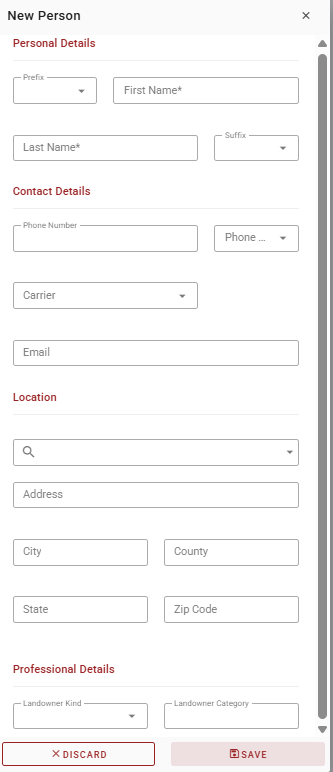
An Add Person button in the top right initiates the contact creation workflow. Input the required information and press Save to continue or Discard to start over.
-
Browse the contact list using the numbered page buttons or previous/next arrows, or use the configurable Items per page selector. A total record count is displayed in the bottom right.