
Activity Tracker Web
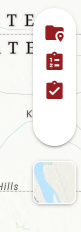
Map Layers is a compact floating vertical panel that appears on the Map controlling layer visibility.
Map Layers Toggle
The panel contains three icon buttons stacked vertically:
-
Project Geometries Layer (folder)
-
Treatment Geometries Layer (checklist icon)
-
Work Log Geometries Layer (checkbox icon)
When activated, the icons are red. When not activated, the icons are gray.
Basemap Selector
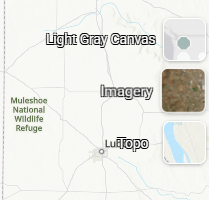
The map icon below the Map Layers Panel allows the user to change the basemap displayed on the Map Canvas.
-
Light Gray Canvas is a minimal, muted gray basemap that keeps the focus on data layers overlaid on the map. Best suited for users who want to reduce visual noise from background geography.
-
Imagery is a satellite/aerial photography basemap showing real-world ground conditions. Useful for field-level spatial context when drawing or reviewing treatment geometries.
-
Topo is a topographic basemap displaying terrain features, elevation contours, and named geographic features. Useful for understanding landscape context relevant to fuel management work.
Activity Tracker Mobile
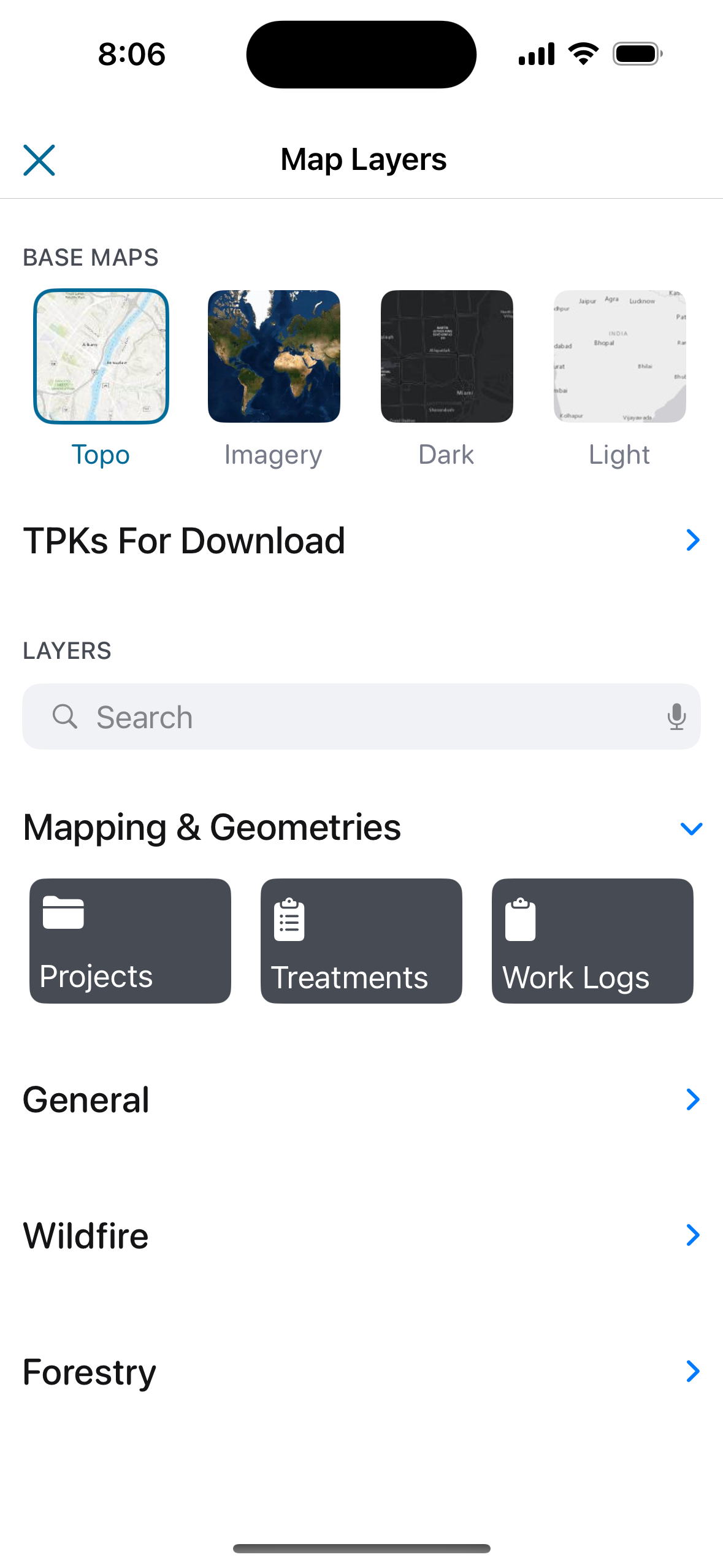
The Map Layers screen is accessed by tapping the Layers button (stacked layers icon) in the bottom right of the map. It is organized into three sections: Basemaps, TPKs For Download, and Layers.
Basemaps
Tap a thumbnail to switch the active basemap. The selected basemap is highlighted with a blue border. See above for more information on use cases for the different available basemaps:
-
Topo
-
Imagery
-
Dark
-
Light
TPKs For Download
Tap to open the TPK download screen, where offline basemap packages can be downloaded for use in areas without cellular or Wi-Fi coverage. Downloaded TPKs allow the app to display map tiles in the field without an internet connection.
Layers
A searchable list of additional map layers that can be toggled on or off. The search bar at the top of the Layers section filters layers by name across all groups.
Layers are organized into collapsible groups including record geometries (for Projects, Treatments, and Work Logs) and reference layers.