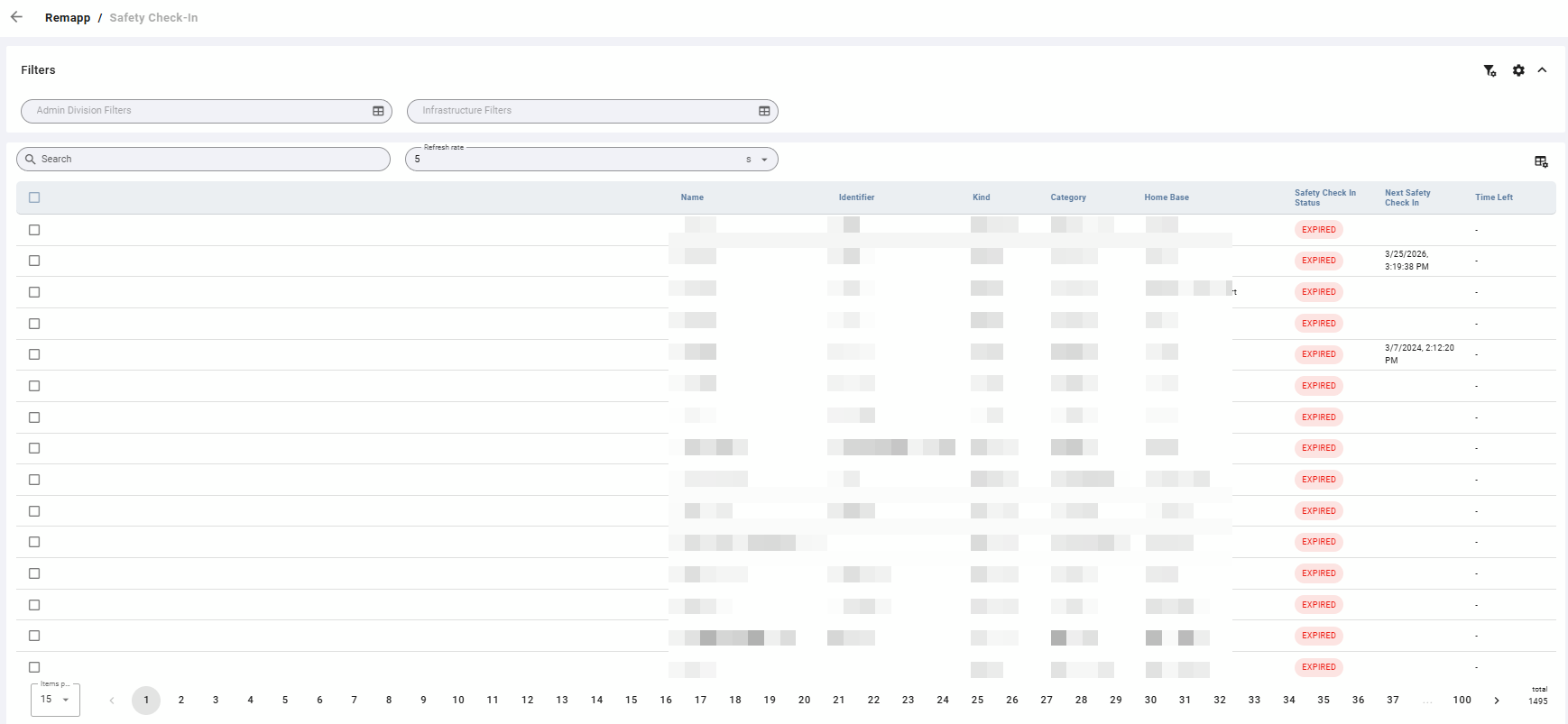
The Safety Check-In grid displays the safety check-in status for resources. Use this grid to monitor whether resources have completed their required safety check-ins and to track when the next check-in is due.
The grid auto-refreshes at a configurable interval so dispatchers can monitor status in real time without manually reloading the page.
Filters
Filters are available at the top of the grid view. If you have configured default filters in Configuration, they will be applied automatically when you open this grid. See Configuration for instructions on setting defaults.
A Search bar also appears below the Filters.
Refresh Rate
The grid automatically refreshes at the interval set in the Refresh rate field. Available options are 5, 10, 20, and 30 seconds. Adjust this based on how frequently you need updated status during operations.
Toolbar
|
Icon |
Label |
Description |
|---|---|---|
|
Grid with gear |
Toggle Columns |
Opens column visibility controls. Use this to show or hide specific columns in the grid. |
Safety check-ins cannot be recorded directly from this grid.
Grid
Safety Check-In Status
The Safety Check-In Status column displays the current safety check-in status for the resource.
|
Status |
Meaning |
|---|---|
|
Expired |
The resource's safety check-in has expired — the required check-in time has passed without a completed check-in. |
Next Safety Check-In
The Next Safety Check-In column indicates the date and time the resource's next safety check-in is due. If overdue, this date may be in the past.
Time Left
The Time Left column is a live countdown showing the time remaining until the resource's next safety check-in is due.
Common Tasks
Monitor Safety Check-In Status in Real Time
-
Apply Admin Division or Infrastructure filters to narrow the view to the relevant resources.
-
Set the Refresh rate to the desired interval (5, 10, 20, or 30 seconds).
-
Monitor the Safety Check In Status and Time Left columns to track check-in completion and upcoming due times.