
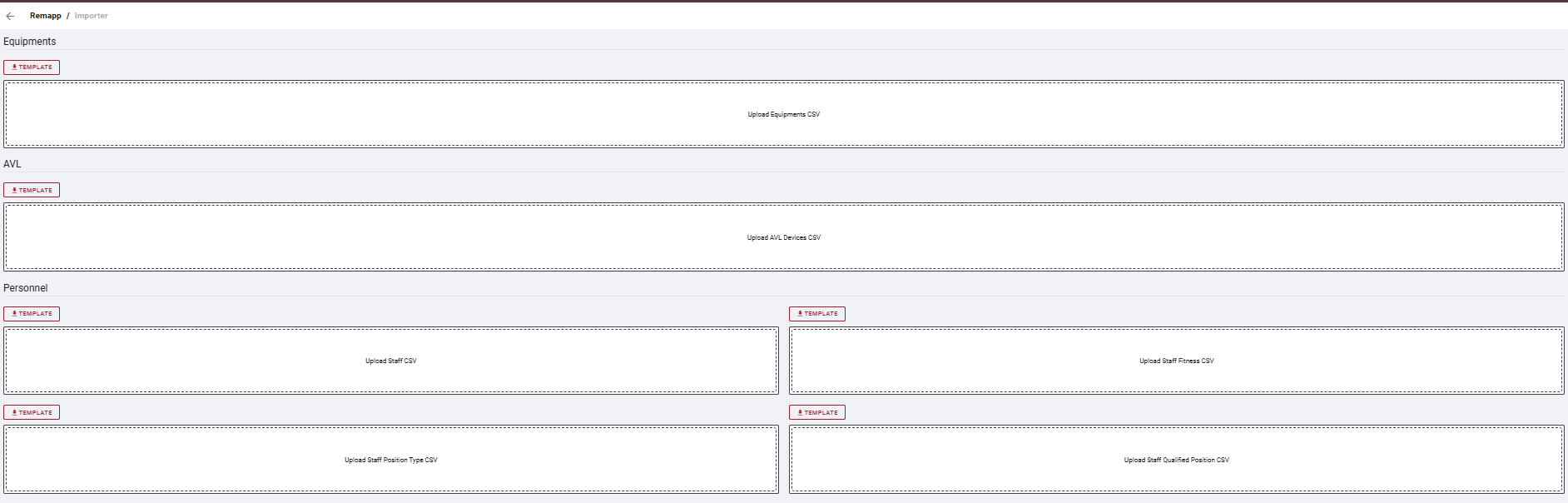
The Importer page allows bulk data to be loaded into REMAPP 2 using CSV files. It is organized into sections by data type. Each section provides a template for download and an upload area for the completed CSV.
Sections
Equipments
Imports equipment records into REMAPP 2.
AVL
Imports AVL device records into REMAPP 2.
Personnel
Imports staff-related records into REMAPP 2. This section has four upload areas:
-
Staff
-
Staff Fitness
-
Staff Position Type
-
Staff Qualified Position
Common Tasks
Import Records
-
Locate the section for the data type you want to import.
-
Click the Template button to download the CSV template for that data type.
-
Open the template and populate it with your data, following the column structure provided.
-
Save the file as a CSV.
-
Click the upload area for the data type to browse for the file and upload.