
What Are Composite Scores?
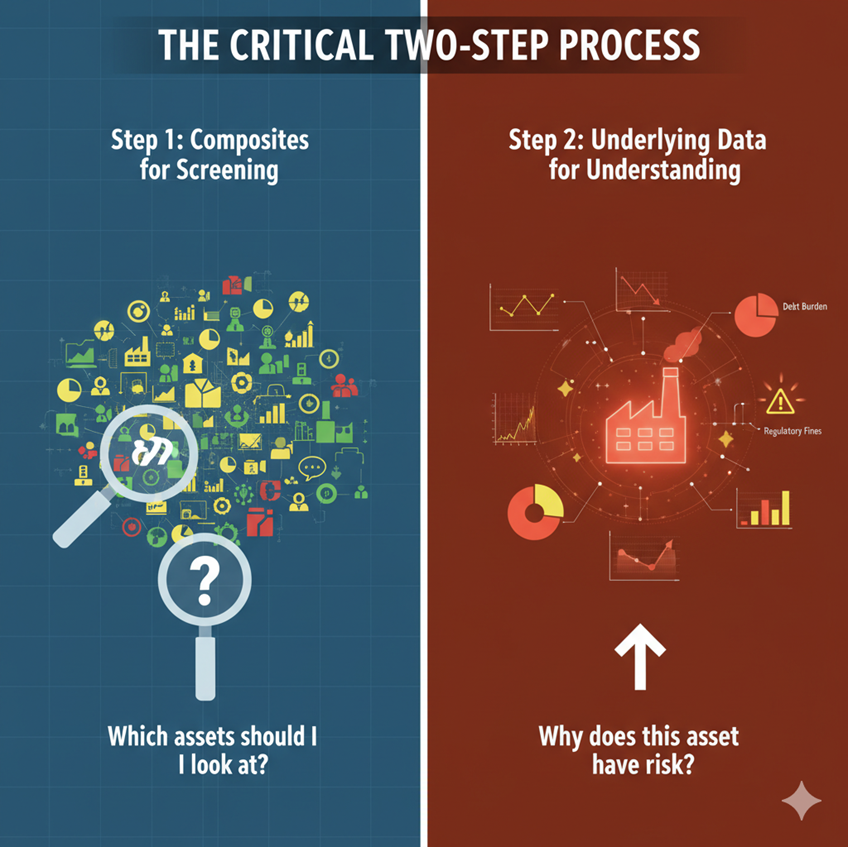
Composite scores combine over 200 individual risk metrics into a single 0-1 risk score for each asset. Think of them as a "risk report card" that helps identify which infrastructure needs attention first.
What Composites Are Designed to Do
-
Act as screening tools: Identify priority locations across large asset portfolios
-
Simplify analysis: Reduce 200+ metrics to actionable rankings
-
Improve Efficiency: Allow systematic review of hundred of thousands of assets
What Composites Are NOT Designed to Do
-
Replace detailed risk analysis
-
Serve as the final justification for mitigation decisions
Composite Types
Fire Behavior Composite
-
Combines: Rate of Spread (ROS), Flame Length (FL), Acres Burned
-
Use this for: Understanding intensity, speed, and magnitude of potential fires
Immediate Impacts Composite
-
Combines: Buildings Threatened, Population Impacted, Acres Burned
-
Shows: Understanding direct and immediate impacts to communities
Suppression Difficulty Composite
-
Combines: Terrain Difficulty, Fire Behavior Composite
-
Use this for: Understanding how terrain and fire behavior create firefighting obstacles
Utility Risk Composite
-
Combines: Suppression Difficulty, Immediate Impacts
-
Use this for: Understanding where infrastructure-caused wildfires could directly harm communities; conducting an initial assessment for prioritizing system hardening and asset replacement projects
Utility Risk Vegetation Composite
-
Combines: Utility Risk Composite, Canopy Risk
-
Use this for: Identifying high-risk locations where vegetation management activities such as tree trimming and canopy thinning can effectively reduce wildfire risk to utility infrastructure and surrounding communities.
Utility Risk Fuel Loading Composite
-
Combines: Utility Risk Composite, Fuel Loading Score (combustible material availability)
-
Use this for: Identifying high-risk locations where fuel reduction treatments can effectively reduce wildfire risk, supporting strategic planning for fuel treatment programs and coordination with land management agencies.
Conditional and Expected Risk
Primary metrics for each asset include both conditional risk and expected risk.
Conditional Risk: "IF there is a fire, what happens?"
-
Shows the consequences based on fire behavior, weather, and surrounding conditions
-
Calculates seven risk metrics for each 100m segment along lines, takes the maximum for each risk type and builds a distribution of consequences across weather days to obtain percentiles, average, and standard deviation
-
-
Same ignition probability assumed for all assets
-
Use for: Understanding fire spread potential and consequence severity
-
Example question: "When conditions are conducive for fire spread, these are the potential population impacts. Are population and/or buildings threatened?"
Expected Risk: "How likely is this asset to cause a fire AND what happens if it does?"
-
Combines Probability of Ignition (POI) and Probability of Failure (POF) with conditional risk
-
For each day, the application calculates the probability of an outage and the probability of an ignition along with the consequences of a simulated fire and builds a distribution and statistics similar to conditional risk
-
-
Accounts for asset-specific factors that make ignition more or less likely (equipment condition, inspection history, vegetation contact, etc.)
-
Use for: Overall prioritization that balances likelihood and consequences
-
Example question: "Considering both the chance of ignition and potential fire spread, which asset presents the greatest overall risk?"
"c" before a metric name indicates conditional, where an "e" indicates expected.
Understanding the Scores
What the Numbers Mean
Composite scores range from 0 to 1, representing relative risk within the analyzed portfolio. A score of 1 indicates the highest risk of assets within the portfolio, while a score of 0 indicates the lowest risk.
A score of 0.5 means the asset is at the median risk level compared to other assets in the portfolio. It doesn't mean "50% risk" in absolute terms.
Example: If the entire portfolio has elevated risk, a 0.5 score could still represent significant consequences. The score shows ranking, not magnitude.
What Scores Include
Composite scores reflect annualized risk, meaning they weight consequences by how often severe fire weather occurs:
-
An asset with extreme consequences under rare weather conditions may score lower
-
An asset with moderate consequences under frequent weather conditions may score higher
-
Higher scores indicate both greater potential harm AND more frequent exposure to dangerous conditions
Overview of the Risk Assessment Workflow
1. Conduct Portfolio Screening Using Composite Scores
To start, assign assets to risk tiers by looking at composite scores. This allows the user to efficiently identify priority locations across the entire asset base. See the Example Walkthrough for ways to assign assets to risk tiers. Remember that composite scores are screening tools, not final answers.
2. Conduct Detailed Analysis (Review Simulation Percentiles)
Composite scores compress substantial detail into single normalized values and should not be the sole basis for final mitigation decisions. Once assets are assigned to tiers, further analysis is required to understand the actual consequences driving the composite scores. Here's how to prioritize within a tier:
-
Select high-scoring assets identified in Step 1
-
Review underlying percentile columns for key consequence metrics:
-
Buildings threatened
-
Population exposure
-
Acres burned
-
Flame length and rate of spread
-
-
Consider other factors including:
-
Critical infrastructure exposure (hospitals, emergency facilities, water systems, communications)
-
Suppression access (response time, terrain limitations, water source availability)
-
Percentile data shows the real-world consequences—specific numbers of buildings threatened, people exposed, and fire behavior characteristics. These are direct outputs from fire simulations that stakeholders can understand without technical interpretation.
Look for:
-
Multi-dimensional risk: High values across multiple categories
-
Critical exposures: Hospitals, emergency facilities, or essential infrastructure regardless of building count
-
Suppression challenges: Extreme flame lengths (>25 feet) that overwhelm initial response
Example:
-
Asset E: 80 buildings, 200 people, good access, no critical infrastructure
-
Asset F: 50 buildings, 120 people, hospital + water treatment plant, poor access
Asset F may warrant higher priority due to critical infrastructure despite fewer total buildings threatened.
3. Establish Priority Ranking
Based on percentile analysis, organize assets into action groups. Where simulation percentiles are similar, consider other factors such as:
-
Mitigation effectiveness
-
Implementation practicality
-
Asset criticality
-
Geographic coordination.
Be sure to document within-tier decisions.
4. Justify Work Outside Designated Tiers
While risk-based tiering provides systematic portfolio prioritization, specific circumstances
may warrant mitigation investments in assets outside the highest-risk tier designations. There are two main justification types:
Justification Type 1: Extreme Worst-Case Consequences
When to use: An asset has a moderate composite score but shows unacceptable consequences at high percentiles
Justification Type 2: Rapid Consequence Escalation
When to use: An asset shows very steep increases in consequences across the 75th-95th percentile range
Example Walkthrough of the Risk Assessment Workflow
1. Conduct Portfolio Screening Using Composite Scores:
-
Open the Layer Visualization panel for your composite layer
-
Select Stats classification method
-
Use 90th, 95th, 98th percentile breaks to identify top-risk assets
-
Assign assets to risk tiers based on composite scores
2. Extract Percentile Data
-
Filter the layer to show only assets in the target tier identified above
-
Open the Attribute Table
-
Sort by the 95th percentile column for Buildings Threatened
Columns such as cBldPer## represent conditional (“c”) percentile buildings (“BldPer”) impact where “##” stands for the percentile value (0, 20, 40, 50, 60, 80, 90, 95, 98, and 100).
-
Review assets with the highest 95th percentile values first
-
Repeat this process for other consequence metrics
What to look for:
-
Assets with dramatically higher worst-case consequences than others in the tier
-
Example: Asset A shows 150 buildings threatened at the 98th percentile while Asset B shows
45 buildings threatened at the same percentile. Asset A warrants higher priority based on this
tangible difference in worst-case impact—a difference that may be obscured in the
normalized composite scores.
-
3. Analyze Risk Escalation Patterns
Compare how quickly consequences increase across percentiles for consequence metrics:
-
In the Attribute Table, compare these columns side-by-side:
-
50th percentile (median conditions)
-
90th percentile (severe conditions)
-
98th percentile (extreme conditions)
-
Look for two patterns:
-
Weather-Sensitive Assets (steep escalation):
-
Modest impacts at 50th percentile
-
Severe impacts at 90th percentile
-
Creates risk under specific severe weather conditions
-
-
Consistently High-Risk Assets (flatter escalation):
-
Elevated impacts across many percentiles
-
Creates risk more frequently
-
May warrant higher priority
-
-
Example: Asset C shows 15 buildings threatened at the 50th percentile and 60 buildings at
the 90th percentile, while Asset D shows 5 buildings at the 50th percentile and 55 buildings at
the 90th percentile. Although both reach similar consequences under severe conditions,
Asset C presents elevated risk more frequently and thus may warrant higher priority.
4. Create Priority Groups
Based on percentile analysis, organize assets into action groups. For example:
Priority Group 1 - Immediate Action
-
Highest 95th-100th percentile consequences across multiple categories
-
Critical infrastructure exposure in simulations
-
Extreme fire behavior (flame lengths >25 feet)
-
High consequences at lower percentiles (more frequent risk)
Priority Group 2 - Near-Term Action
-
High 90th-98th percentile consequences in at least one critical category
-
Steep escalation patterns (weather-sensitive)
-
Elevated across several consequence dimensions
Priority Group 3 - Programmatic Action
-
Elevated 75th-90th percentile consequences
-
Single-category risk concentration
-
Moderate consequences with important operational considerations
5. Consider Secondary Factors
Where simulation percentiles are similar, consider:
Mitigation Effectiveness:
-
Review Vegetation Composite scores to identify where treatments will reduce risk most
-
Example: high simulation consequences + high vegetation treatability = ideal combination
-
Implementation Practicality:
-
Terrain access for equipment
-
Land ownership and right-of-way
-
Environmental permitting requirements
-
Seasonal access restrictions
Asset Criticality:
-
Load served (transmission)
-
Customer count (distribution)
-
Alternative feed paths available
-
System reliability role
Geographic Coordination:
-
Cluster nearby high-risk assets for landscape-scale fuel reduction
-
Align with other utility programs (reliability, construction, maintenance)
-
Partner with local, state, or federal fuel reduction programs
6. Justify Work Outside Designated Tiers
Sometimes assets in lower tiers still need mitigation. Here are some examples of how to justify these decisions:
Justification Type 1 Example: Extreme Worst-Case Consequences
When to use: An asset has a moderate composite score but shows unacceptable consequences at high percentiles
-
Open the Attribute Table for the data layer and filter on the asset
-
Document 95th, 98th, and 100th percentile values for consequence metrics
-
Compare to typical high-tier asset percentiles using Filter and Search tools
Example documentation template:
"While Asset X has a Tier 2 composite score, wildfire simulations show that under 98th percentile conditions (occurring 3-5 days per fire season), ignition could threaten [NUMBER] structures and expose [NUMBER] residents, including [CRITICAL FACILITY].
These 98th percentile consequences exceed the Tier 1 average of [NUMBER] buildings and surpass our threshold of [NUMBER] buildings for priority mitigation.
Simulated flame lengths of [NUMBER] feet would create fire behavior that could overwhelm suppression response, particularly given the [TIME] minute response time to this location."
Justification Type 2 Example: Rapid Consequence Escalation
When to use: An asset shows very steep increases in consequences across the 75th-95th percentile range
-
Export percentile data for the asset (10th through 100th)
-
Calculate escalation rates between percentiles
-
Compare to portfolio averages
Example documentation template:
"Wildfire simulations for this Tier 2 asset reveal rapid consequence escalation:
-
50th percentile: 12 buildings threatened
-
75th percentile: 38 buildings threatened
-
90th percentile: 95 buildings threatened
-
98th percentile: 145 buildings threatened
Buildings threatened increases eightfold from 50th to 90th percentile, versus the portfolio typical increase of around three to fourfold. This indicates high sensitivity to weather conditions that occur 10% of fire season days (approximately 18 days annually).
This rapid escalation creates operational challenges. The asset transitions from modest to severe consequences within a narrow weather range, complicating de-energization timing and resource positioning decisions."
Best Practices for Composite Risk Metrics
✅ DO:
-
Review underlying percentile data before major decisions
-
Document which consequence metrics drive prioritization
-
Compare multiple consequence types (buildings, population, infrastructure)
-
Consider both worst-case scenarios and frequency of exposure
❌ DON'T:
-
Treat composite scores as absolute risk measurements
-
Make final mitigation decisions based only on composite scores
-
Ignore underlying percentile data
-
Prioritize on a single consequence category
-
Assume equal differences in scores mean equal differences in risk