
If configuring a New Simulation using the FireCast model:
Give the simulation a Name, Start Date, and Start Time.
Use informative titles for easy differentiation. Include timestamp, location, and scenario type.
Example: "AssetGroup_C_ActualConditions_1415hrs_Feb4_HighWind"
Configuration Type
Select a configuration from the Configuration Type dropdown.
Ignition Location
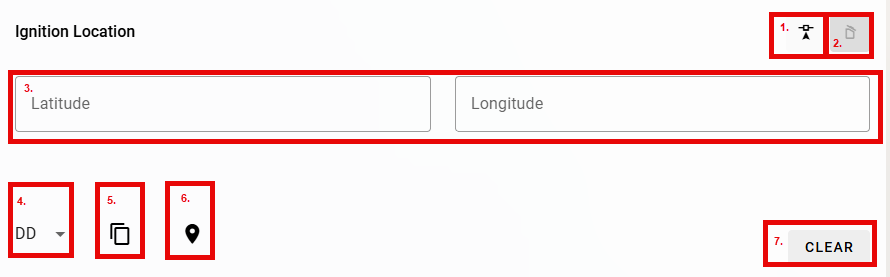
Enter the Ignition Location manually or select a location on the map.
-
Select an Ignition Location on the map.
-
Delete the selected geometry and start again.
-
Enter coordinates manually or copy and paste from another source.
-
Change Units from decimal degrees (default).
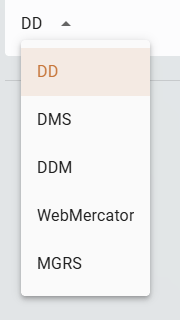
DD - Dropdown -
Copy location to clipboard.
-
Zoom to the location on the map.
-
Clear the existing selection and start again.
Run the Simulation
Click Run.
The new simulation will appear in the Simulations table.
Return to Simulations for more information on reviewing and comparing simulations.