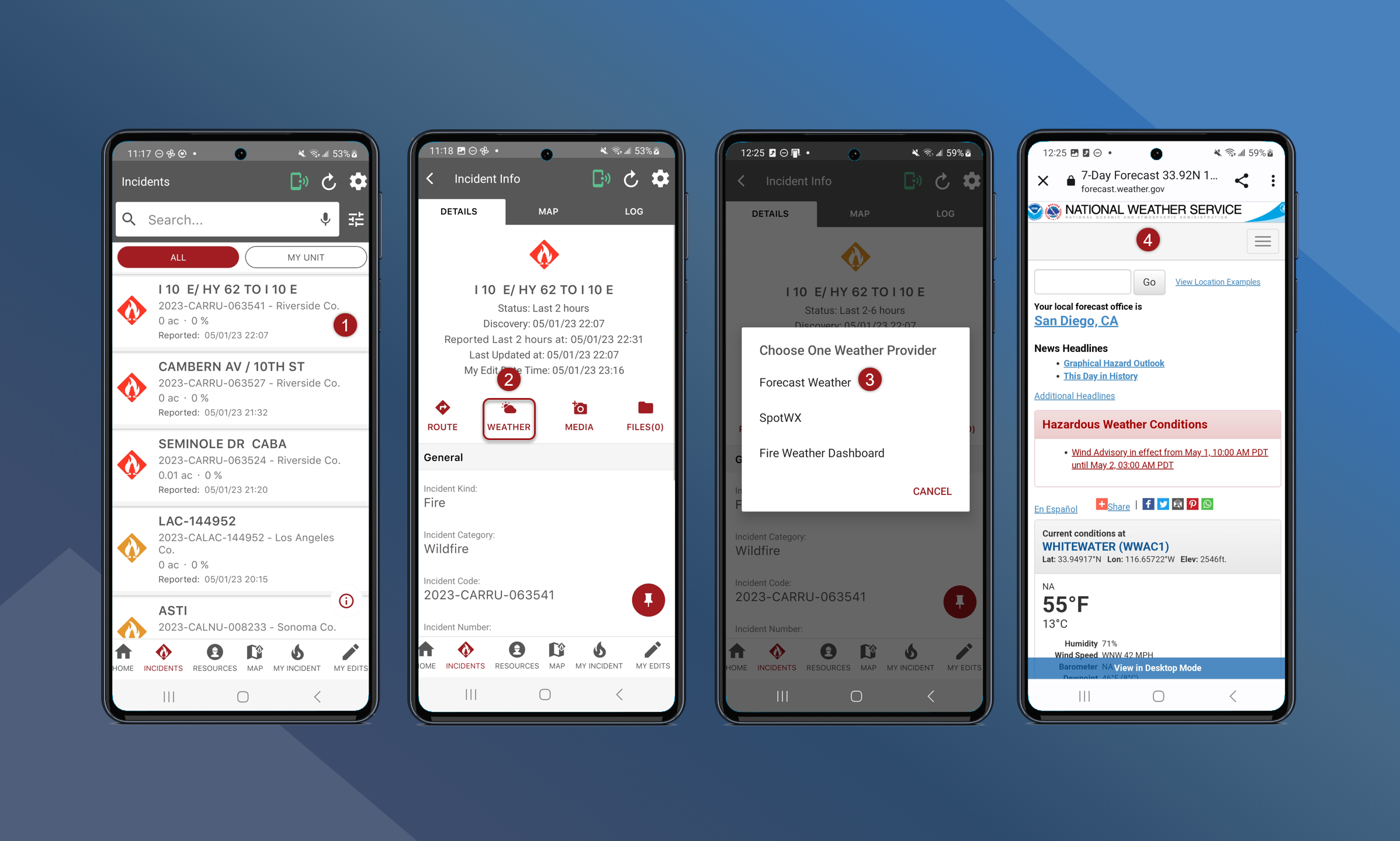
Use the weather forecast tool on the incident info screen to see the weather data in the area of the incident.
To view the weather forecast of an incident, follow the steps outlined below:
-
Navigate to the Incident Info screen for the preferred incident
-
Tap Weather
-
Tap the preferred weather forecast service
-
Users will be redirected to the weather provider’s website
Fire Weather Dashboard contains the most detailed information.