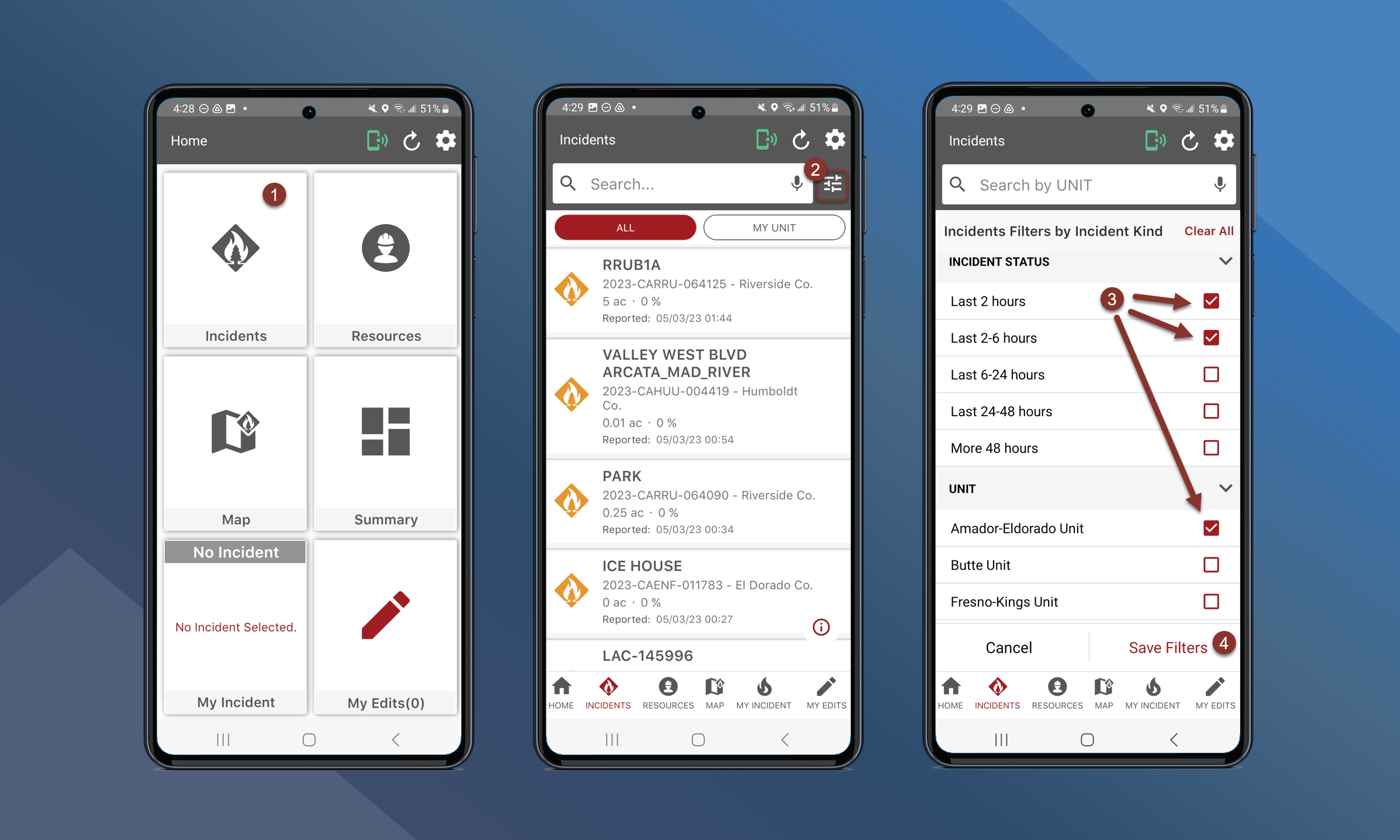
You can filter the Incident List by Incident Kind, Incident Status, and Unit.
To filter the incident list, follow these steps:
-
On the Home Screen, tap Incidents
-
Tap
to open the filters list
-
Toggle on the desired filters for Incident Kind or Incident Status.
-
The incident list can also be filtered by Unit and will be displayed under the My Unit tab of the incident list.
-
-
Tap Save Filters
The incident list has now been filtered on the All tab. If the incident list has been filtered by Unit, those units will appear under My Unit.