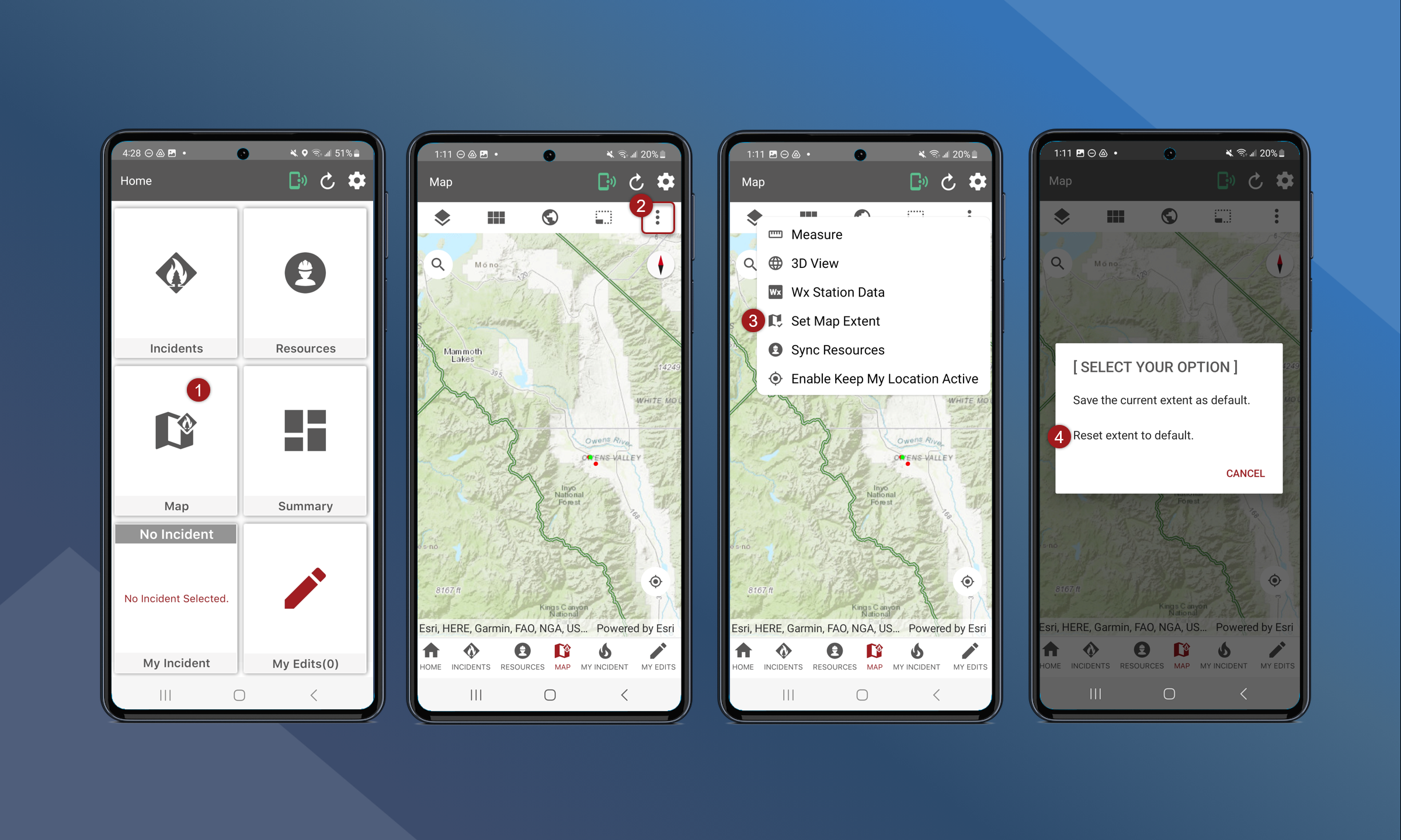
Users can set a default extent that the map will automatically zoom to when you open the Map on TA Mobile.
To set the default extent of the map, follow these steps:
-
On the Home Screen, tap Map
-
Zoom and pan to the desired extent
-
Tap
in the upper right corner
-
Tap Set Map Extent
-
Tap Save the current extent as default
The current extent has been saved as the default view.
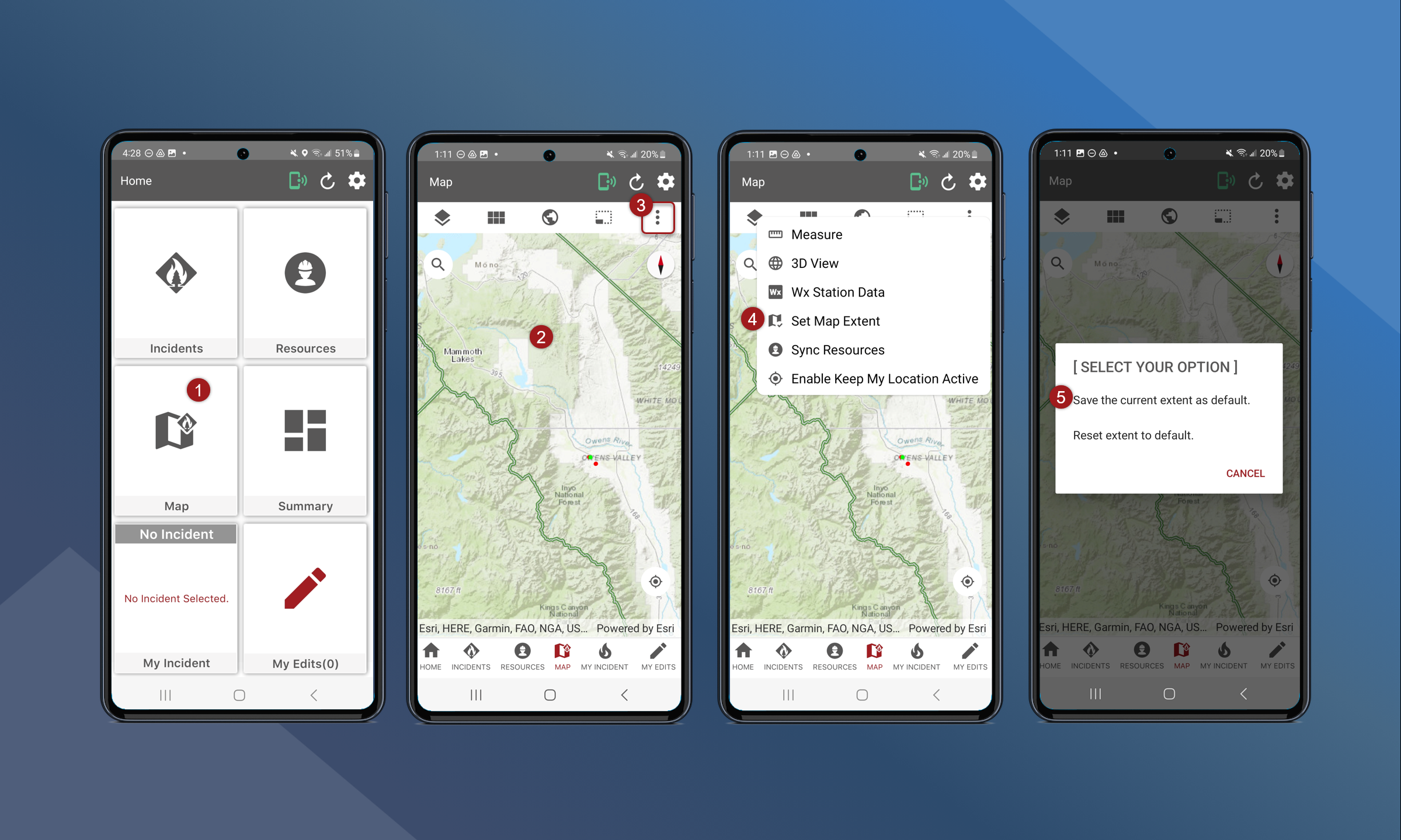
To reset the default extent, follow these steps:
-
On the Home Screen, tap Map
-
Tap
-
Tap Set Map Extent
-
Tap Reset extent to default