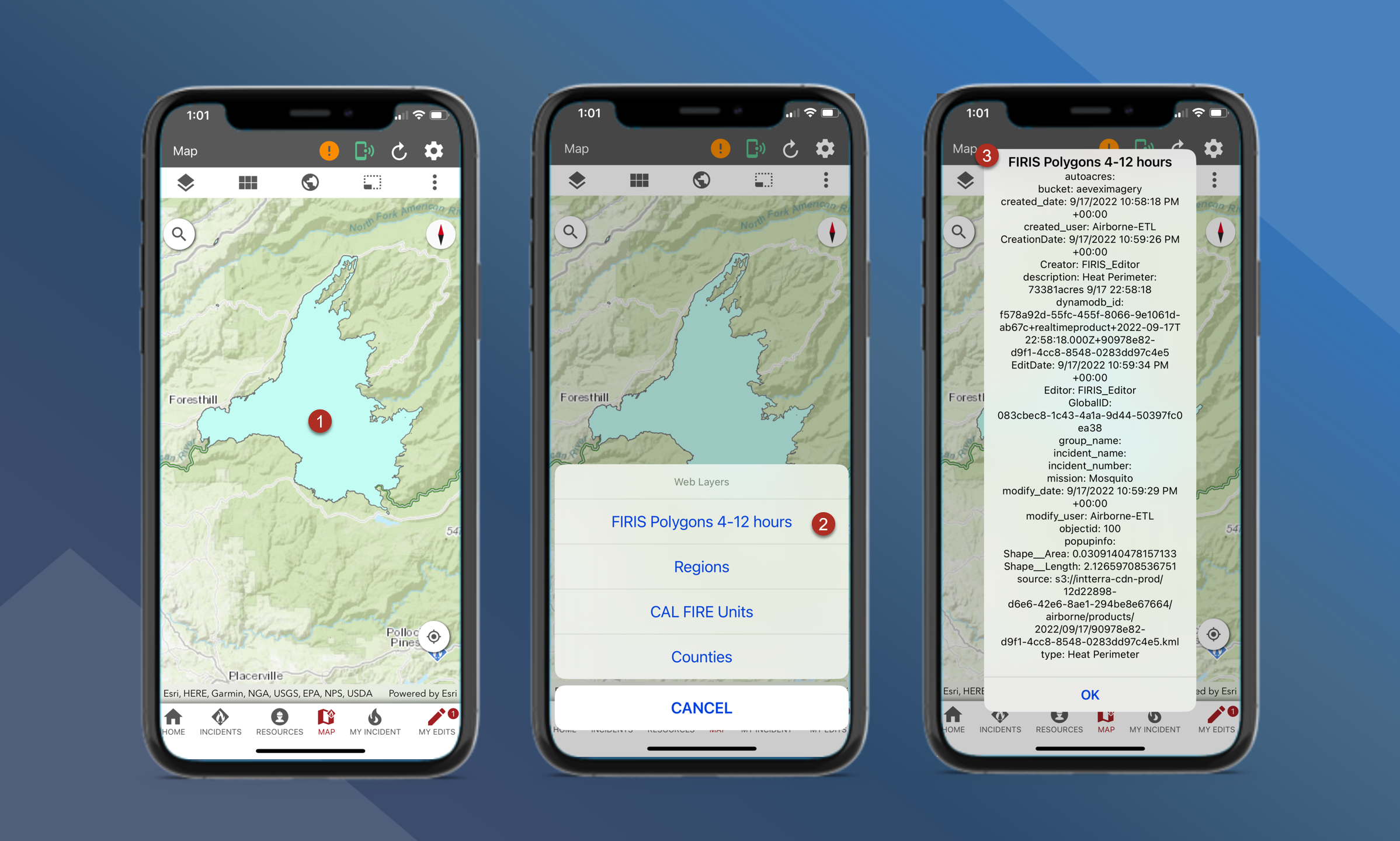
To use the Identify tool, follow the steps outlined below:
-
Open the map long tap on the desired feature
-
On the pop up, tap the desired layer
-
A new pop-up window will appear with the results
-
The identify tool may not be available for all layers