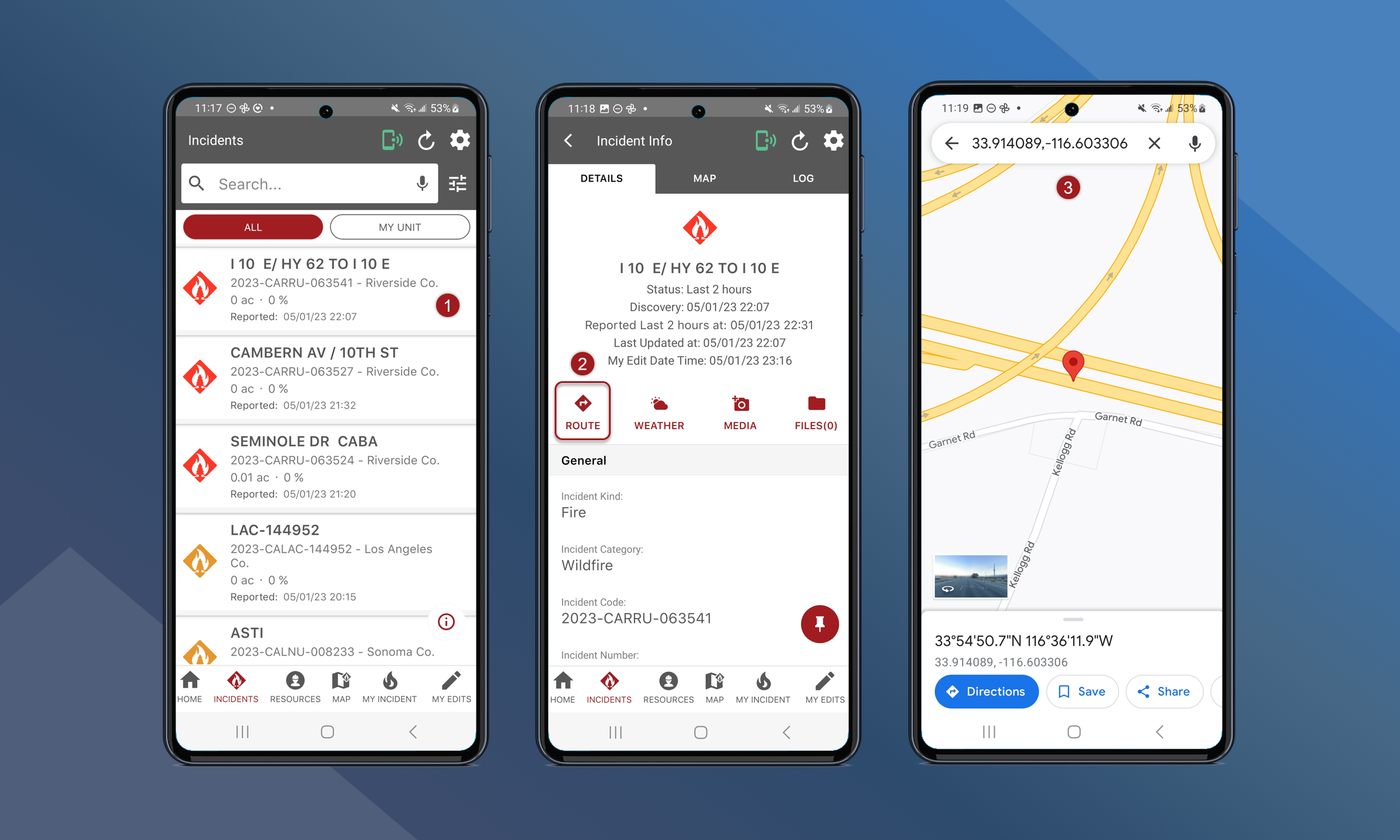
Use the route button on the incident card for turn-by-turn directions to the incident using the device’s default navigation app.
To route to an incident:
-
Navigate to the Incident Info screen for the preferred incident
-
Tap Route
-
The default navigation app with open with directions to the specified incident