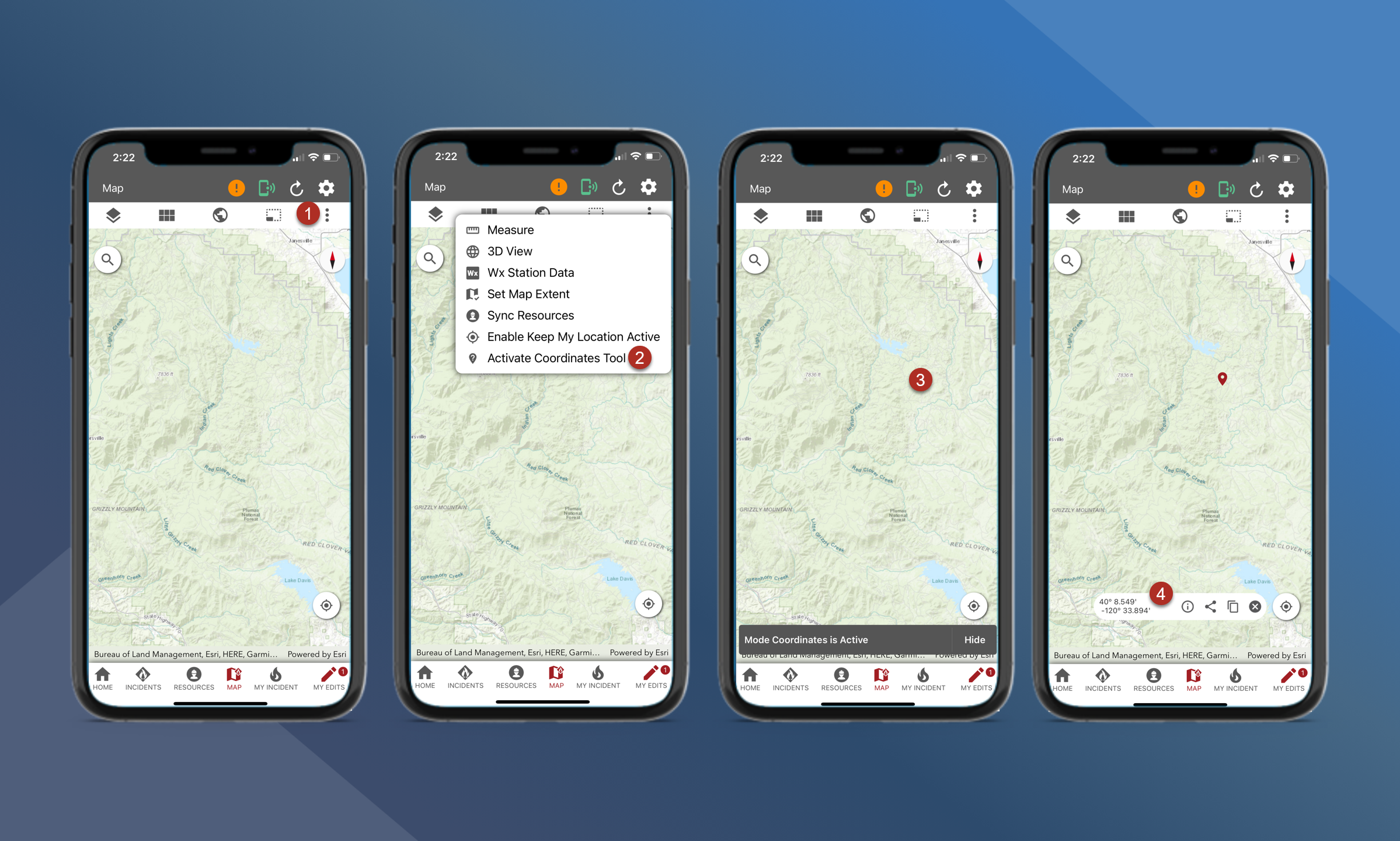
To use the coordinate tool, follow the steps outlined below:
-
On the map canvas tap the
in the top right corner
-
Tap Activate Coordinates Tool
-
Tap on the map canvas
-
A new pop-up window will appear at the bottom of the screen with the results
The coordinates tool does not stay active. Users will need to re-activate this tool each time they wish to use it.