
The Users tab provides administrative tools for managing user accounts, permissions, and organization settings within FireCast. Access is typically restricted to administrators or users with elevated permissions.
Security Settings
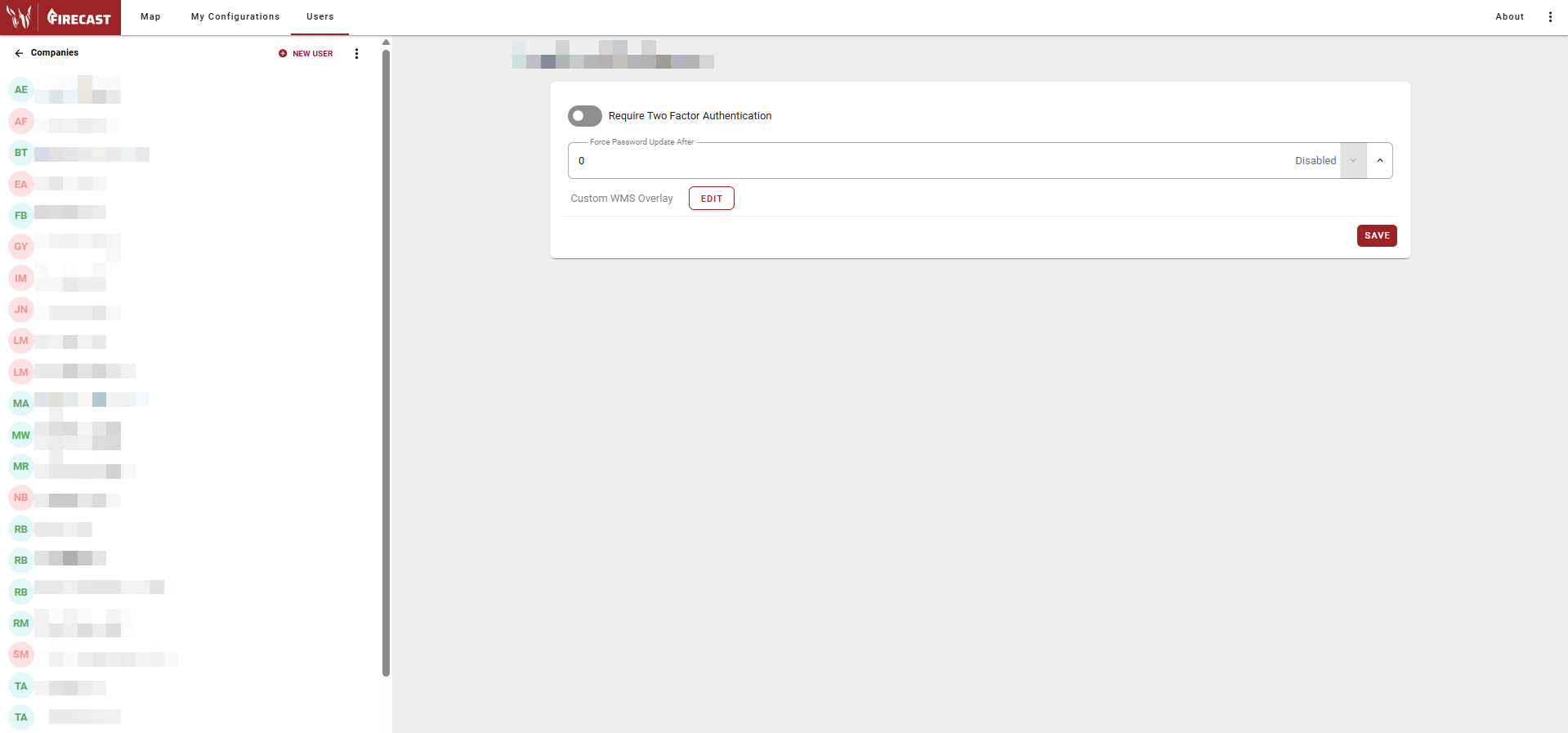
Require Two Factor Authentication
-
Enable to require users to verify their identity with a second factor (e.g., mobile device code) in addition to their password.
-
Disable to allow login with just username and password.
Enable for organizations handling sensitive operational data.
Force Password Updates After
-
Set the number of days before users must change their passwords:
-
0: Passwords never expire
-
30, 60, 90 days: Common security intervals
-
-
Helps maintain security by preventing indefinite use of old passwords.
Custom WMS Overlay
Configure custom Web Map Service (WMS) overlays for your organization:
-
Click EDIT to modify WMS settings.
-
Add agency-specific spatial data layers.
-
Configure connection parameters and authentication.
-
Control which overlays are available to users.
This enables integration of proprietary or specialized map layers.
User Account Management
-
The left panel displays all user accounts in your organization:
-
Enabled accounts: Black font
-
Disabled accounts: Grey font
-
-
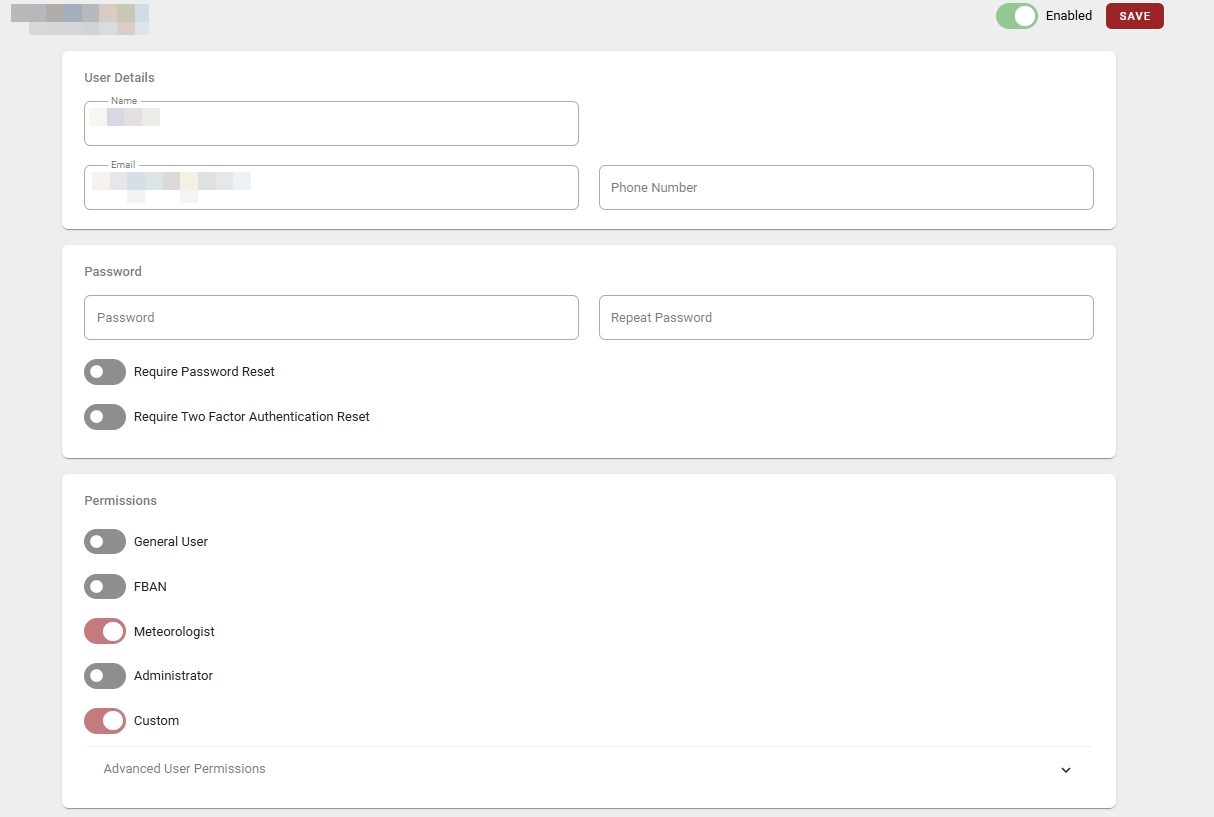
Select a user to:
-
View and edit details
-
Modify permissions and access levels
-
Assign or remove from Fire Services
-
Enable or disable accounts
-
Reset passwords or authentication settings
-
Review user activity and login history
-
New User Creation
-
Click the NEW USER button (top right of the left panel) to add new users to your organization.