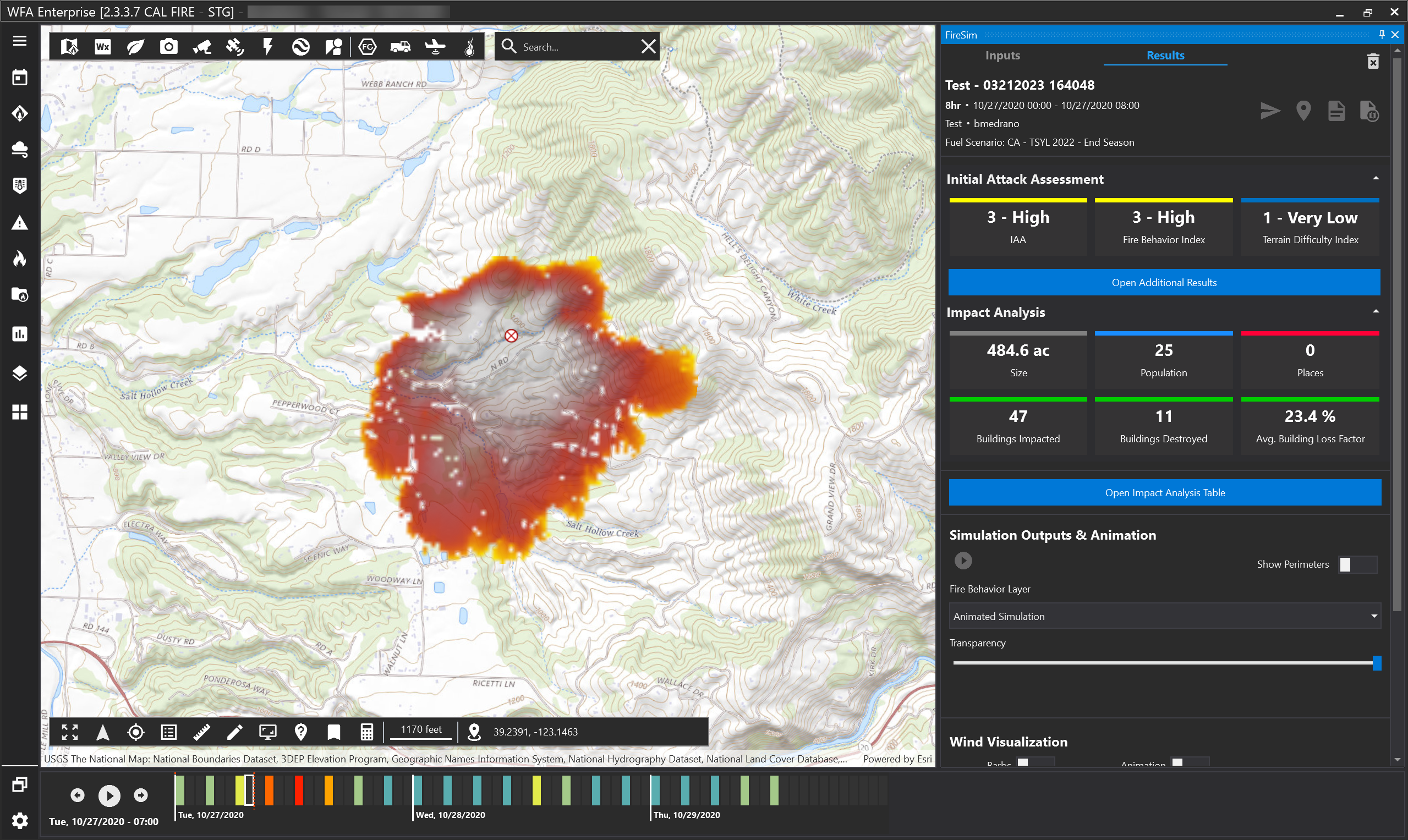
The simulation panel has a tab called Results. Once a simulation is created or loaded, it will automatically:
-
Activate the Results tab
-
Show the simulation time of arrival on the map
-
Zoom to the simulation, and
-
Show simulation start and end time vertical markers on the timeline. By default, the end time is selected.