
FireSim estimates a fire prediction’s impact in terms of fire size, number of buildings impacted, and population impacted for each fire simulation that is created. The impact analysis tool summarizes the impacts in a table and shows them on the map. This includes a list of potentially impacted buildings, population, or places with an associated distance to the ignition source and expected time of arrival of the fire. Additional impacts may be available for your organization.
-
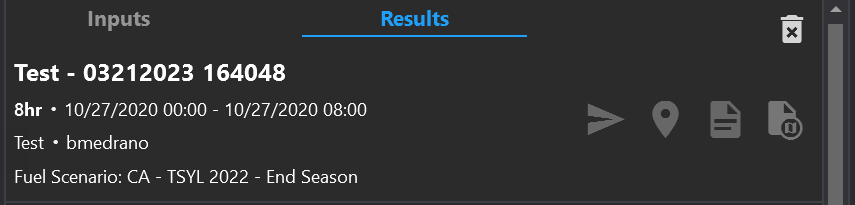
The name of the loaded simulation, time stamp, and user who created the simulation is displayed at the top of this panel.
-
Zoom to the simulation on the map by clicking the map pin icon.
-
Export a report for the simulation by clicking the page icon.
-
Export the simulation to a KML file by clicking on the export icon.
-
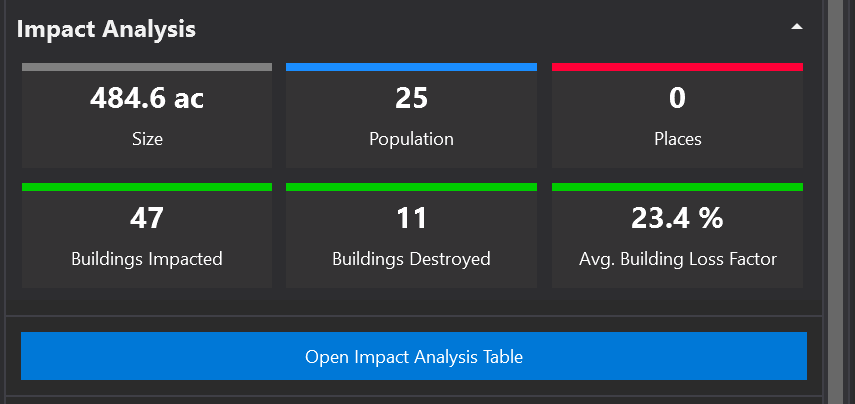
A summary of impact analysis appears below the name and simulation time frames. This includes final size in acres, Initial Attack Assessment (IAA), number of buildings, and population. Additional impact summaries may be shown.
-
Open the Impact Analysis Table to see charts, graphs, and details of the Impact Analysis
Impact Analysis Table
-
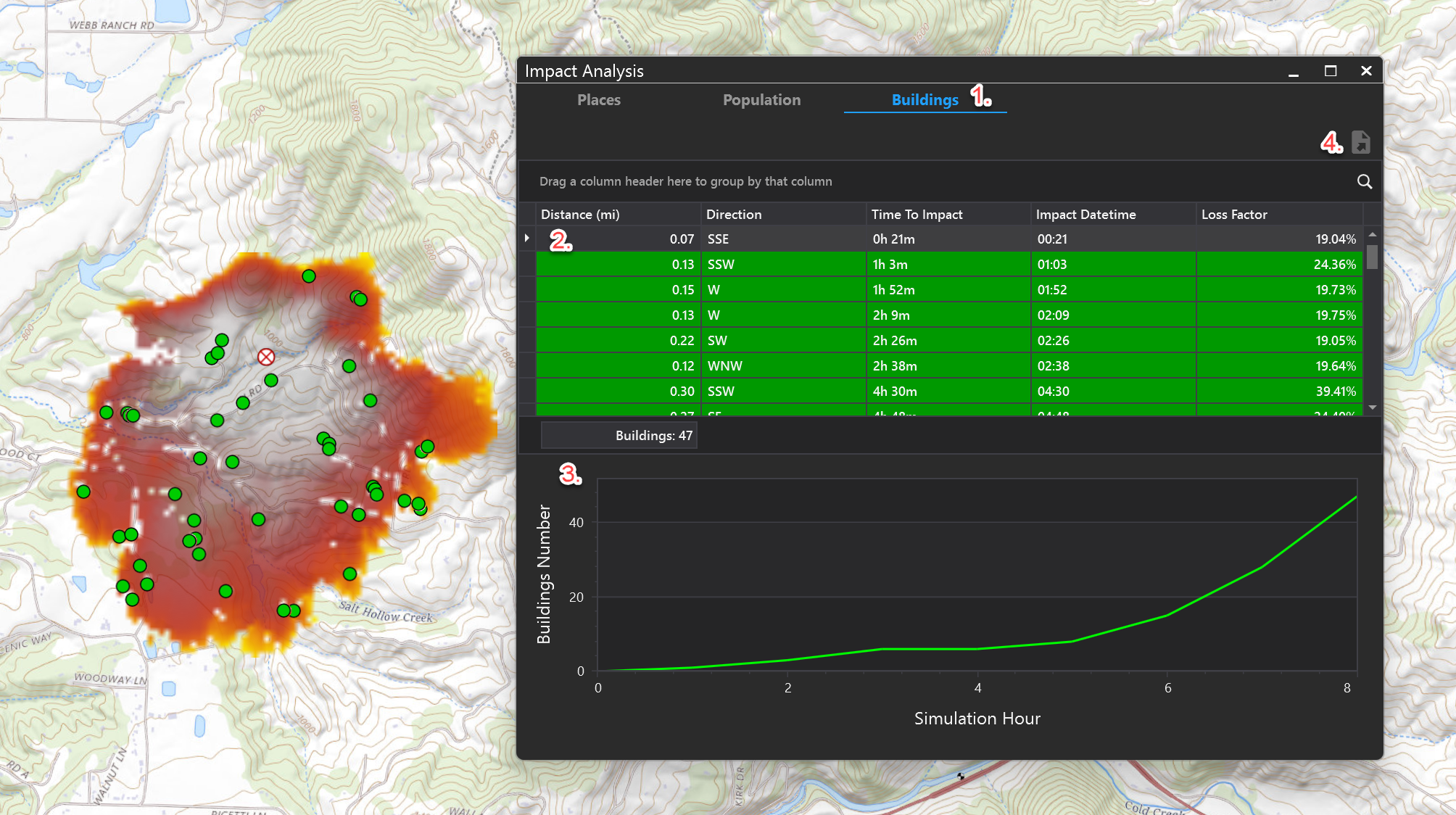
In the Impact Analysis table, select one of the tabs at the top to see results for that tab (Places, Population, Buildings)
-
Data can be viewed in grid format, which can be sorted, filtered and grouped. Impacts are shown on the map with their corresponding colors (green for buildings, blue for population, etc)
-
Or view data in graph format
-
Use the Export tool to export the table to a number of formats. The export tool will open a preview pane first to allow you to choose format for export. Press the arrow next to this button to choose an export format.