Breadcrumbs

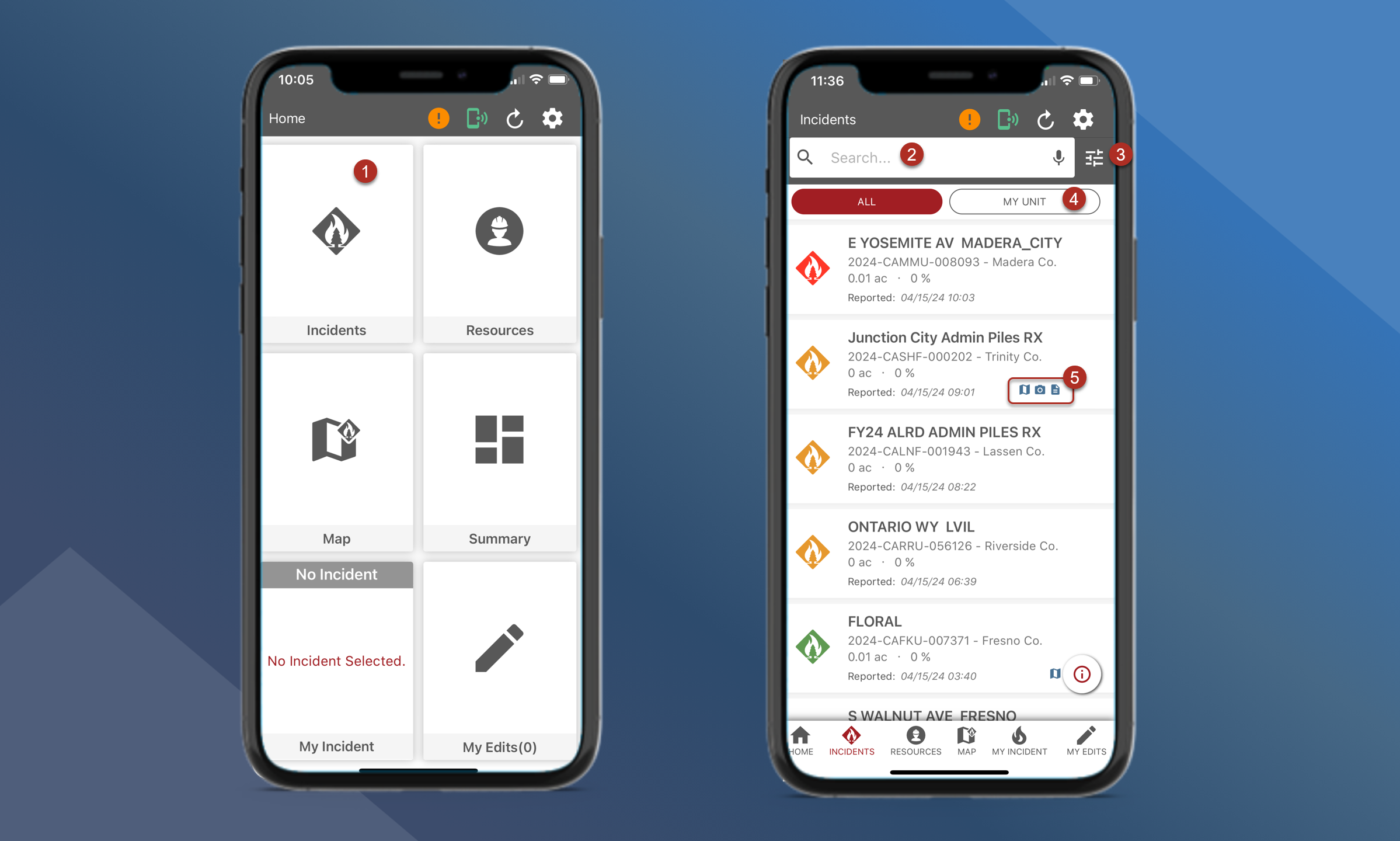
Tactical Analyst Mobile Incident List

  1. Incident List - View a list of all incidents

  2. Search bar - search for specific incidents

  3. Filter options - tap on the icons to filter the list by incident kind, incident status, and unit

  4. My Unit - tap this button to filter the incident list to the selected unit under the filter options

  5. Icons - These icons indicate what type of data is associated with the incident

    1. https://icons-confluence.presago.net/icon/c46a8bdf-413a-40ab-bf13-c4f16644a3ab/svg?color=%230070c0&shape=square-round&filled=true Mapping data

    2. https://icons-confluence.presago.net/icon/92e54b4e-4953-4055-86c2-01d47adf56ff/svg?color=%230070c0&shape=square-round&filled=true Log messages

    3. https://icons-confluence.presago.net/icon/14f05857-792a-4d68-be8c-3333e1566e58/svg?color=%230070c0&shape=square-round&filled=true Photos

    4. https://icons-confluence.presago.net/icon/ff333054-99be-4f79-8bfd-b1ad1a574a57/svg?color=%230070c0&shape=square-round&filled=true Videos

    5. https://icons-confluence.presago.net/icon/14d81dc1-bb30-461b-8b3a-47ff1c052044/svg?color=%230070c0&shape=square-round&filled=true Files


image-20240415-184140.png