To open the Incident Info Screen:
-
Navigate to the incident list
-
Tap on the preferred incident
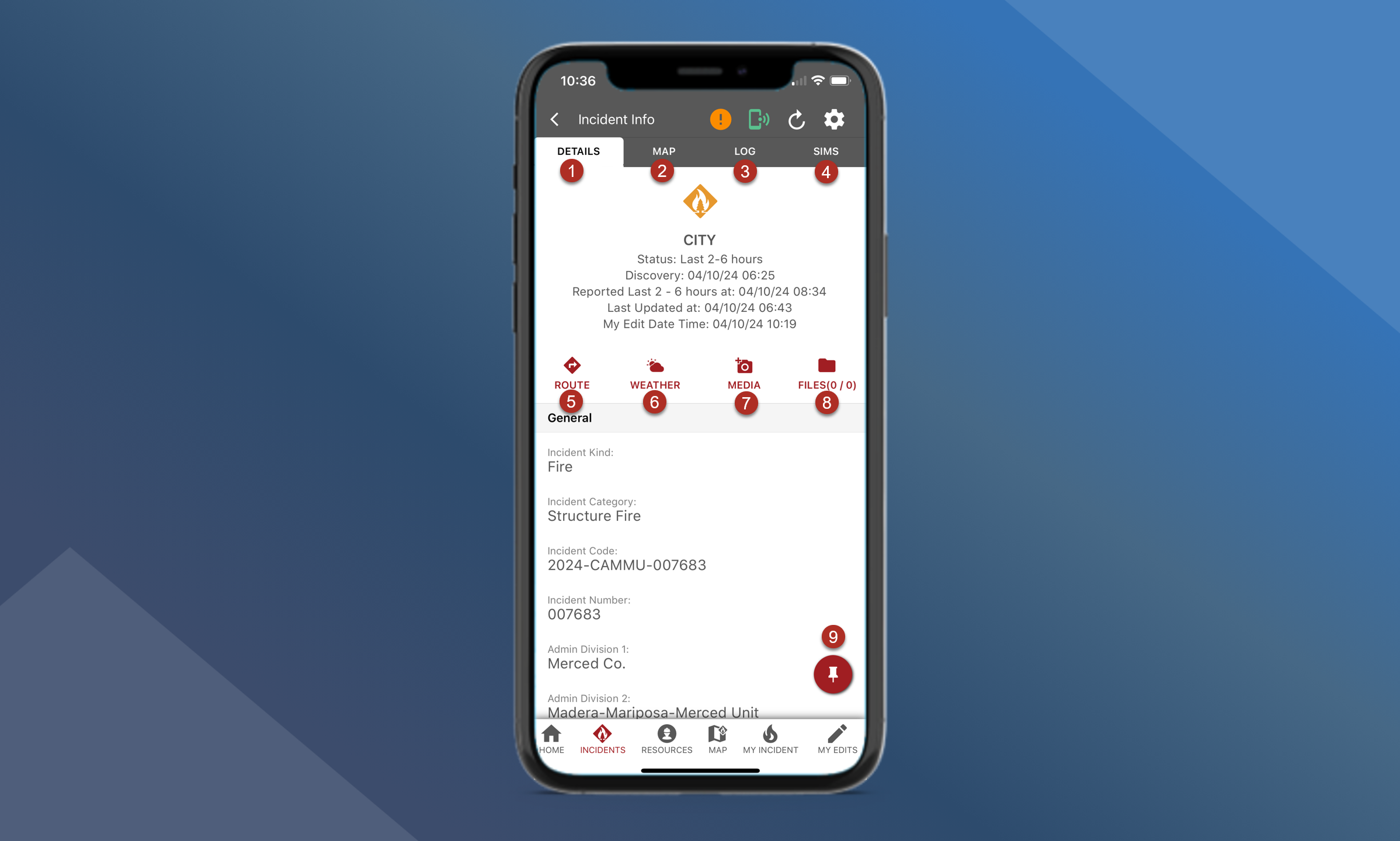
Use the Incident Info screen to view incident information and access various app functionalities:
-
Details Panel - information about the incident from dispatch
-
Map - incident-specific map
-
Log messages - view and add incident-specific log messages
-
Sims - view incident fire sim animations and reports
-
Use Route to get turn-by-turn directions to the Incident using the default navigation app on your device
-
View weather observations or forecasts for the Incident
-
Add Media such as a PDF map or photos of fire line progress
-
View Files related to the Incident
-
Pinning an incident will add it to the “My Incident” tab