
Main Toolbar
Click the "hamburger" icon in the top left to expand the main toolbar and see the names of each tool.
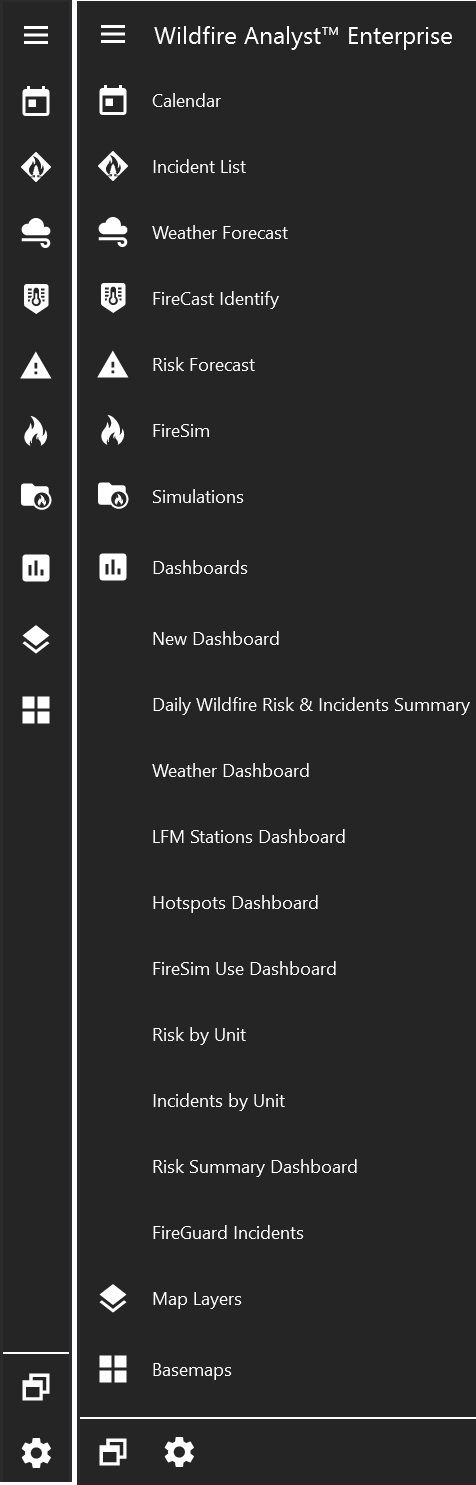
The three tools along the bottom are:
Integration Tools

Integration Tools allow you to quickly toggle features on/off the map.
Integration Tools from left to right:
-
IRWIN Incidents
-
Weather Stations
-
Live Fuel Moisture Stations
-
Mobile Photos
-
ALERTWildfire Cameras
-
Hotspots Layer
-
Lightning Layer
-
Google Earth
-
Google Street View
-
FireGuard Layers
-
GPS Tracking (not available in all versions)
-
Aeriel Intel (not available in all versions)
-
Mapping Layers (not available in all versions)
Search

Type in the Search Tool to search the map by place name, latitude/longitude coordinates, or asset name.
Navigation Tools

The Navigation toolbar contains tools for changing the map extent and coordinate units.
Navigation Tools from left to right:
-
Zoom to default or custom map extent
-
Reset map to show north at the top
-
Zoom to your location
-
View Map Legend (Note: In some versions, the legend tool is located in the Integration toolbar)
-
Measurement and Impact Tool
-
Mapping Tool
-
Save map screenshot
-
Enable/Disable Identify Tool
-
Open/Close Bookmark Panel
-
Fuel Calculator
-
Scalebar
-
Change coordinate units