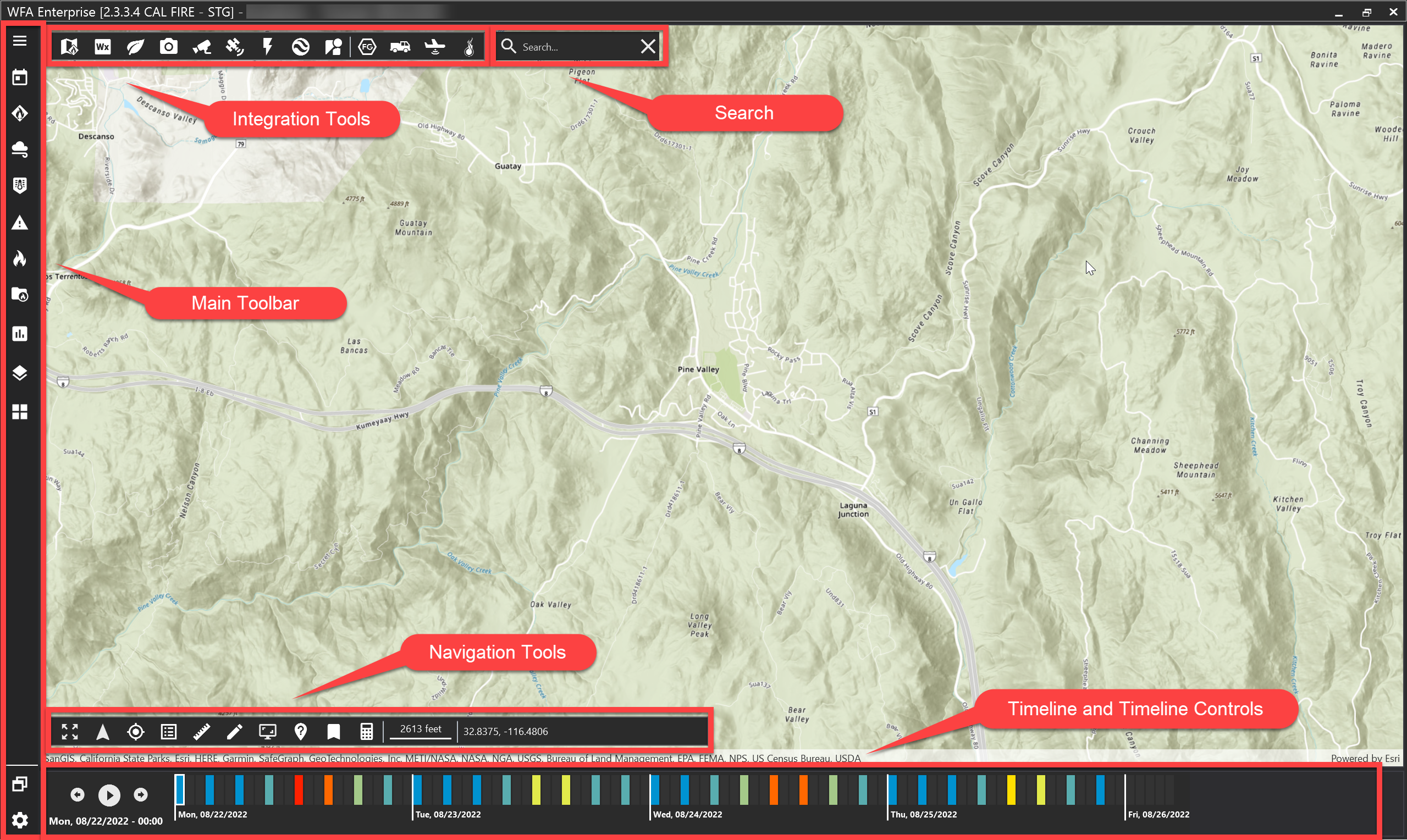
WFA FireRisk opens to a map centric interface that is dominated by a large map view.
Along the bottom of the window, you'll see the timeline and timeline controls.
Main Toolbar
The main toolbar is found along the left side of the application window.
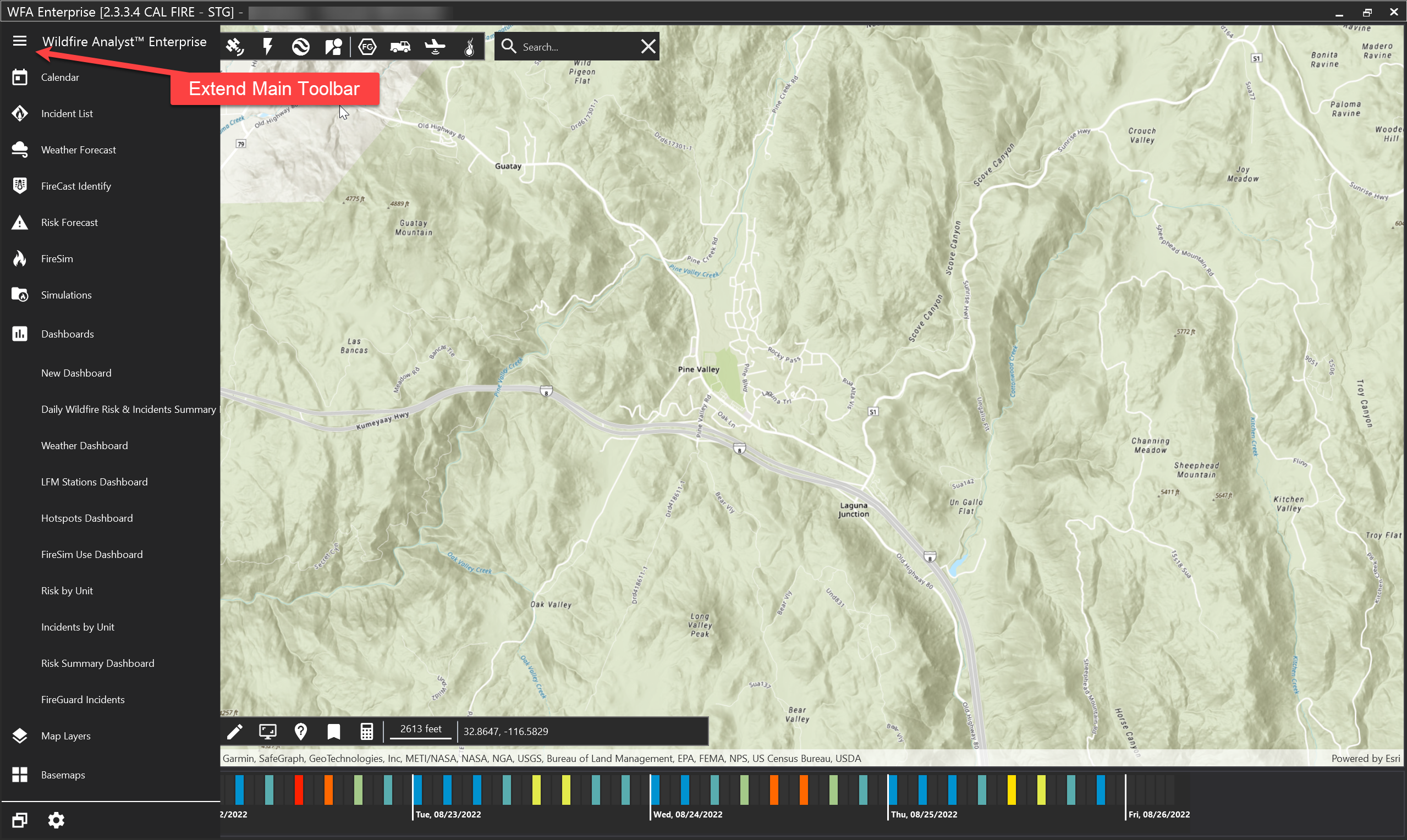
Extend Main Tool Bar
The Main Toolbar can be expanded by clicking the "hamburger" icon in the upper left corner.
Tool Tips

View names of tools by hovering over an icon with the mouse to display a tooltip.
Software Information
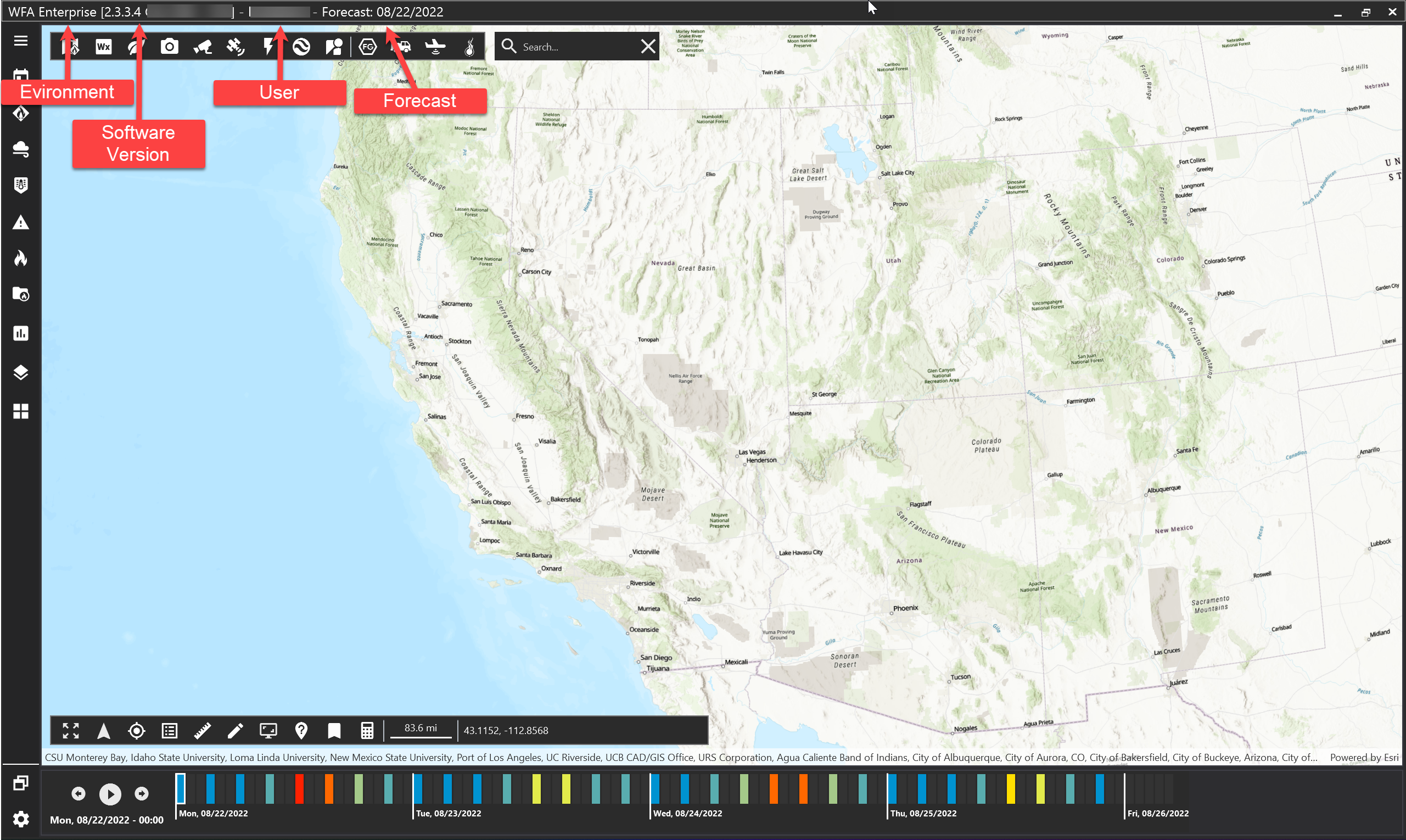
The current software version, environment, user, and selected forecast are shown in the title bar at the top of the application window.