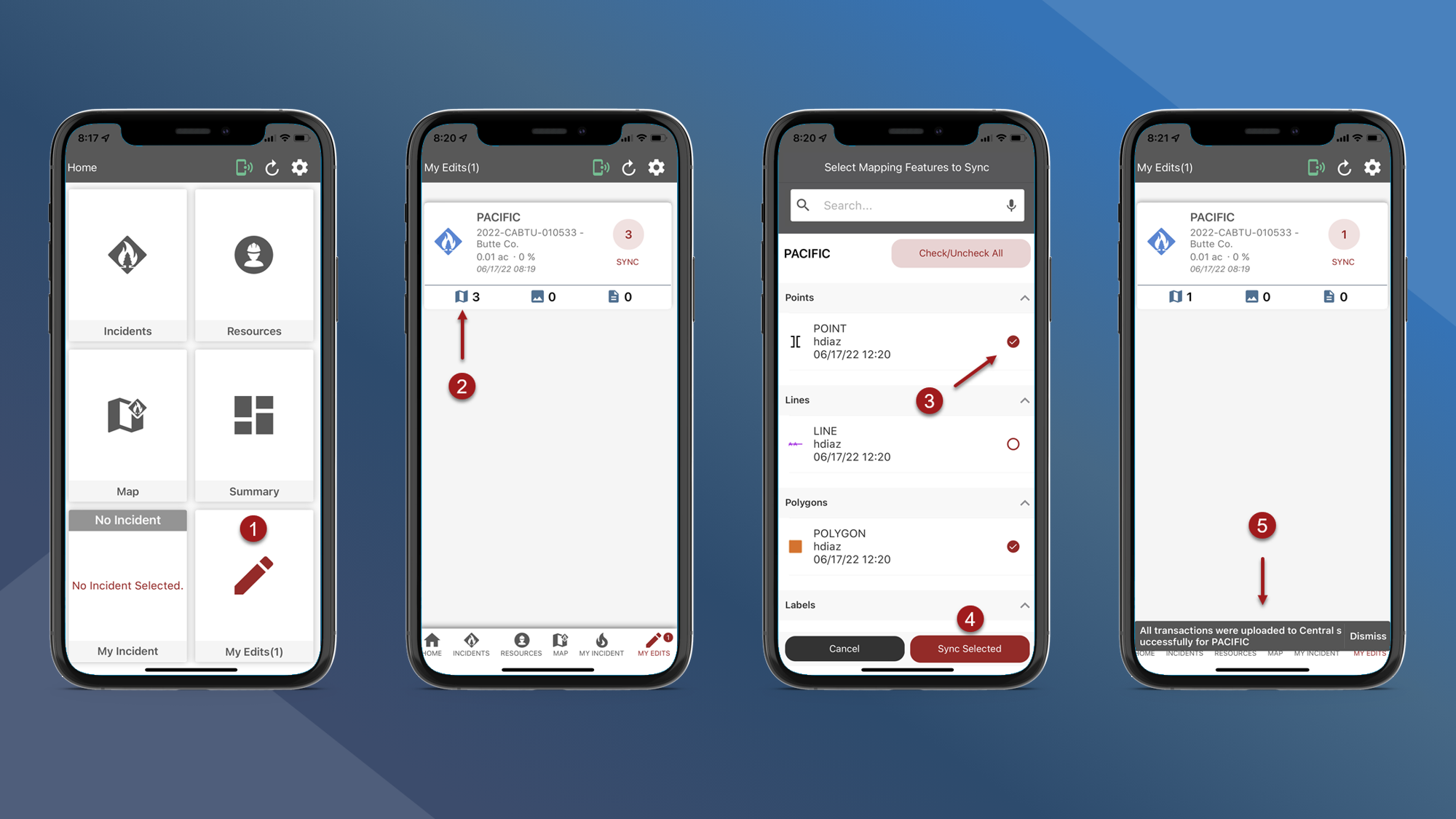
Use My Edits to sync all edits for an Incident, or to sync only selected mapping edits.
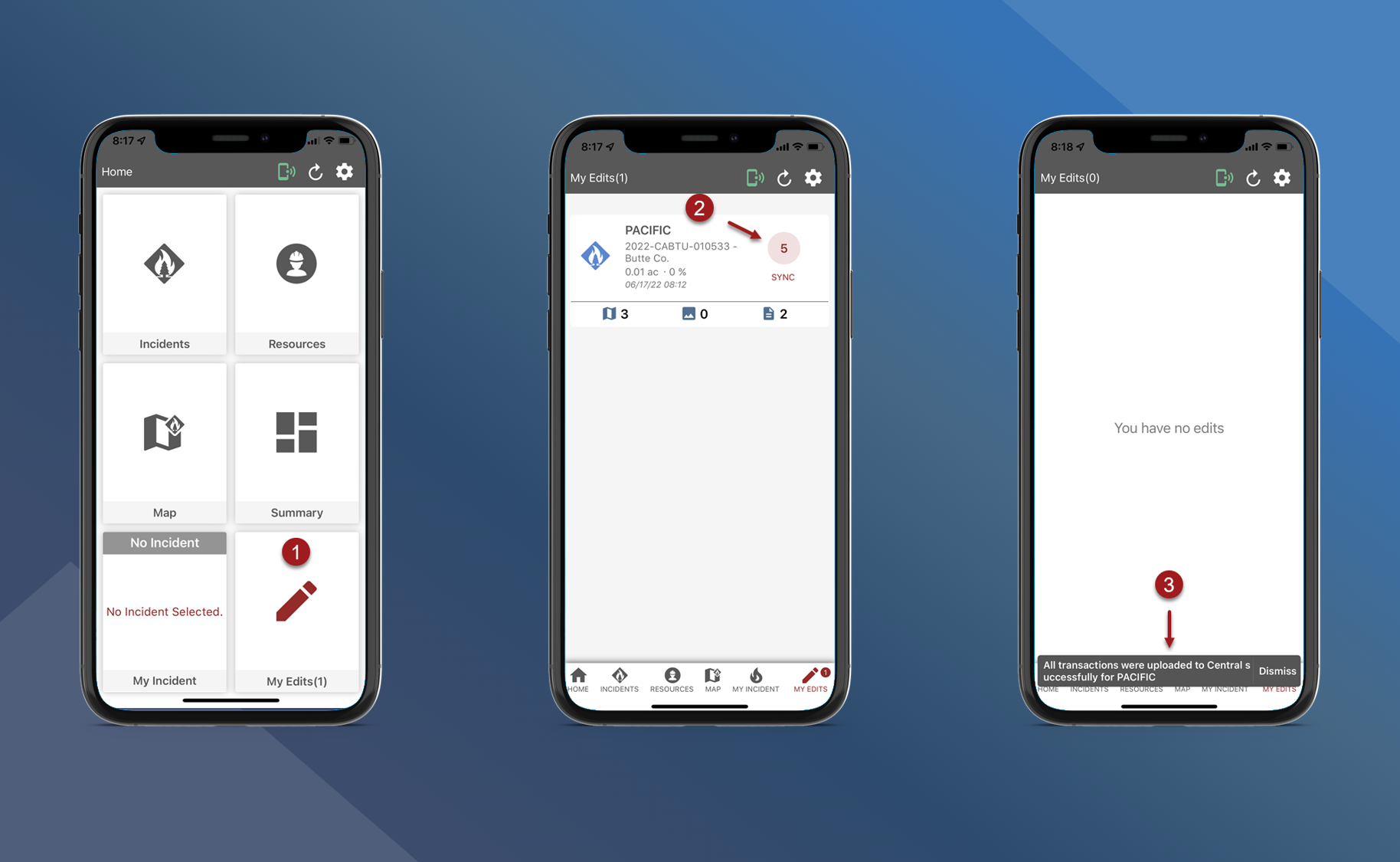
Sync All Edits for an Incident:
-
On the Home screen or on the bottom navigation bar tap My Edits
-
Tap the red circle containing the number of pending edits
-
A message will be displayed confirming the edits were successfully uploaded
Sync Selected Mapping Edits:
-
Tap My Edits
-
Tap the map symbol to select which mapping edits to sync
-
Select the map features that you want to sync
-
Tap Sync Selected
-
The selected map features were successfully uploaded
Note: You must upload Mapping edits through the Main App Sync or My Edits so other users can see them.