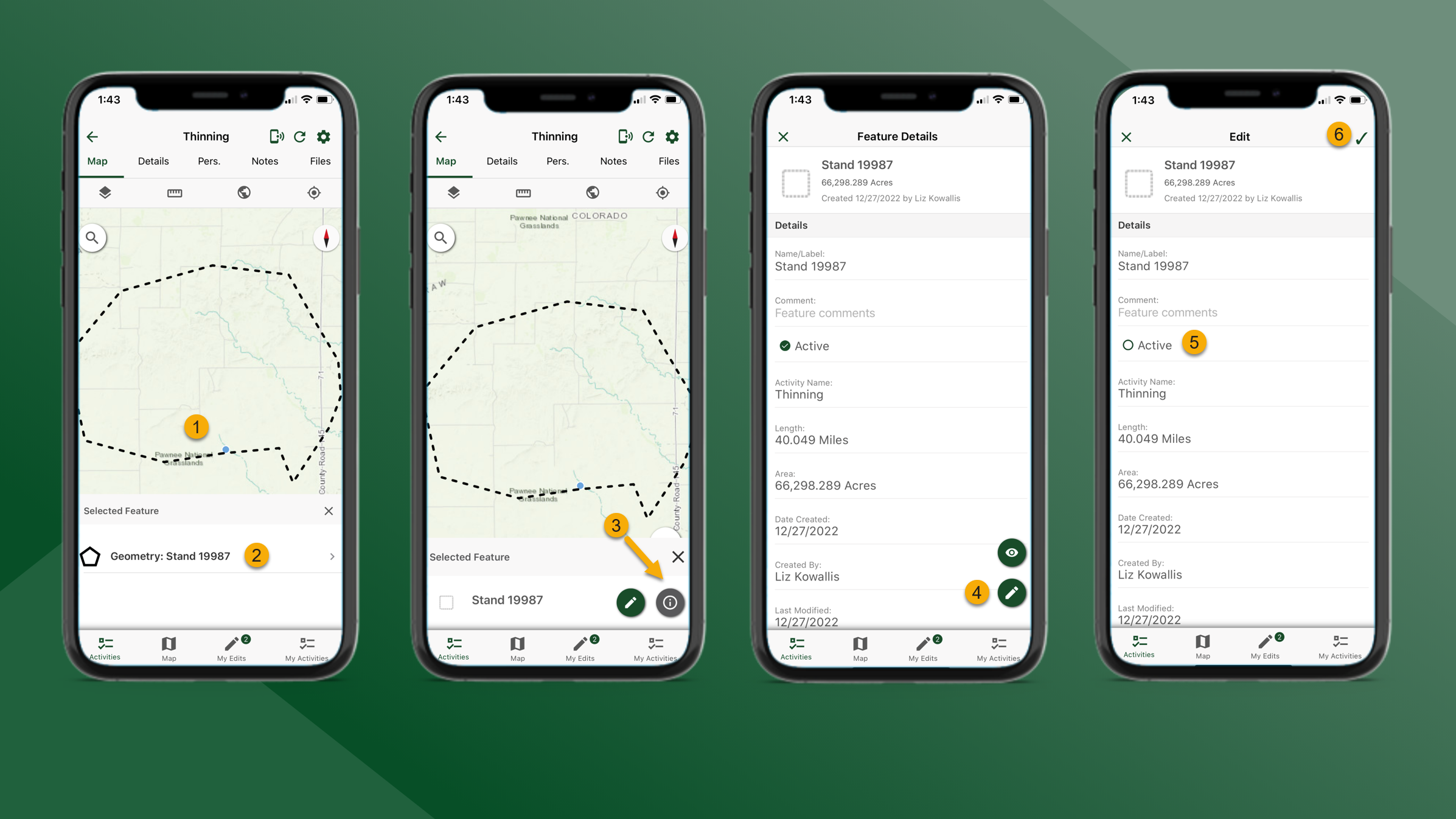
To set map features to inactive, follow the steps outlined below:
-
From the Map tab for the selected Activity choose a feature to edit by tapping it on the map.
-
Select the preferred feature.
-
Tap
to Edit Feature Details.
-
On the Feature Details screen tap
to edit.
-
Tap in the Active checkbox to remove the checkmark. This will make the selected map feature Inactive.
-
When finished tap
in the top right corner of the screen. The feature is now Inactive and will not be visible on the Map.