
The functionality available to the user is based on the user’s role and permissions.
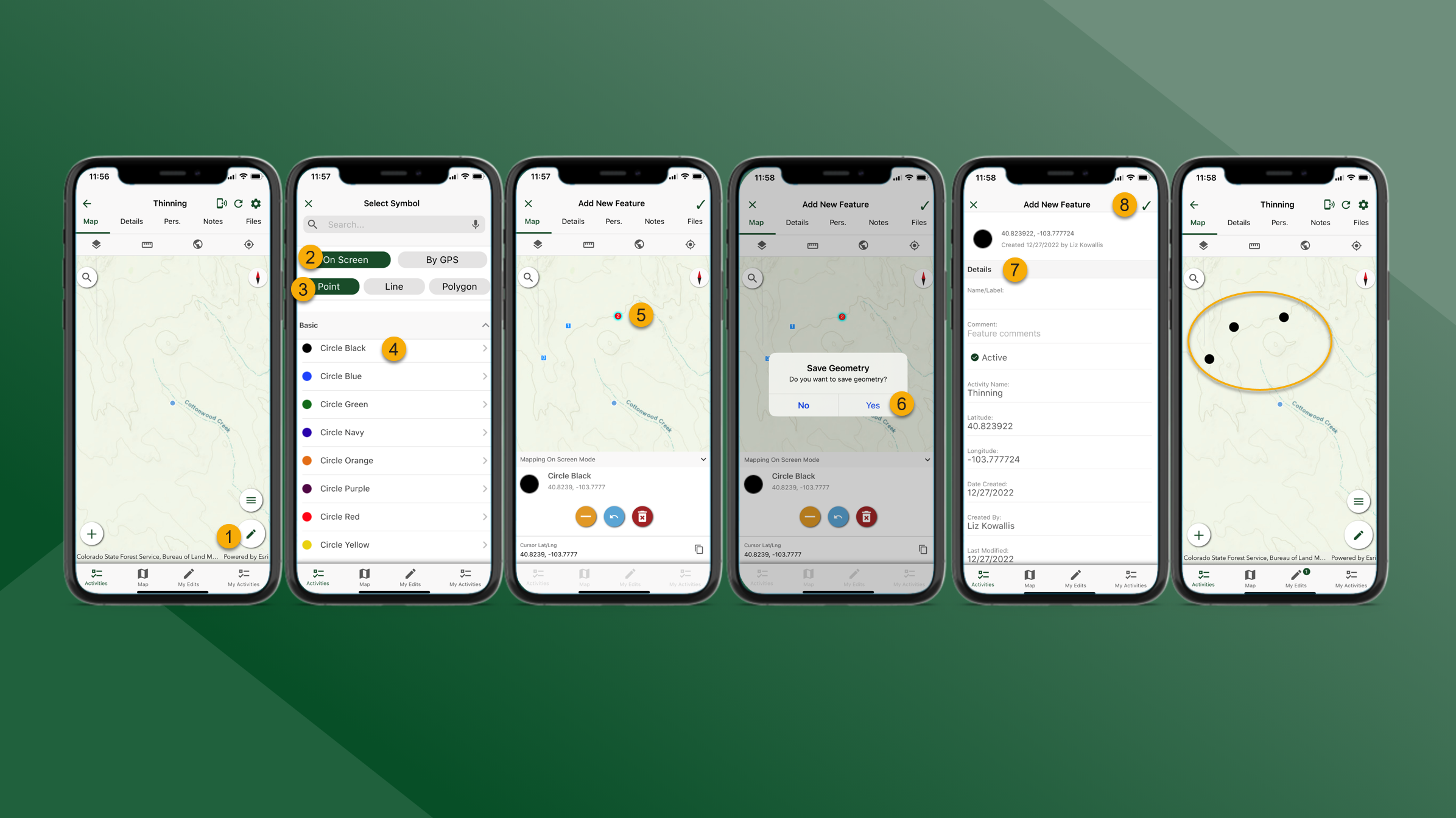
To create map features, follow the steps outlined below:
-
From the Map tab for the selected Activity tap
at the bottom of the screen.
-
Select On Screen
-
Select feature type
-
Select feature symbol
-
Add points for the feature by tapping on the screen.
-
Mapping Tools – On Screen
-
Tap
to remove a vertex
-
Tap
to undo
-
Tap
to discard the feature
-
-
-
When finished tap
in the top right corner of the screen and then tap Yes.
-
Update the Details as necessary.
-
Tap