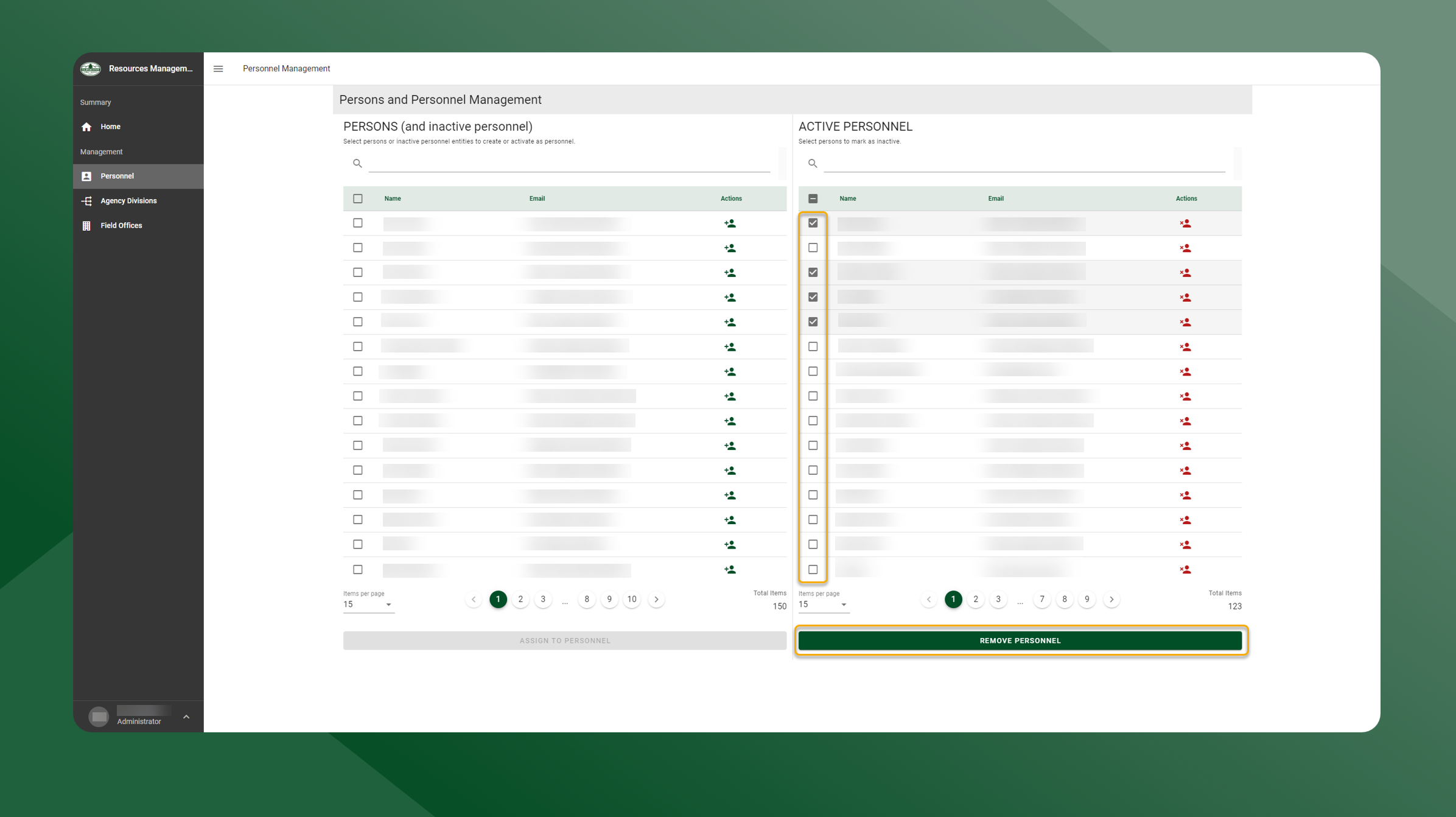
To inactivate personnel, follow the steps outlined below:
-
Open the Resources Manager application
-
Select Personnel from the left sidebar navigation.
-
The table on the left side of the screen are active and inactive personnel.
-
The table on the right side of the screen are active personnel.
-
-
To inactivate one person, use the right table and select the
icon in the Actions column.
-
To inactivate multiple persons, toggle the checkbox next to the users name in the right table. Then select Remove Personnel.
-
-
The person(s) are now inactivated and will be removed from the table on the right.