
Groups
-
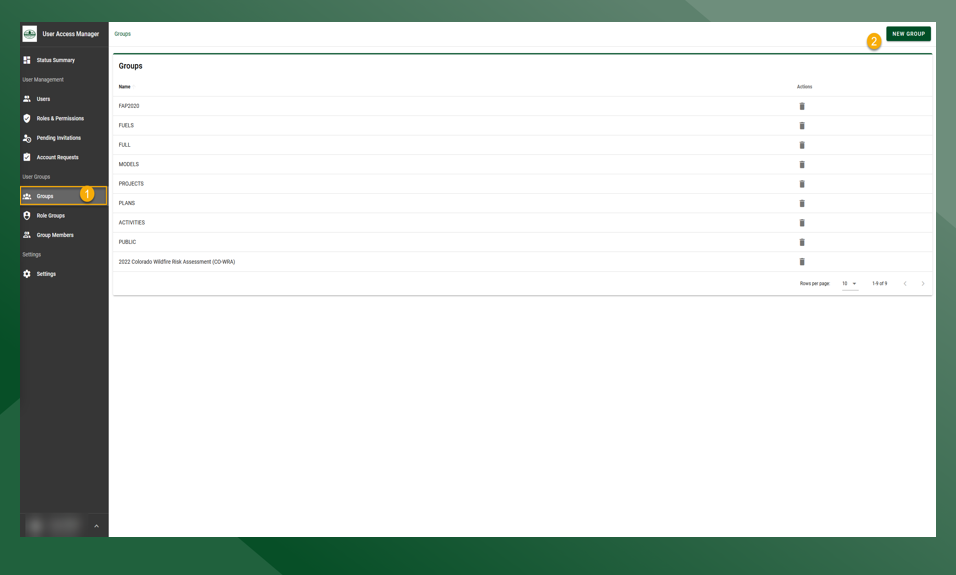
To view current groups select Groups under the User Groups heading
-
To create a group, select :New_Group: in the upper right hand corner
-
Type in group name and details and press save. Click on groups to return to the list of current groups
Role Groups
Role Groups are an access group for File Explorer where multiple roles can be grouped together to make permissioning more efficient for administrators.
-
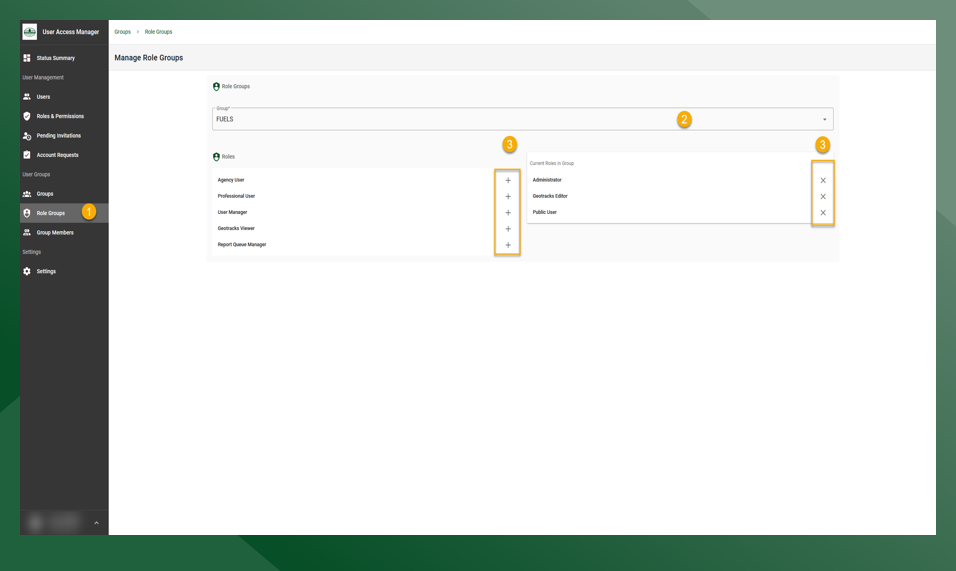
To edit a Role Group select Role Groups under the User Groups heading
-
Select the desired Role Group from the drop-down menu
-
Select the roles that you would like to add to or remove from the group
-
Edits are saved automatically
Group Members
Group Members allow admins to add Users to a group that are not in a specific Role Group.
-
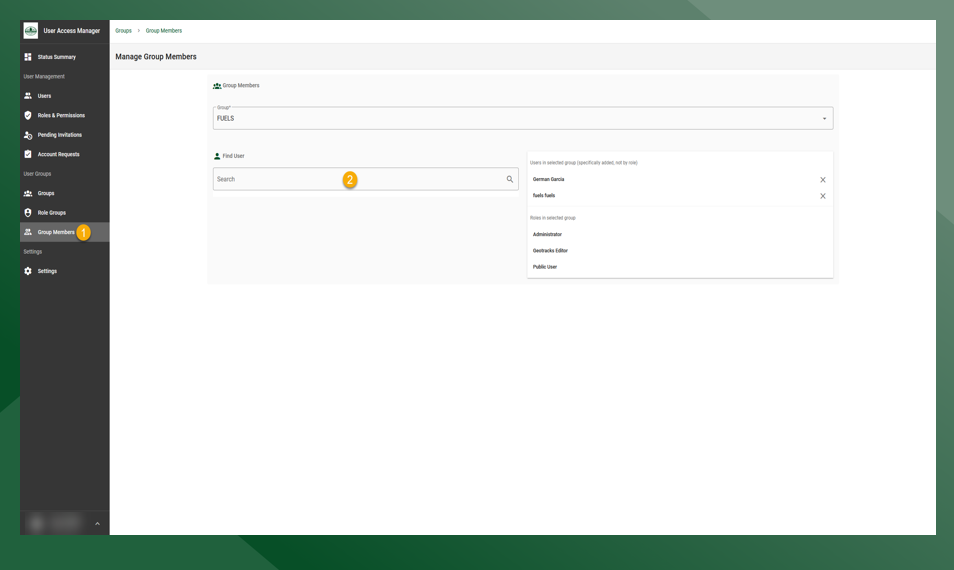
To edit Group Members select Group Members under the User Groups heading.
-
Search for a user in the search bar and click + to add the user.
-
To remove a user click x
-