
WFA Mobile offers the ability to create new simulations from an existing incident’s location, while also using the incident’s created date/time as the simulation’s start date/time.
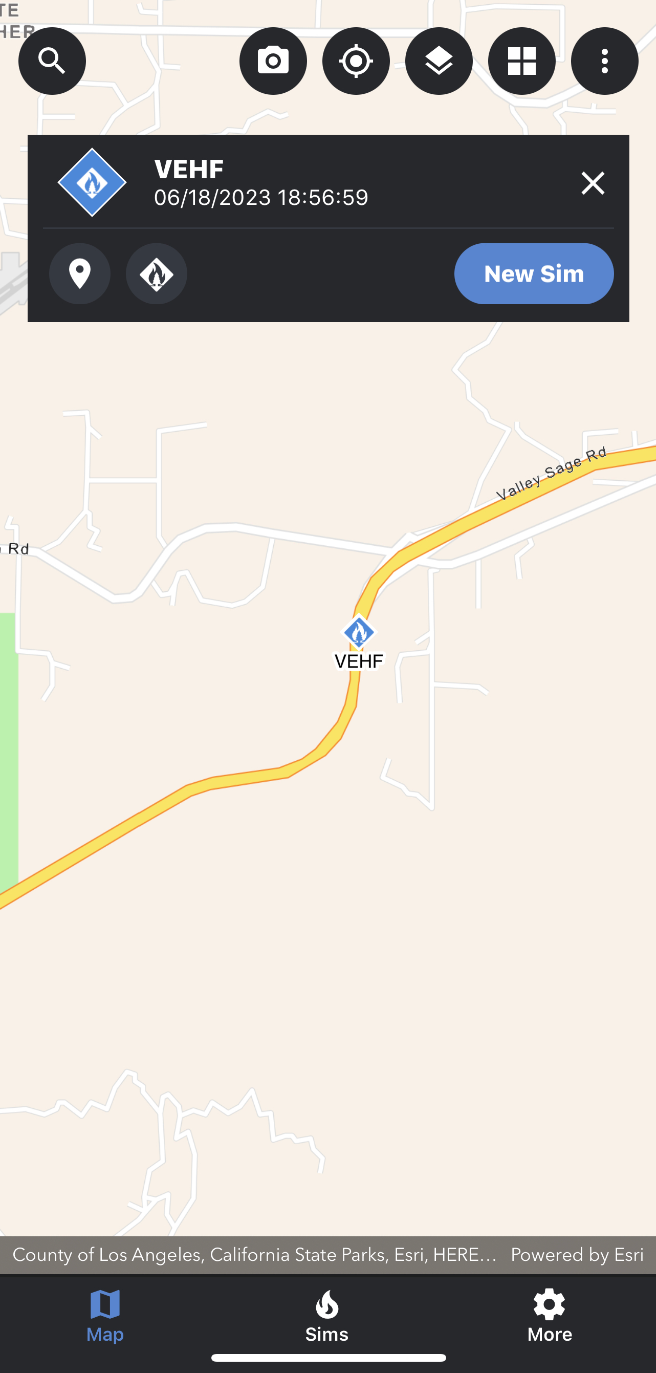
To use an IRWIN incident to create a new simulation, follow the steps below:
-
Open the Map Layers panel and turn on the IRWIN Incident reference layer.
-
Close the Map Layers panel.
-
Select the incident you want to use.
-
To do this, use one of the two methods outlined in the “Selecting an incident” section. Select an incident on the map or select an incident from the incident list (feature coming soon).
-
In the incident card, tap on the “New Sim” button.
You will be directed to the “New Simulation” attributes panel where you can make changes to the different parameters.
-
Once you have made any needed changes to the simulation attributes, tap on the “Run Sim” button located at the bottom of the “New Simulation” attributes panel.
-
Once your simulation has been completed, it will automatically load on the map.