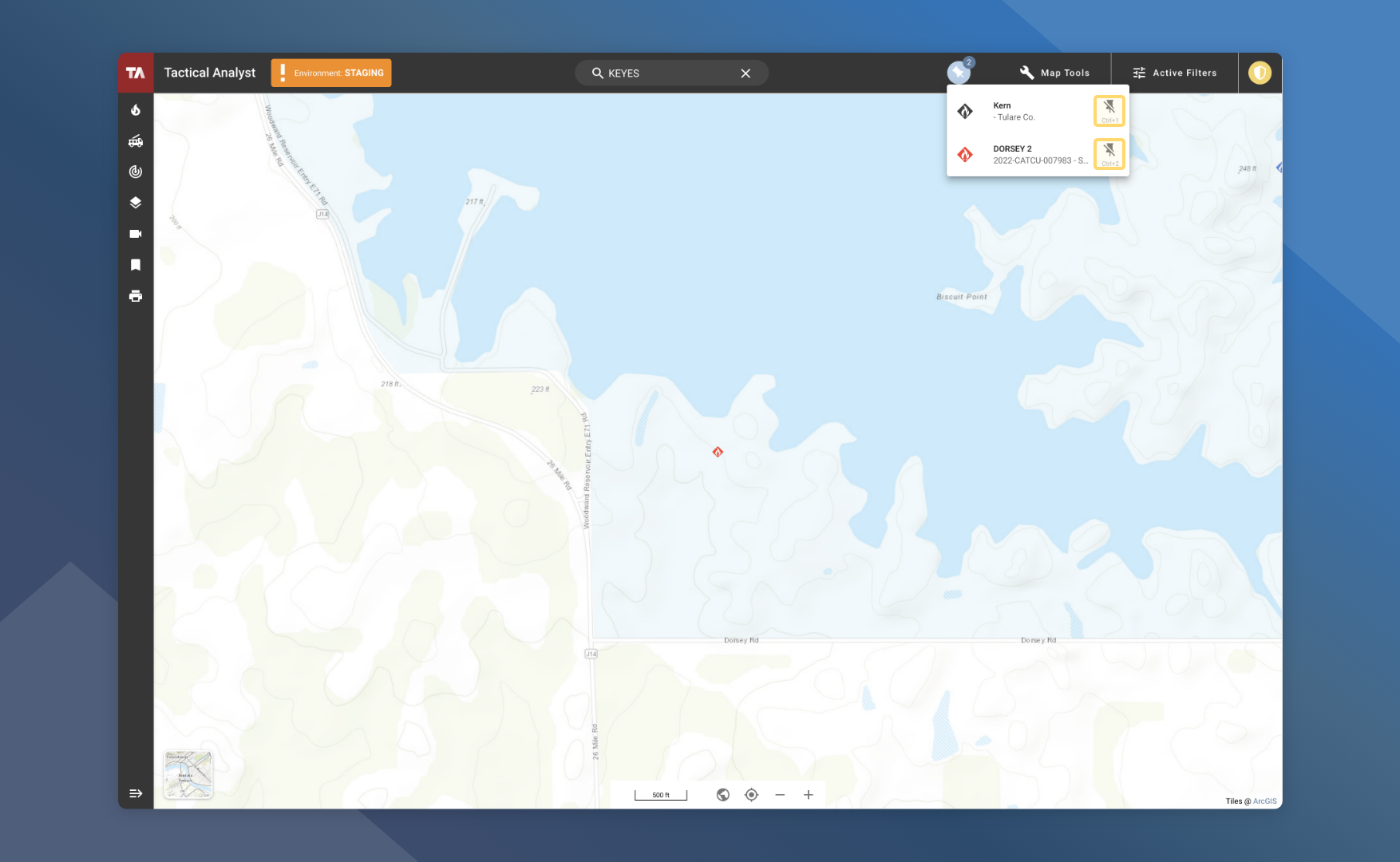
Similar to the Tactical Analyst Mobile “My Incident” functionality, incidents of interest can be pinned for quick access.
View Pinned Incidents
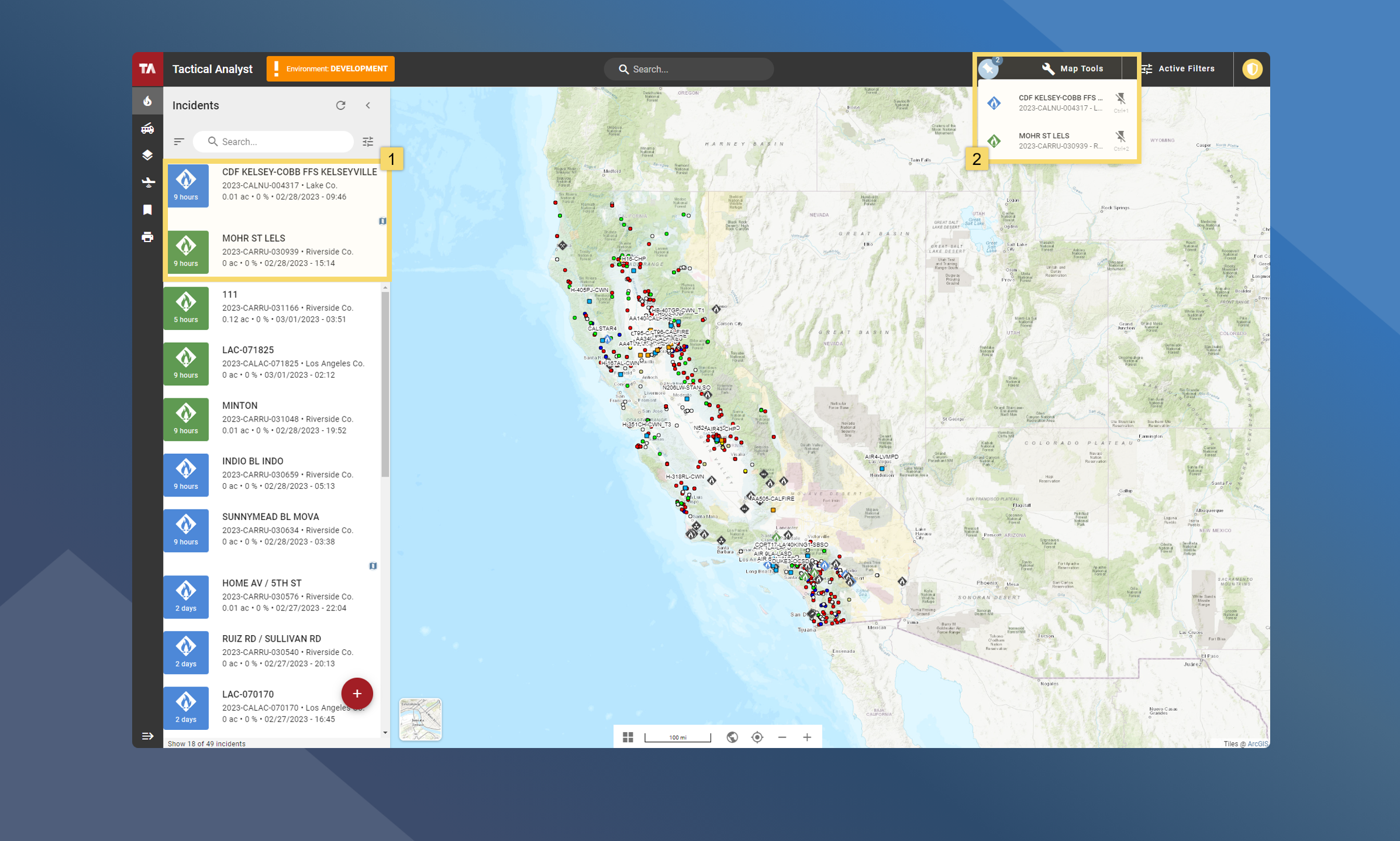
Incidents that have been pinned can be quickly accessed at 2 main locations:
-
Incident List – Pinned incidents become fixed to the top of the incident list.
-
App Bar – Pinned incidents are added to the pinned section in the top app bar
How To Pin An Incident
From the Incident Card:
-
Select/open the incident of focus
-
Click Pin in the incident card header
How To Unpin An Incident
There are three main ways to unpin an incident.
-
From the Incident Card
-
From the Incident List
-
From the Pinned Incident List
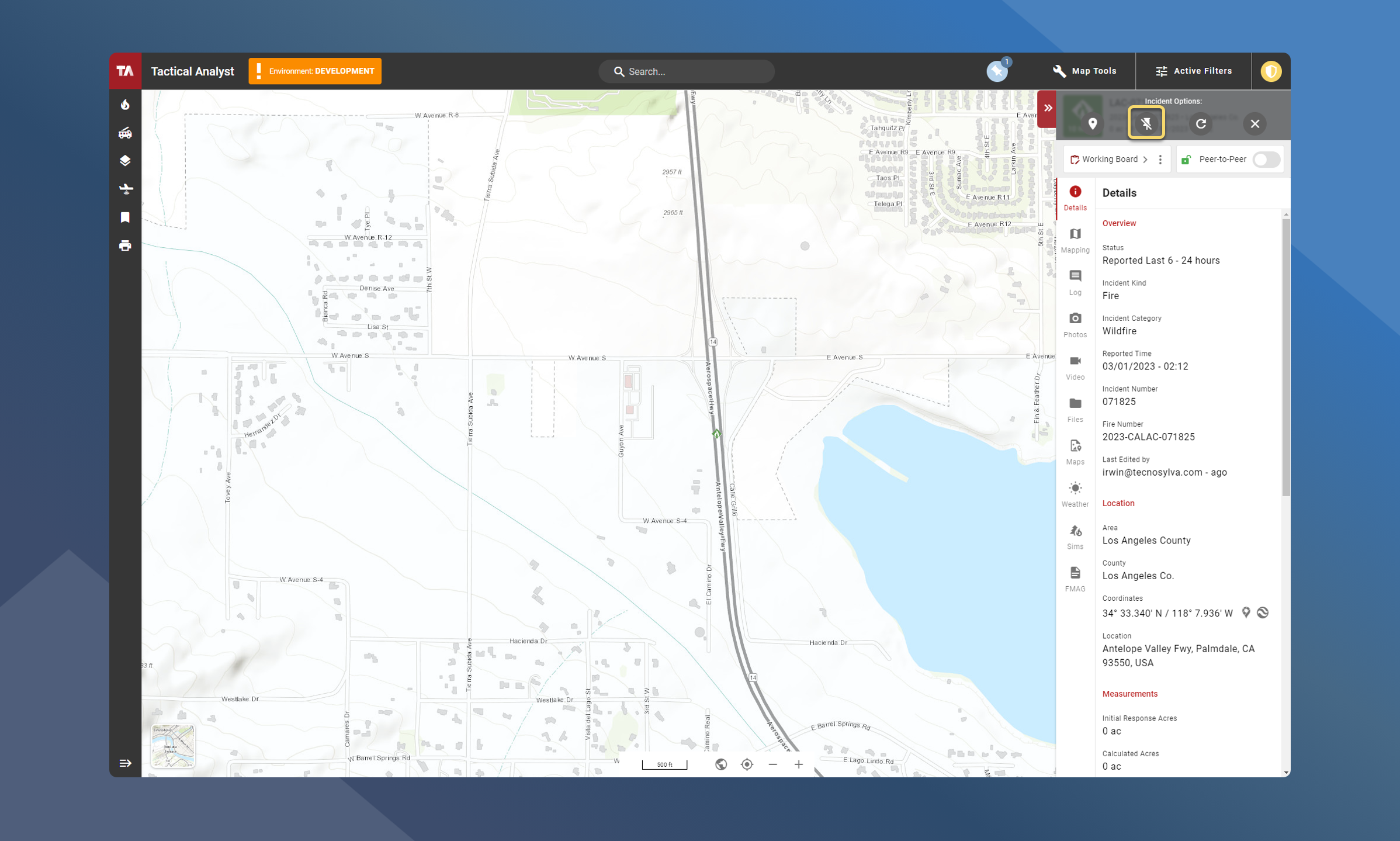
From the Incident Card
-
Select/open the Pinned Incident
-
Click Unpin in the incident card header
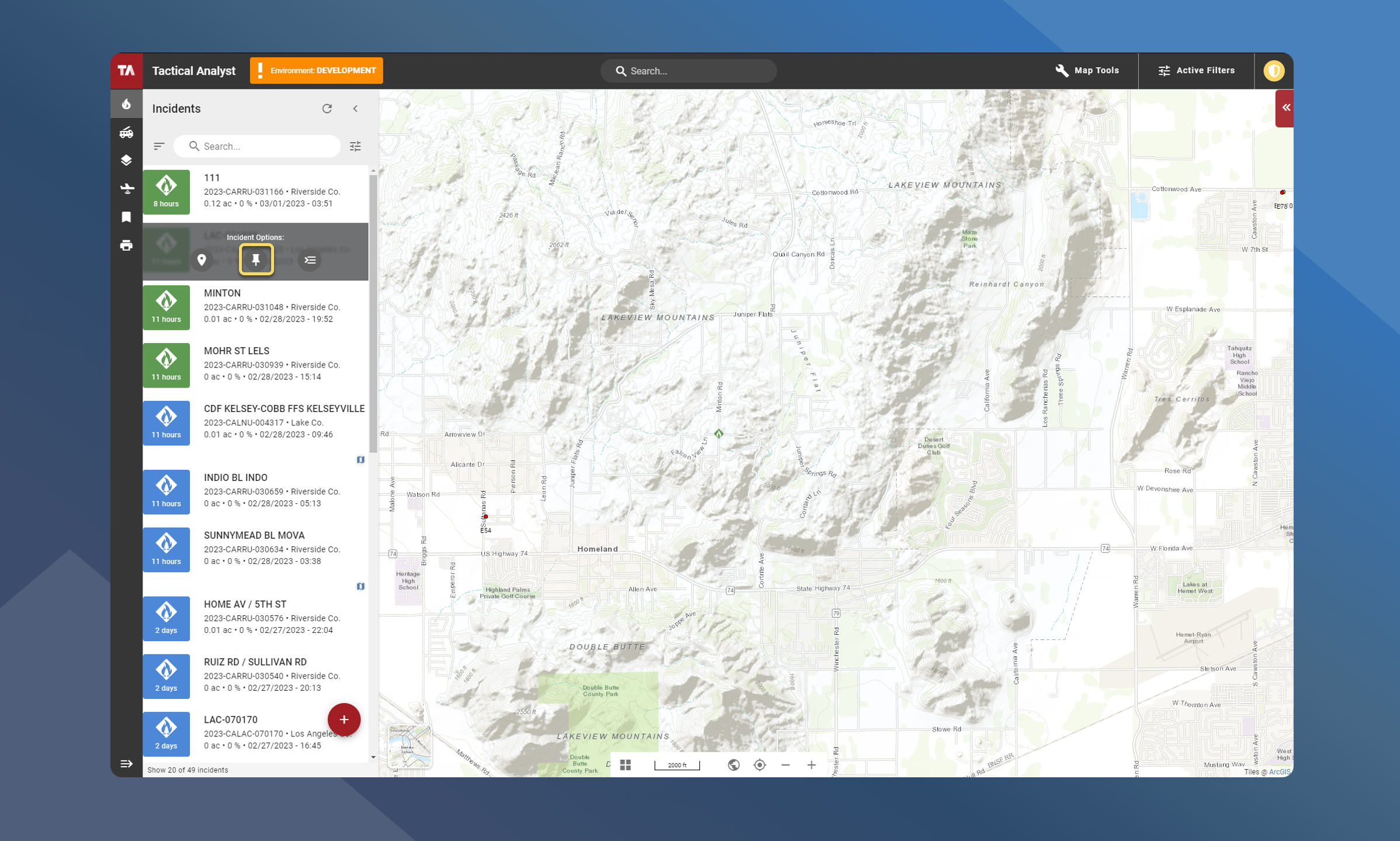
From the Incident List
-
Open the Incident List
-
Click Unpin next to the incident you wish to unpin
From the App Bar
-
Open the list of pinned incidents from the Application Bar
-
Click Unpin next to the incident you wish to unpin