
The Map Layers panel is where you will manage, select and view all of the available reference layers in WFA FireRisk Web.
The Map Layers Panel can be accessed by clicking Map Layers in the top right corner of the map canvas.
Toggle Layers On/Off
Layers that are toggled on with have next to them.
Click on the layer to toggle it on or off.
Adjust layer Transparency
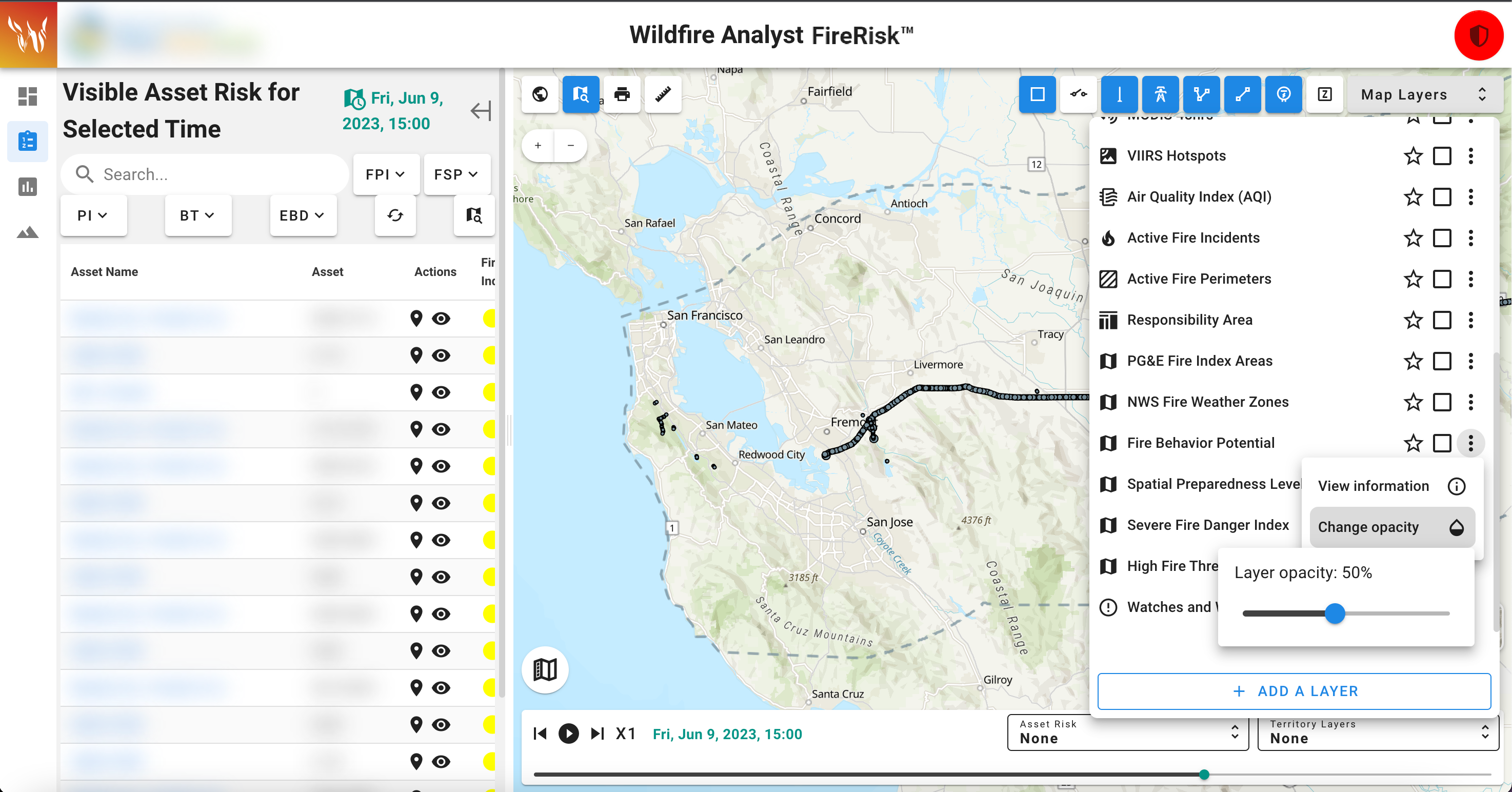
To adjust the transparency of a layer:
-
Click the three vertical dots next to the layer you want to adjust and select the dropper icon
-
The transparency slider will open, adjust the transparency as needed
Layer Favorites

Layers that you use often can be favorited. When a layer is favorite, a quick access button for that layer will appear on the map next to the layers panel. This allows you to quickly turn on and off a map layer without having to open the map layers panel. This can be useful if you tend to toggle on and off the same set of layers frequently.
Layers that have been favorited will have a next to them in the Map Layers panel.
Layers that are turned on will have a blue background.
Favorite a Layer
To favorite a layer, click the empty next to the layer you wish to favorite in the Map Layers Panel.
Unfavorite a layer
To unfavorite a layer, open the Map Layers panel and click the next to the layer you wish to unfavorite.
Layer Definitions
For map layer definitions and details, please see Map Reference Layers: Definitions and Sources.