
The Asset Details is where you can view all of the risk, weather, and fuel moisture metrics for a queried asset. You can view both the risk profile/forecast for the selected asset, as well as metrics for a selected time interval within the forecast. The Asset Details tab gives you the ability to see what time within the forecast the asset has the highest risk.
Asset Summary
At the top of the asset details is a summary section that identifies:
-
The Asset Name
-
Asset Type
-
Asset
-
Voltage
Other fields may be visible depending on the asset type.
In addition to a summary section, the asset details are divided into 3 main sections:
-
Risk - View asset risk for the selected asset. Displays all of the forecasts and risk profiles for the asset risk metrics.
-
Weather - View the weather forecasts and profiles for the asset.
-
Fuel Moisture - View the fuel moisture forecasts and profiles for the asset.
Hide or Show Specific Risk Charts
To put focus on specific risk charts, you can choose to hide and show specific ones as needed.
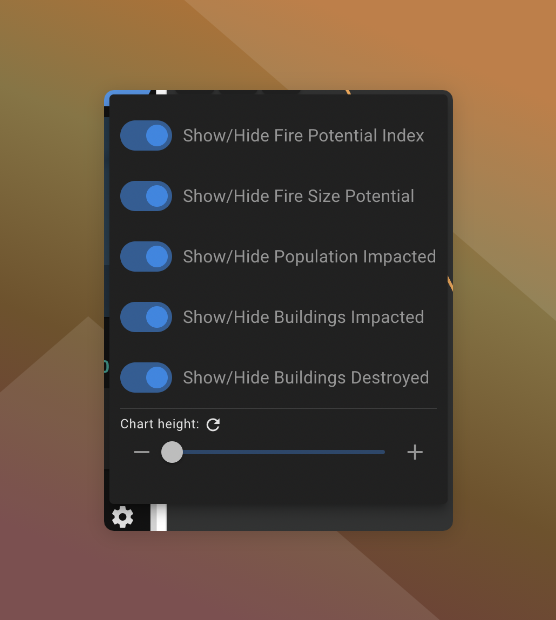
To hide or show specific charts:
-
Click
next to Asset Risk Forecast Profiles
-
Toggle on and off the metrics you want to hide/show
Adjust Chart Sizes
To help make the charts easier to read and use and for smaller screens, you can resize them as needed.
To resize charts:
-
Click
-
Use the slider to adjust the height of the charts.
Click to reset the chart height to default.