
-
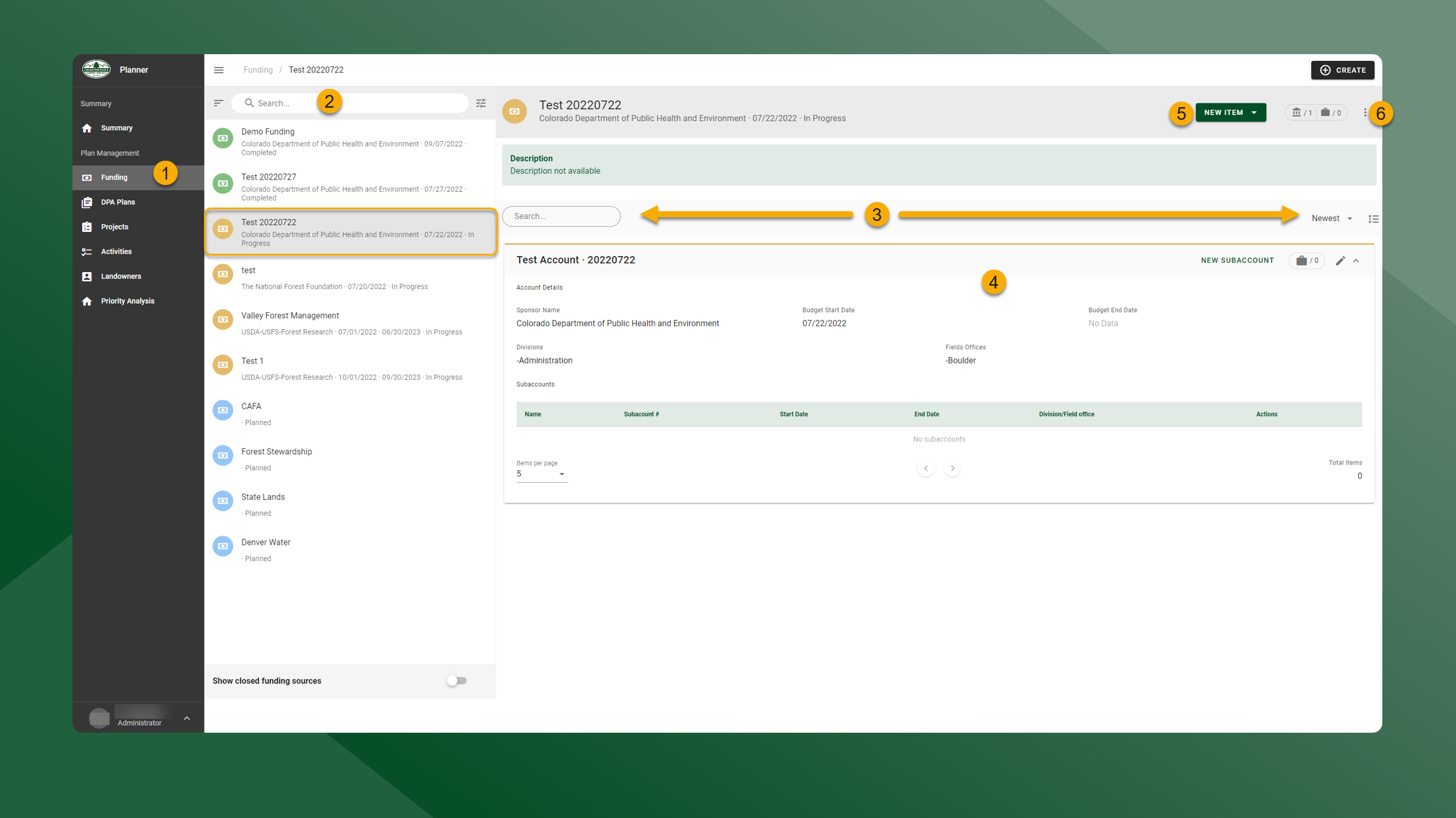
Click the Funding page in the left panel to find, view, and edit Funding Sources.
-
Use the search bar to sort, search, filter, and find Funding Sources. The selected Funding Source will be highlighted in gray.
-
Search and sort the Accounts and Subaccounts.
-
View Accounts and Subaccounts associated with the Funding Source.
-
Create new Accounts or Subaccounts.
-
Click
to Edit Source or Close Source.