The functionality available to the user is based on the user’s role and permissions.
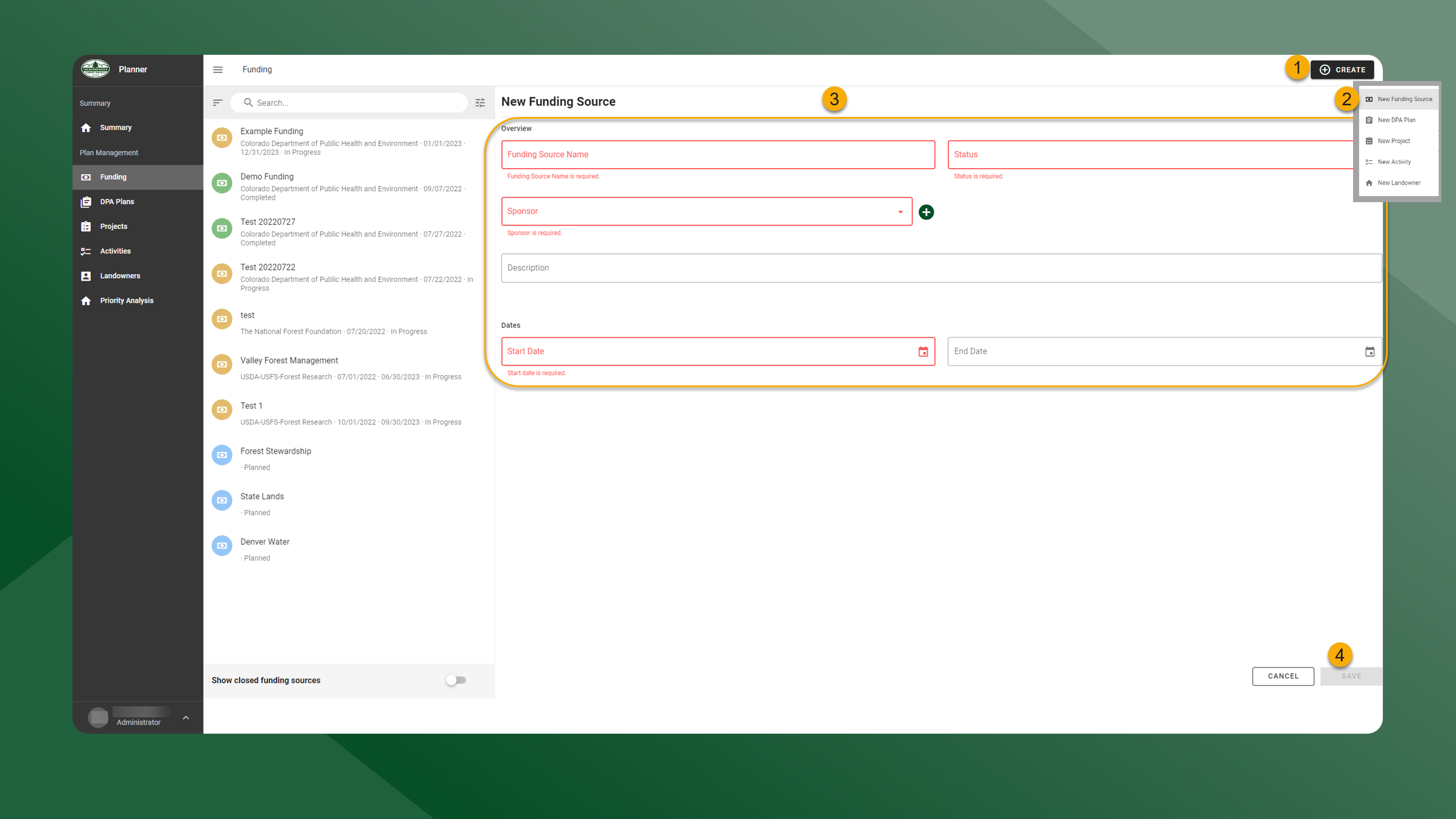
To create a new Funding Source, follow the steps outlined below:
-
From any page click Create in the upper right corner
-
Click New Funding Source
-
Complete all required fields highlighted in red in the Overview and Dates panel
-
Click Save