Navigation
-
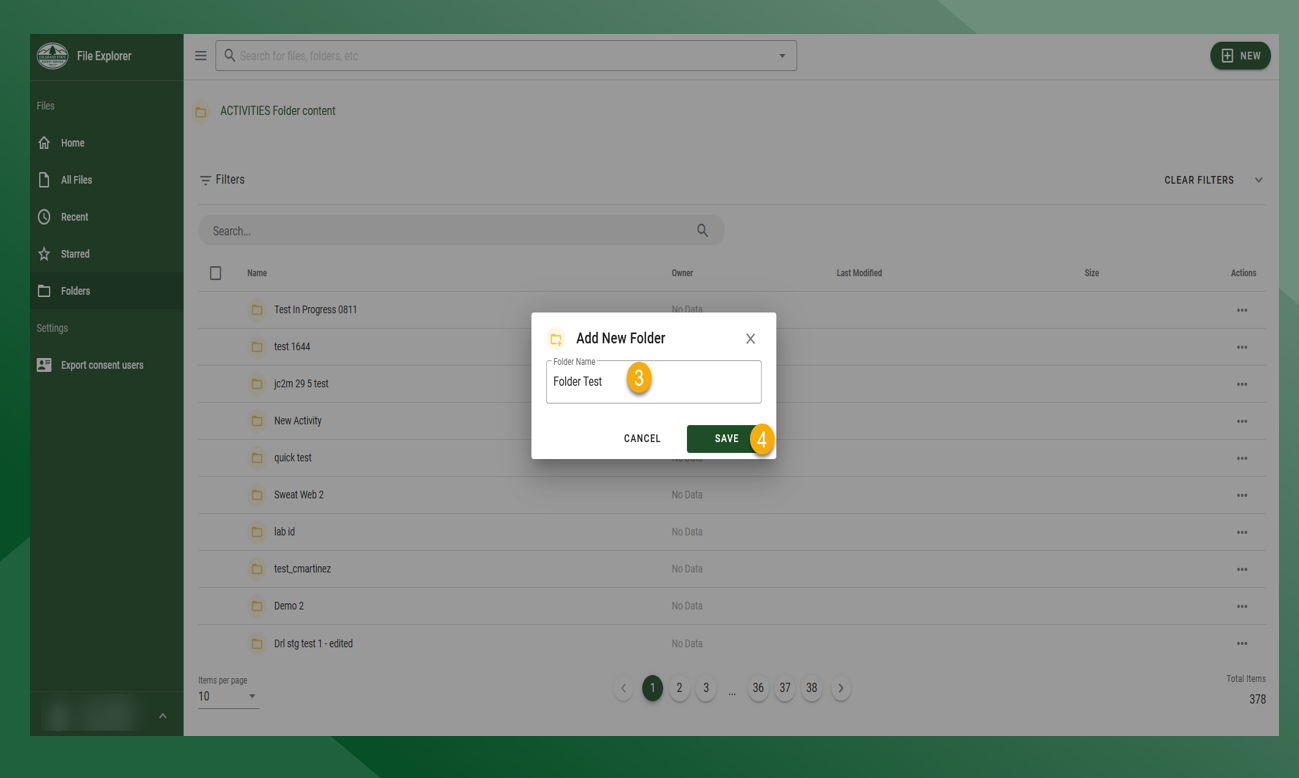
Folders - List of folders in File Explorer.
-
Recent Files - List of all files that have been recently uploaded or modified.
-
Home - Takes user to the home page.
-
All Files - List of all files in File Explorer. Contains a search box, and allows the user to edit files (permission based).
-
Recent - List of recently uploaded or modified files.
-
Starred - List of starred files.
-
Folders - Tiled display of all folders.
-
Export Consent Users - Exports a CSV of all users that have agreed to the Data Sharing Consent.
Uploading File to a Folder
-
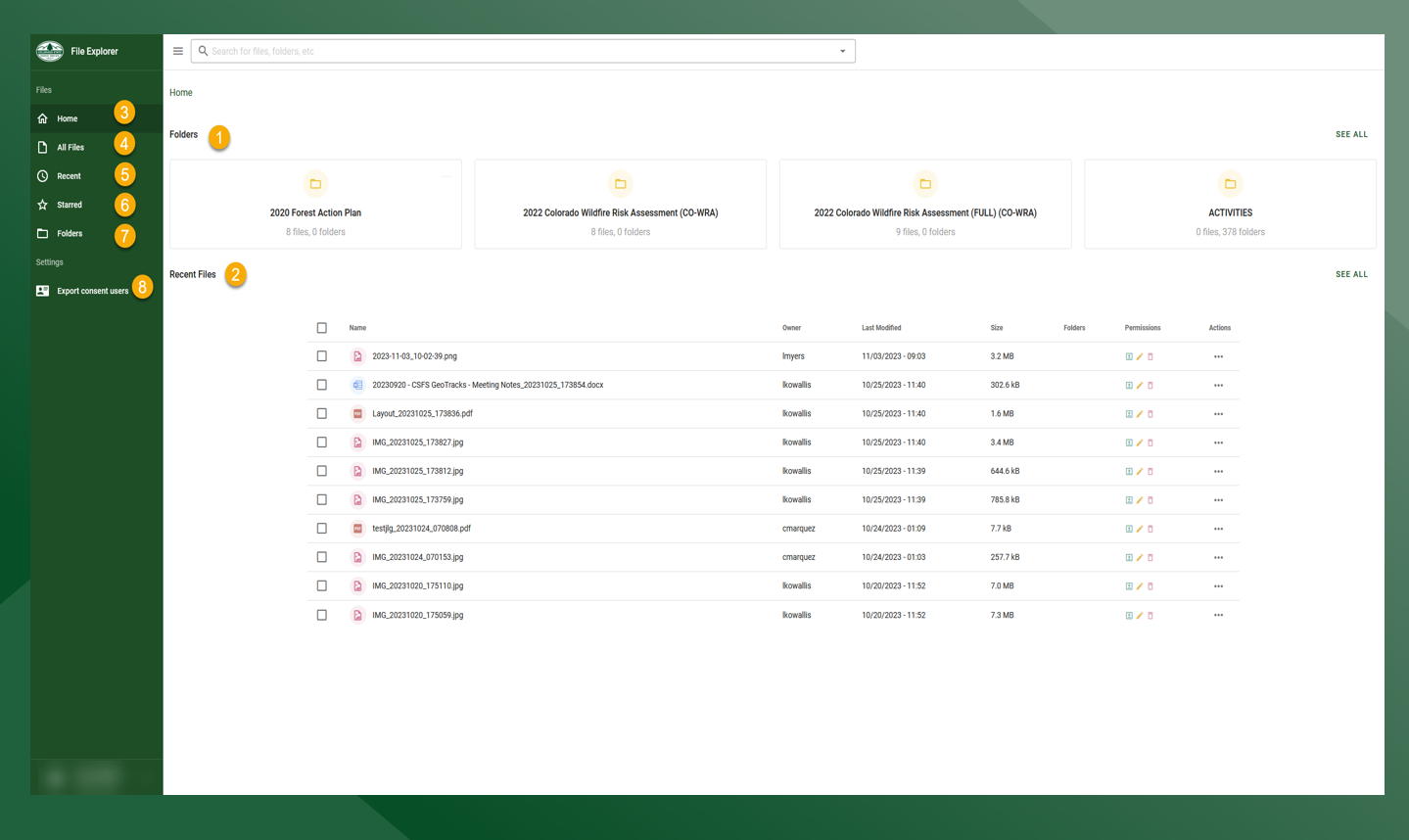
Click Folders and select desired destination folder
-
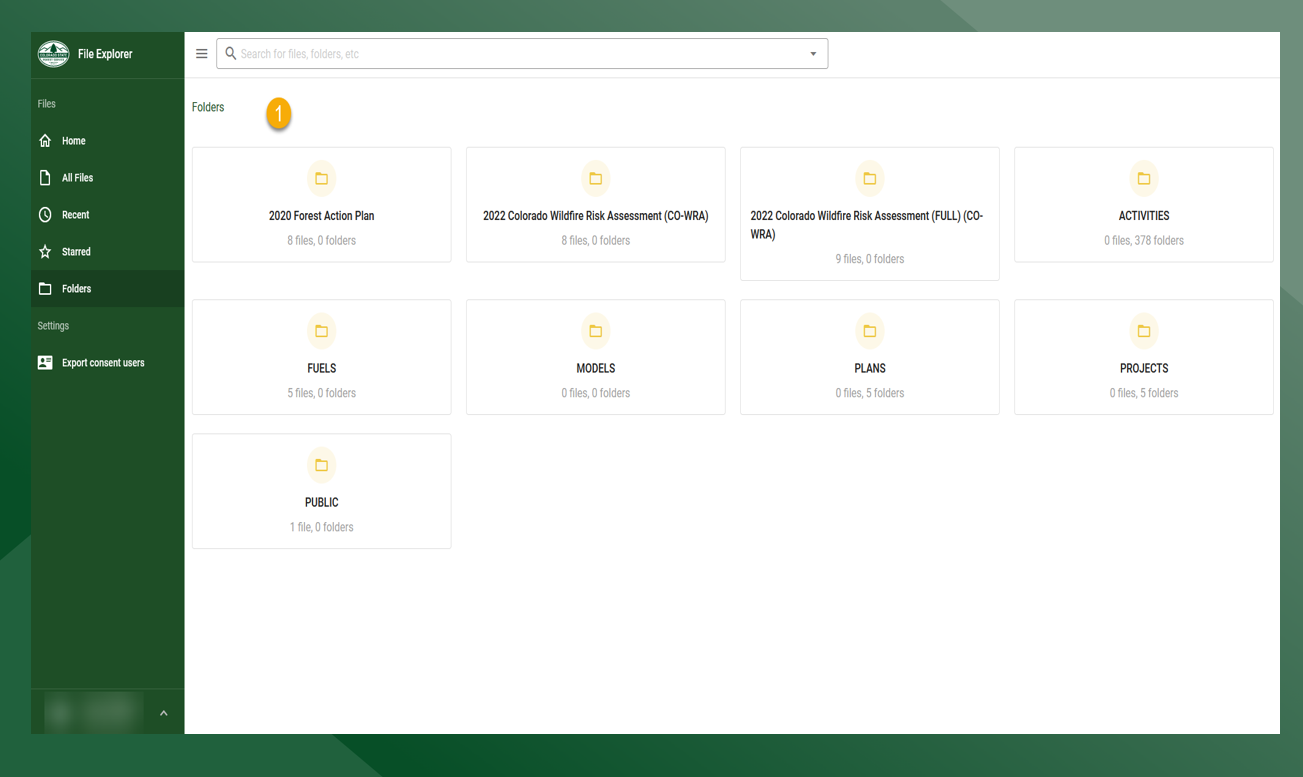
Click NEW and select Upload File
-
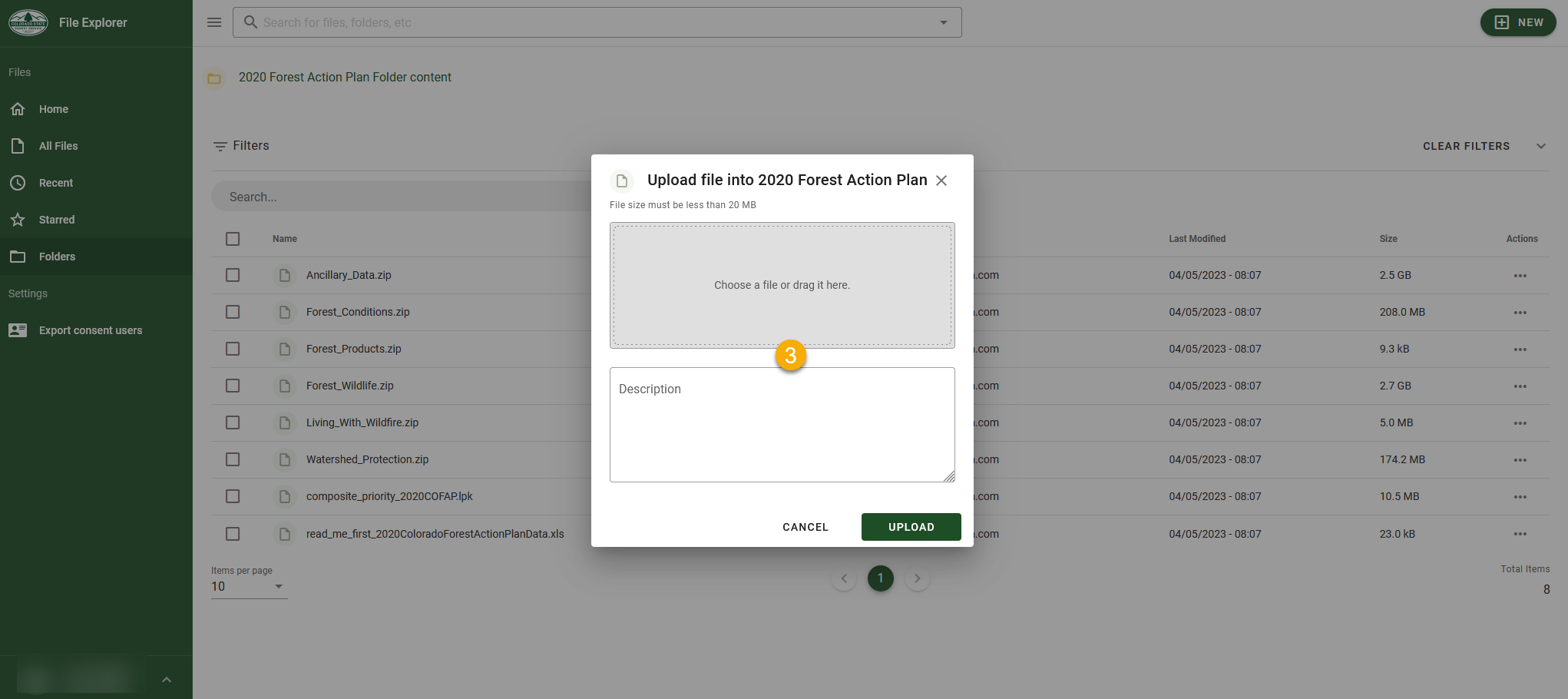
Drag and drop a file or click to open file explorer to select file from the computer
Creating a Nested Folder
-
Click Folders and select desired destination folder
-
Click NEW and select New Folder
-
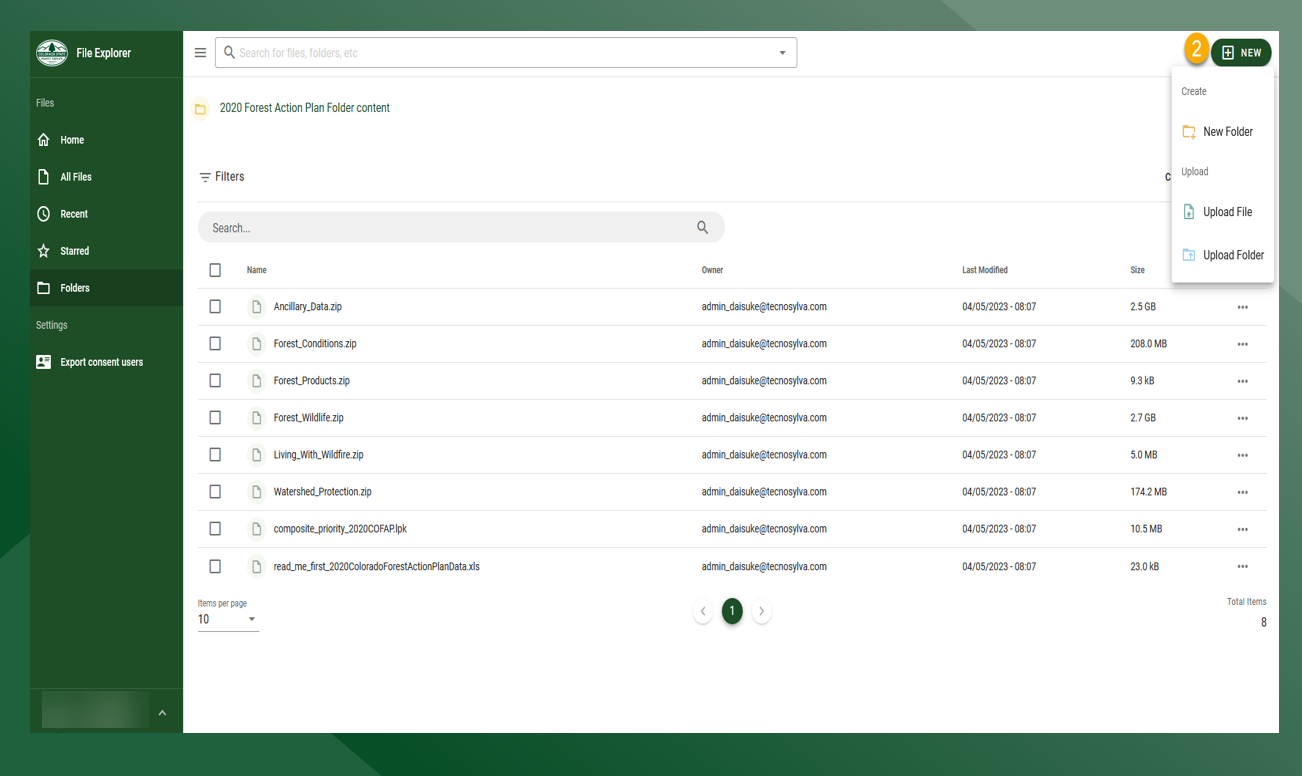
Enter desired name for the new folder
-
Click Save