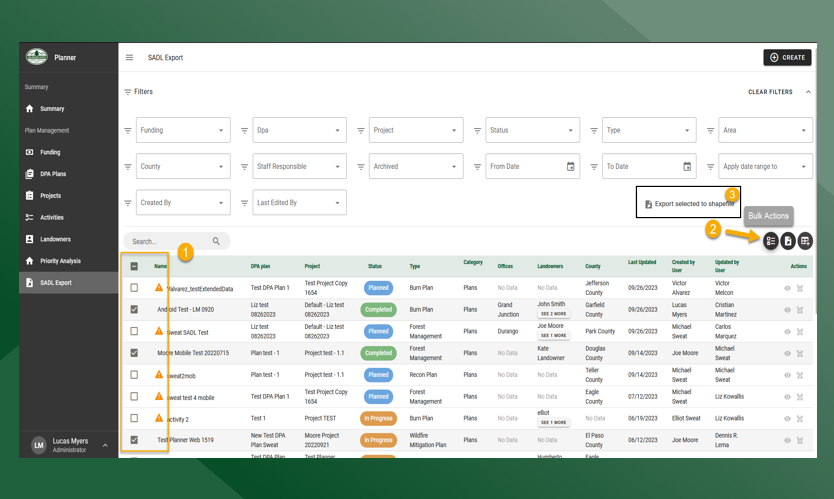
On the SADL Export page there are two options for exporting:
-
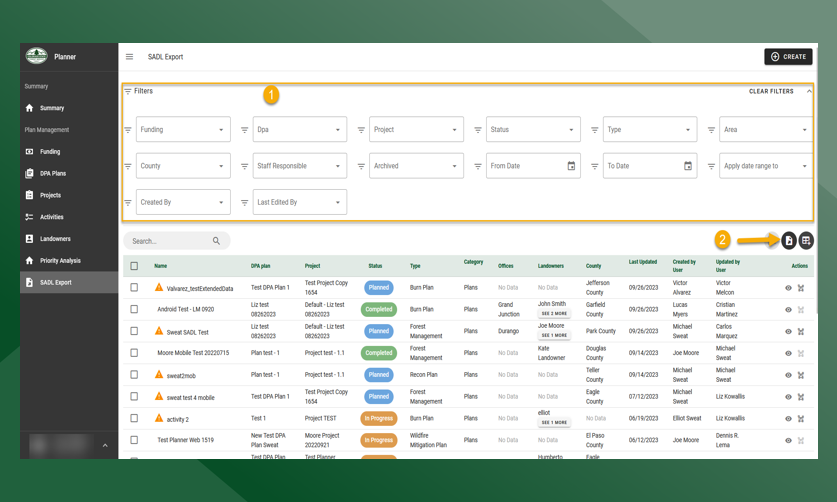
Export All to Shapefile
-
Bulk Actions - Export Selected to Shapefile
Export All simply exports all activities based on the applied filters. If none are applied, all activities will be exported
To Export All:
-
Enter criteria to filter down activities
-
Click Export All :Export_All: and all activities will download as zipped shapefile
To export only selected activities:
-
Click
on the activities that you would like to export
-
It is important to note that only activities with a Planned Boundary can be exported
-
-
Click Bulk Actions :Export_Selected: and the Export Selected to Shapefile dialogue box will appear
-
Click Export Selected to Shapefile and the selected activities will download as a zipped shapefile