
-
From the Projects grid click
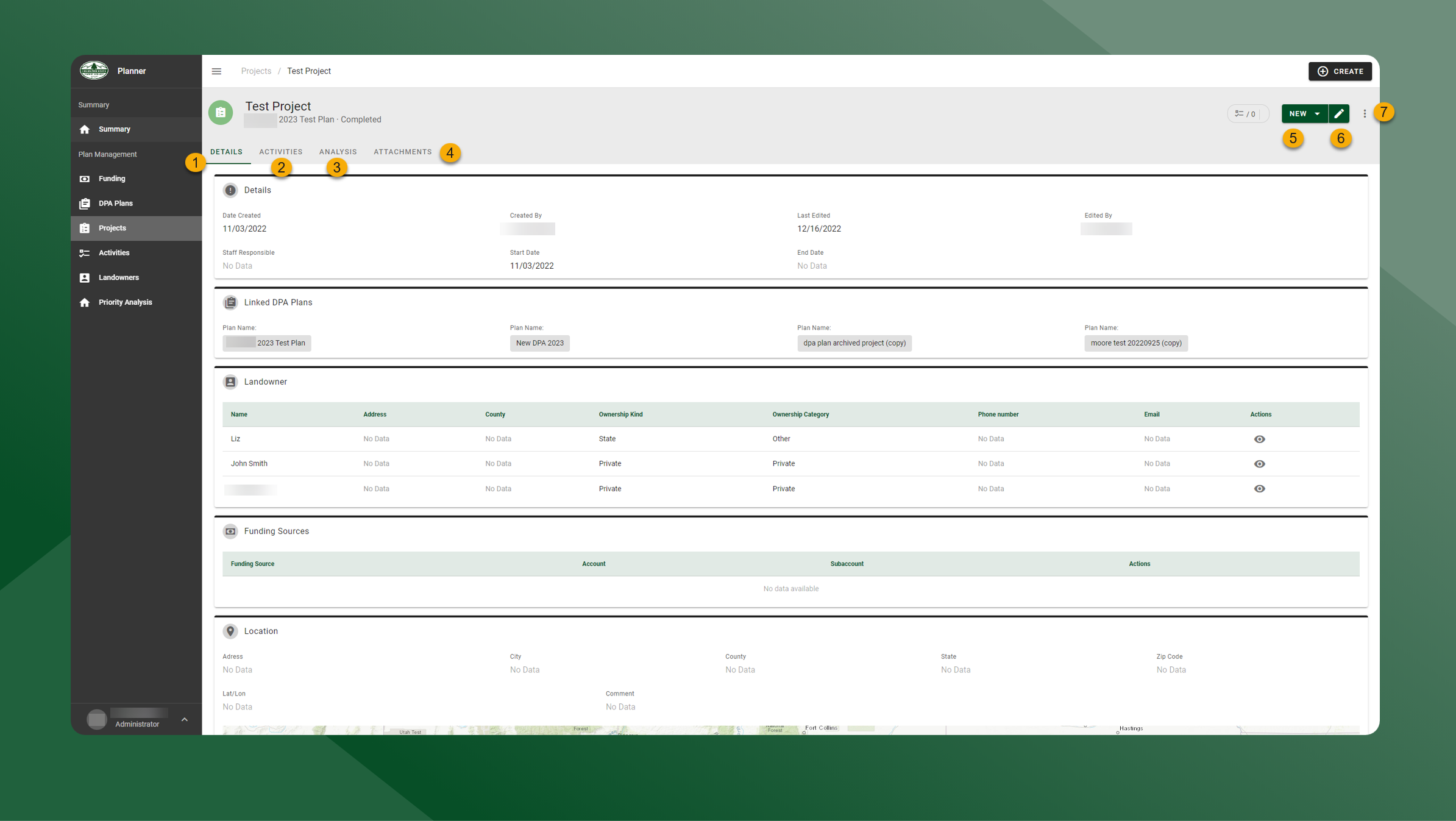
in the Actions column to view a Project. View Project details on the Details tab.
-
Click the Activities tab to view Activities associated with the Project.
-
Click the Analysis tab to run a Priority Analysis for the Project.
-
Click the Attachments tab to download or remove attachments.
-
Click New to create a new Activity or Attachment associated with the Project.
-
Click
to edit the Project.
-
Click
to copy the data to a new Project, or use the Project Landowner for all associated Activities.