
-
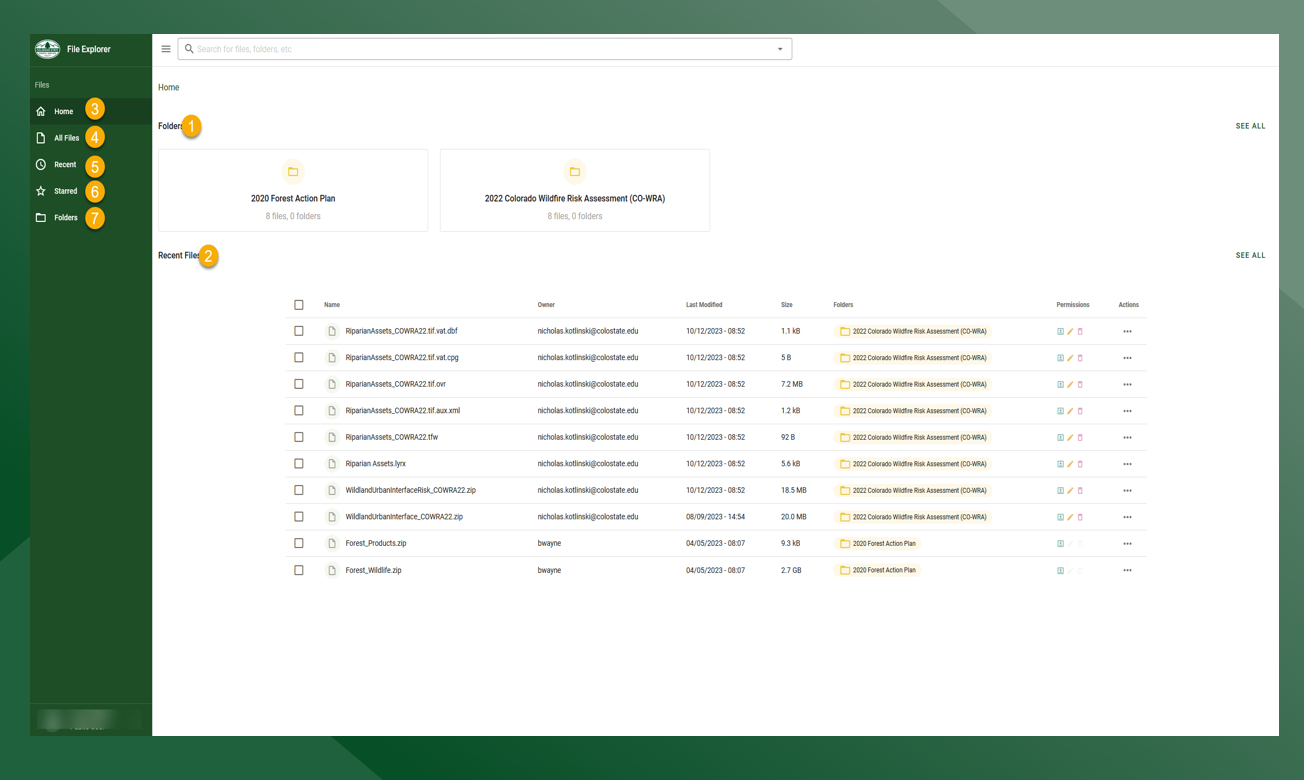
Folders - List of folders in File Explorer.
-
Recent Files - List of all files that have been recently uploaded or modified.
-
Home - Takes user to the home page.
-
All Files - List of all files in File Explorer. Contains a search box, and allows the user to navigate to specific files based on name without navigating through folder structure.
-
Recent - List of recently uploaded or modified files.
-
Starred - List of starred files.
-
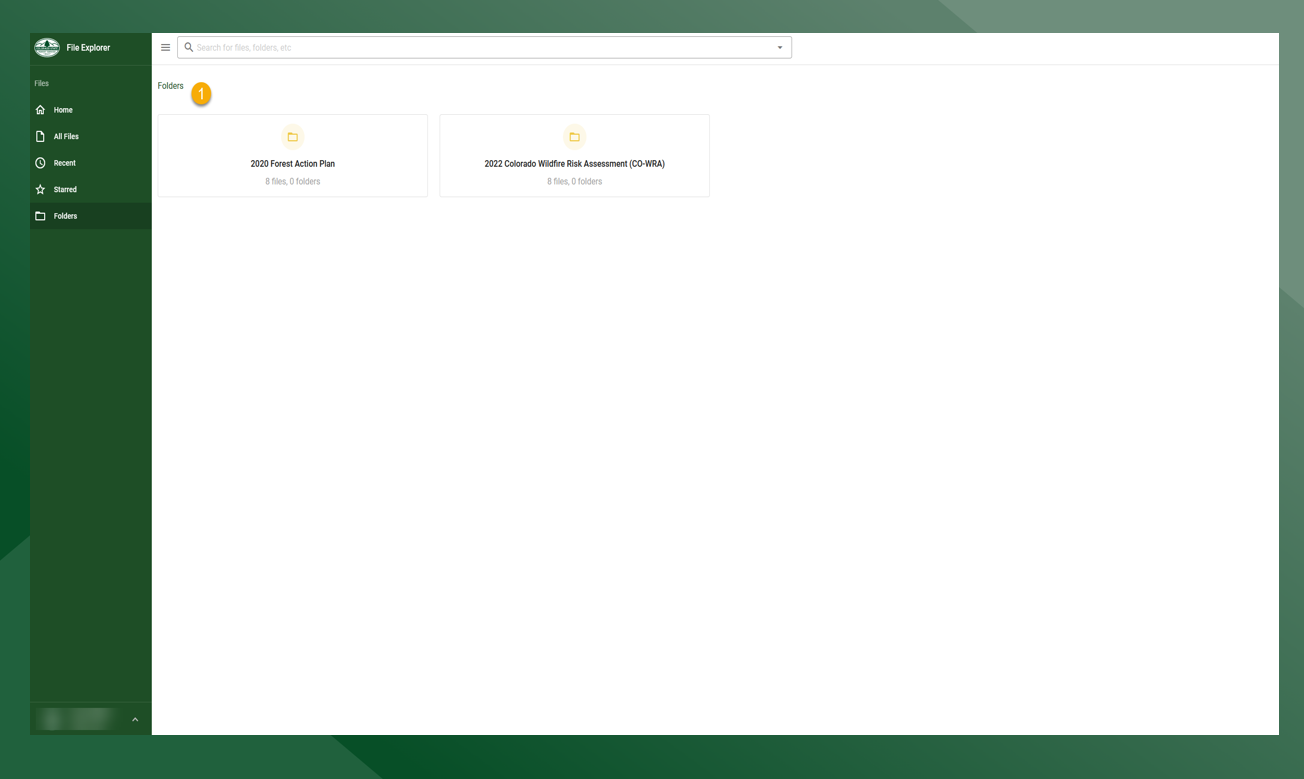
Folders - Tiled display of all folders.
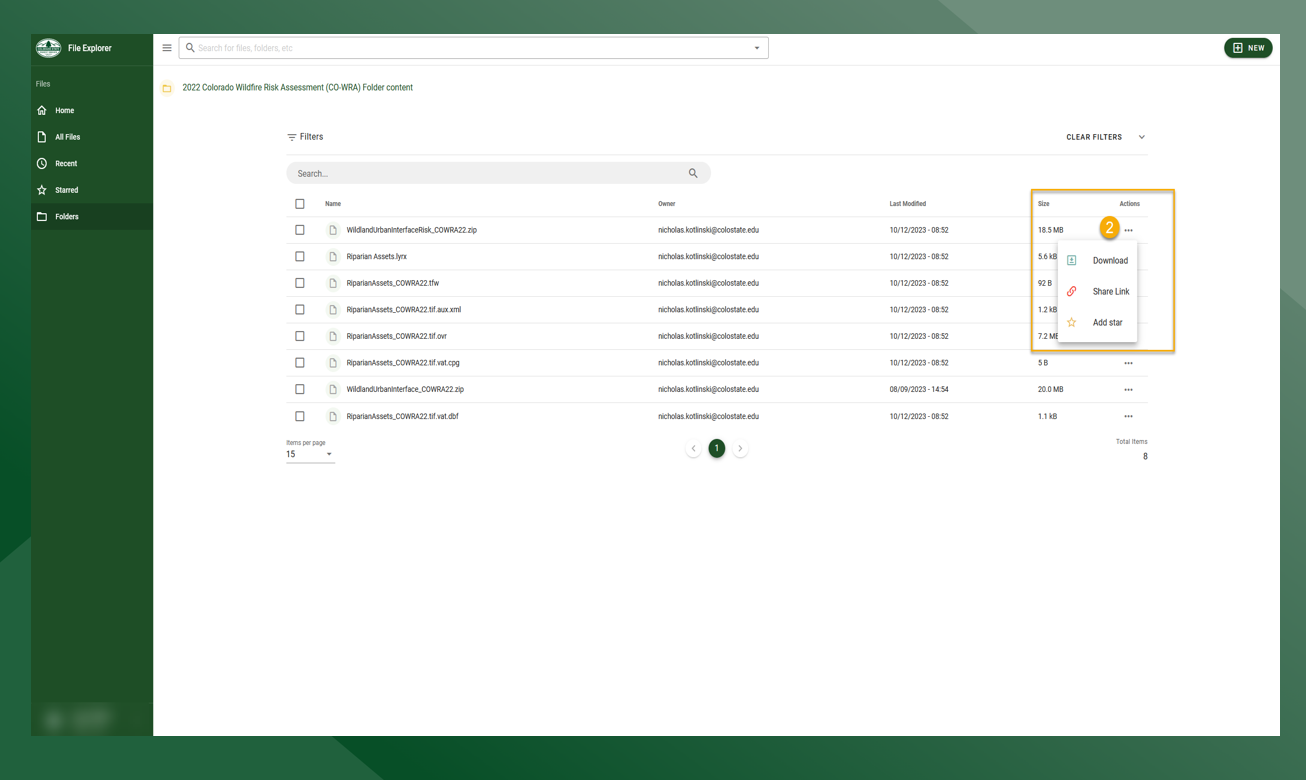
Accessing a Folder & Downloading/Sharing/Favoriting a file
-
Select the folder you wish to access
-
To download, share or favorite a file click the
on the row of the file
-
Click on the desired action button
Uploading File to a Folder
-
Click Folders and select desired destination folder
-
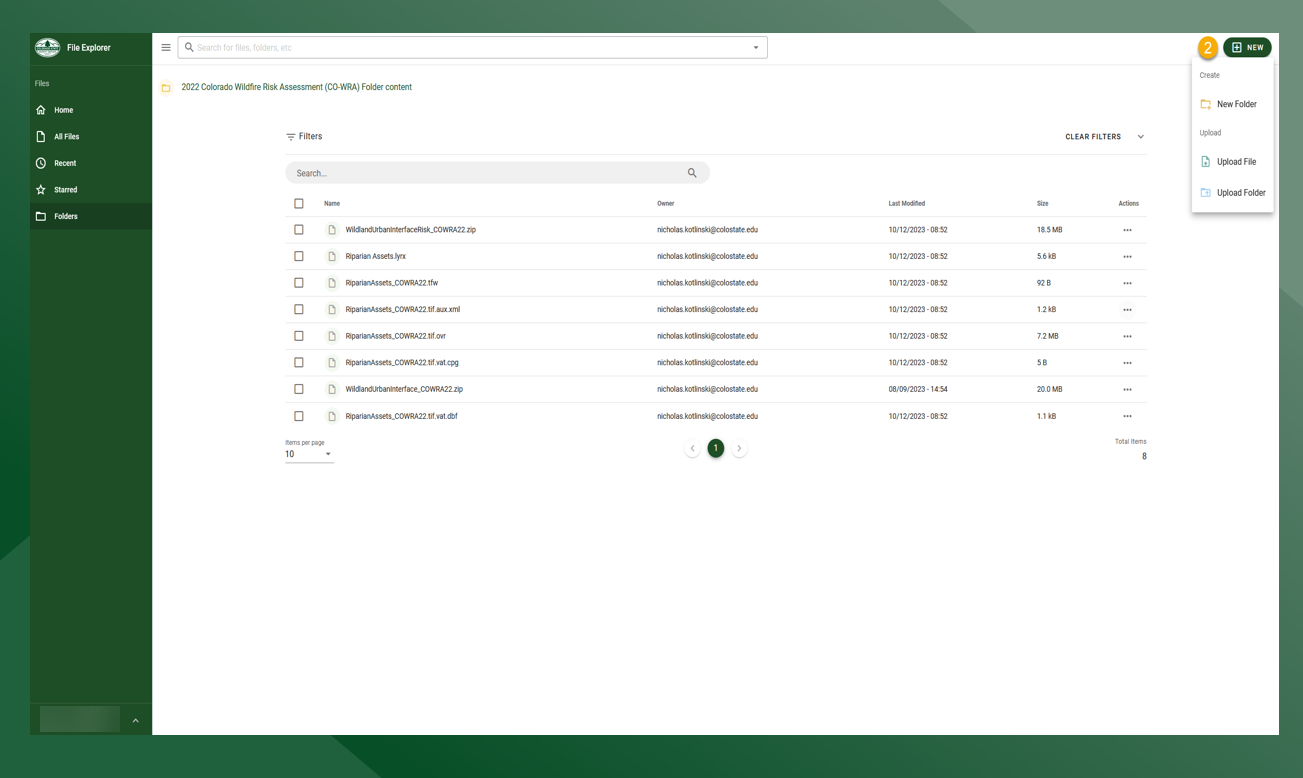
Click NEW and select Upload File
-
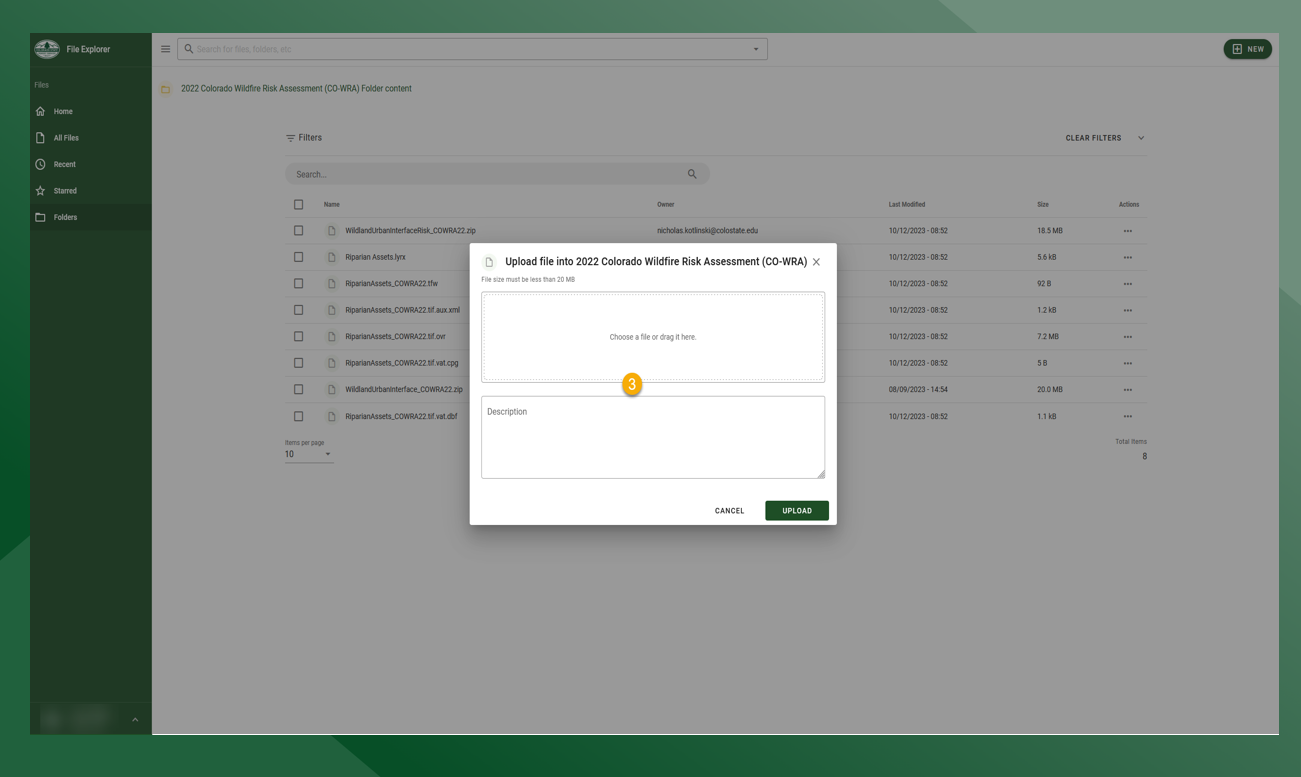
Drag and drop a file or click to open file explorer to select file from the computer
File Explorer is permission based and users may not have access to certain functionalities