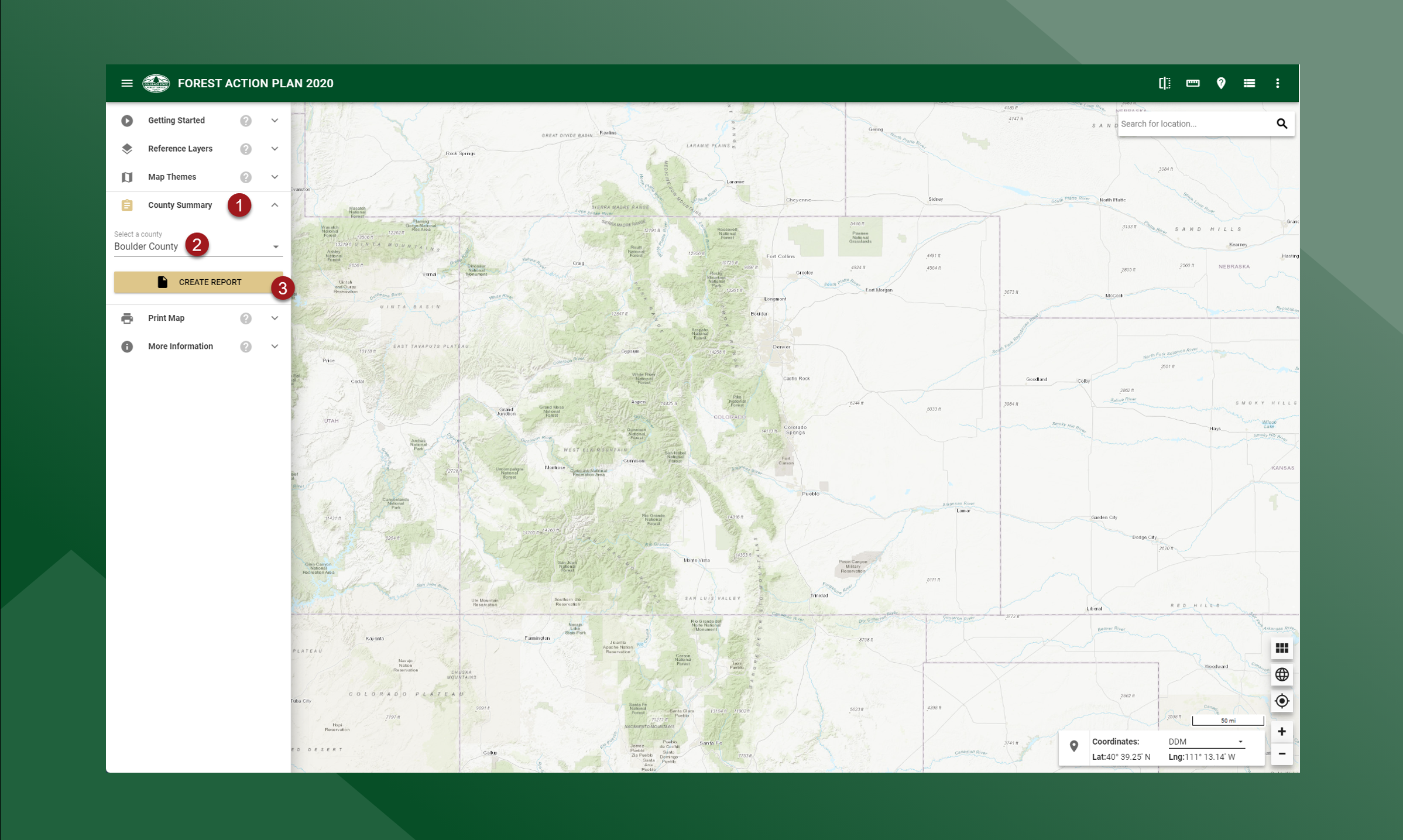
The County Summary tool allows users to select a specific county and generate and view the Forest Action Plan assessment information for that selected county. The generated report wil be created in PDF format and opened in a new tab where users can save or print the PDF document.
To use the county Summary Tool, follow the steps outlined below:
-
Click County Summary on the left panel to expand the tool
-
Select a county from the drop down list
-
Press Download Report
The report for the selected county will appear in a new browser tab. Use your browser’s download tools to download the file locally.